Drawboard PDF for iOS

The first collaborative PDF app on iOS

Mark up, sketch and review PDFs with Apple Pencil, then see your team's markups appear in real time across iPad, iPhone and every other device.

4.7 on the App Store Trusted by millions
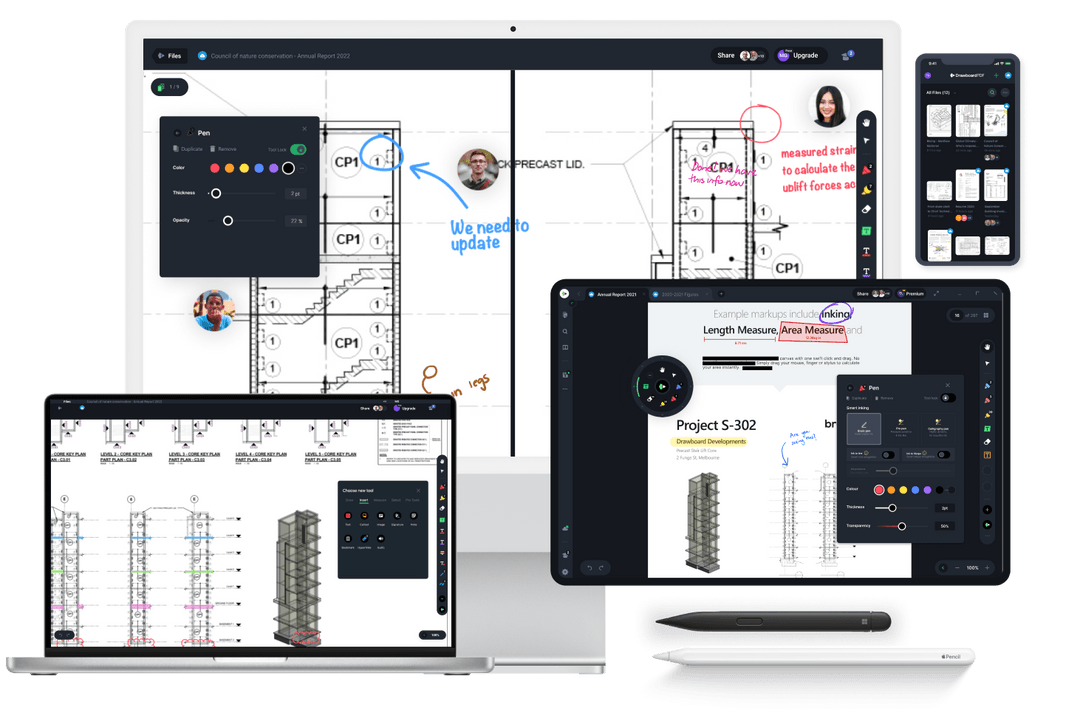
Drawboard PDF on iPad and iPhone

A smoother way to work with PDFs on the go

Work together or on your own schedule

Work how and when it suits you. Whether you’re marking up solo or reviewing alongside others, Drawboard PDF keeps every note and annotation right on the page. Continue on another device or see exactly what others have added, all in one connected workspace.
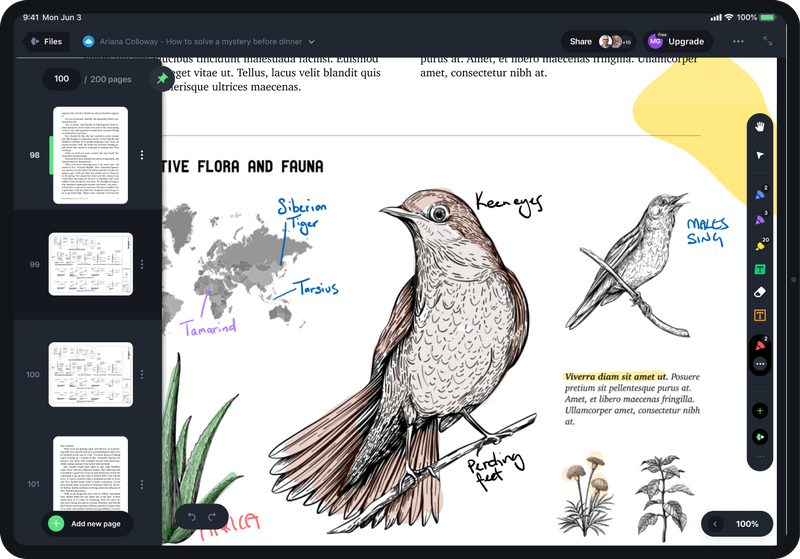
Write and sketch with pen-like precision

Turn your iPad or iPhone into a true digital notebook. Capture notes, drawings, and ideas with pressure-sensitive ink that feels just like pen on paper and time-saving features that make markup fast and easy.

tablet, mobile device and laptop showing Drawboard PDF

Stay organized and in sync wherever you work

Keep all your PDFs in one connected workspace that updates in real time. Bookmark key pages, group related documents, and instantly access the latest version of your work from your iPad, iPhone, or desktop.

Apple app store button

Turn your PDFs into a real-time canvas

Drawboard PDF lets you go beyond static documents. Write, sketch, and review in real time on iPad and iPhone with smooth, pen-accurate ink and tools that keep every idea connected across your devices.

Smart inking Drawboard PDF

Built for Apple Pencil

Draw, write, and highlight with precision ink designed for the Apple Pencil. Every stroke feels like pen on paper.

Drawboard PDF users

Real-time collaboration

Share PDFs and see markups appear instantly as others draw, highlight, or comment. Work together from anywhere.

graph paper, note paper and sheet music page template

Time-saving templates

Get started faster with customizable templates for lined notes, graph paper, sheet music, and more.

Powerful PDF tools, reimagined for  iPhone Duo.

Check off issues one-handed when it's folded. Unfold it to see the whole drawing, measure to scale and share with your team on the spot.
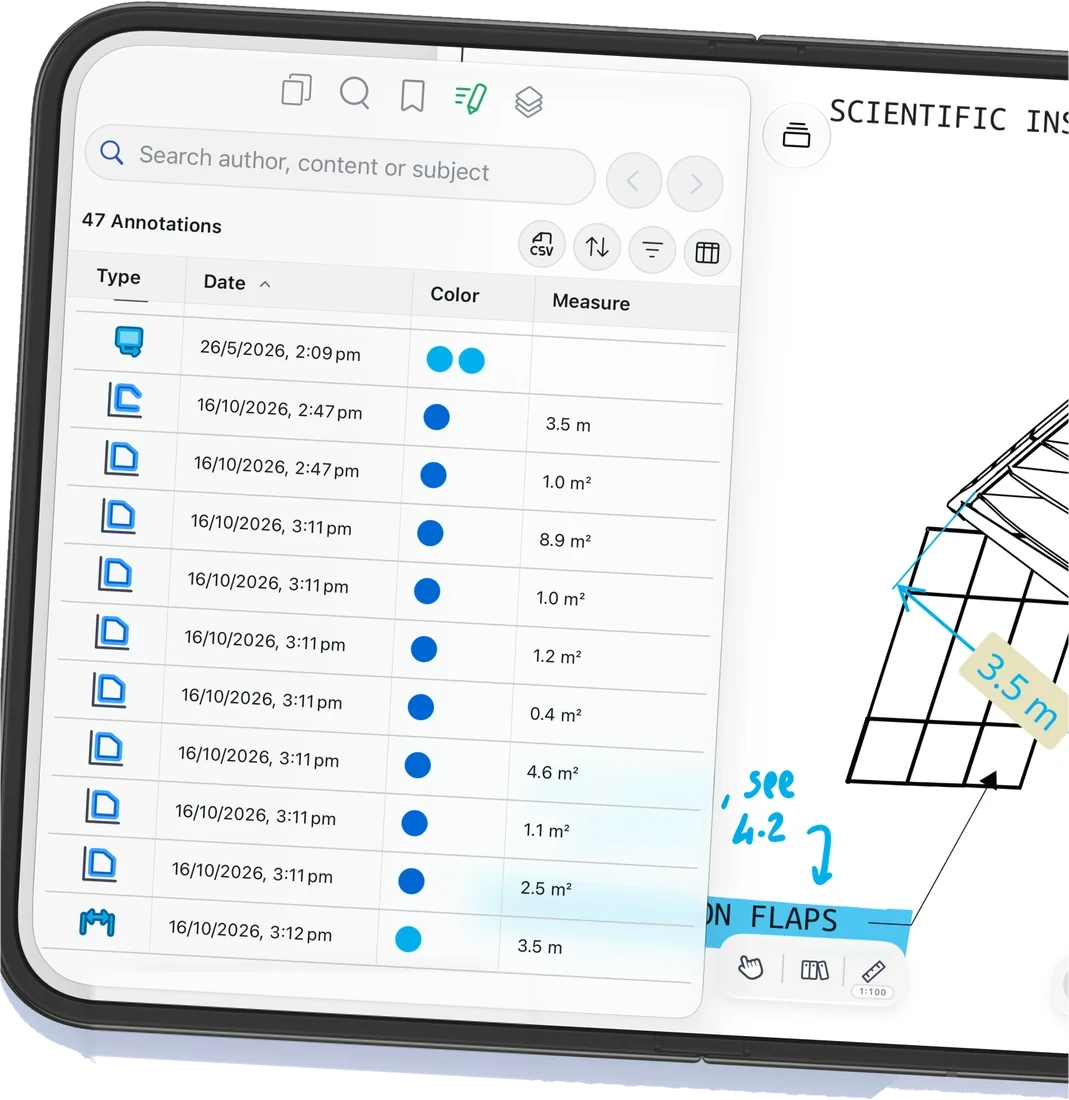

Explore Drawboard PDF on iPhone Duo →

Here's what you can do on iOS

Compare plans →
  • Pressure-sensitive inking with calligraphy
  • Ink-to-line and ink-to-shape
  • Hyperlinks
  • Signatures
  • Audio notes
  • Callouts
  • Line type and colour pickers
  • Measurement tools
  • Redaction
  • Templates and overlays
  • Favourites toolbar
  • Convert PDFs to files or images
  • Reorganise, delete and manage PDFs
  • Real-time collaboration
  • Works offline

Loved on the App Store

4.7 average rating
“Amazing app! Really easy editing, totally recommend for all important PDF work!”
Drawboard PDF user, App Store
“Perfect for marking up drawings on my iPad—fast, smooth, and the pen feels natural.”
Drawboard PDF user, App Store
“Apple Pencil support is excellent—pressure and tilt feel just right for precise edits.”
Drawboard PDF user, App Store

Test out our tools yourself

FAQs

Questions about Drawboard PDF on iPad and iPhone.

Visit the Help Center →

The free Basic version covers essential viewing and markup. Pro Lite adds advanced ink, hyperlinks, audio notes and more cloud sync. Pro Plus adds measurement, templates and redaction. Pro Unlimited adds unlimited sync, Teams integration and premium support. Enterprise adds admin controls, SSO, analytics and dedicated support.

Get started with
Drawboard PDF
Microsoft store button
Apple app store button
Download Google Play for Android
Available on Windows, iOS, macOS, Android and in your web browser.