
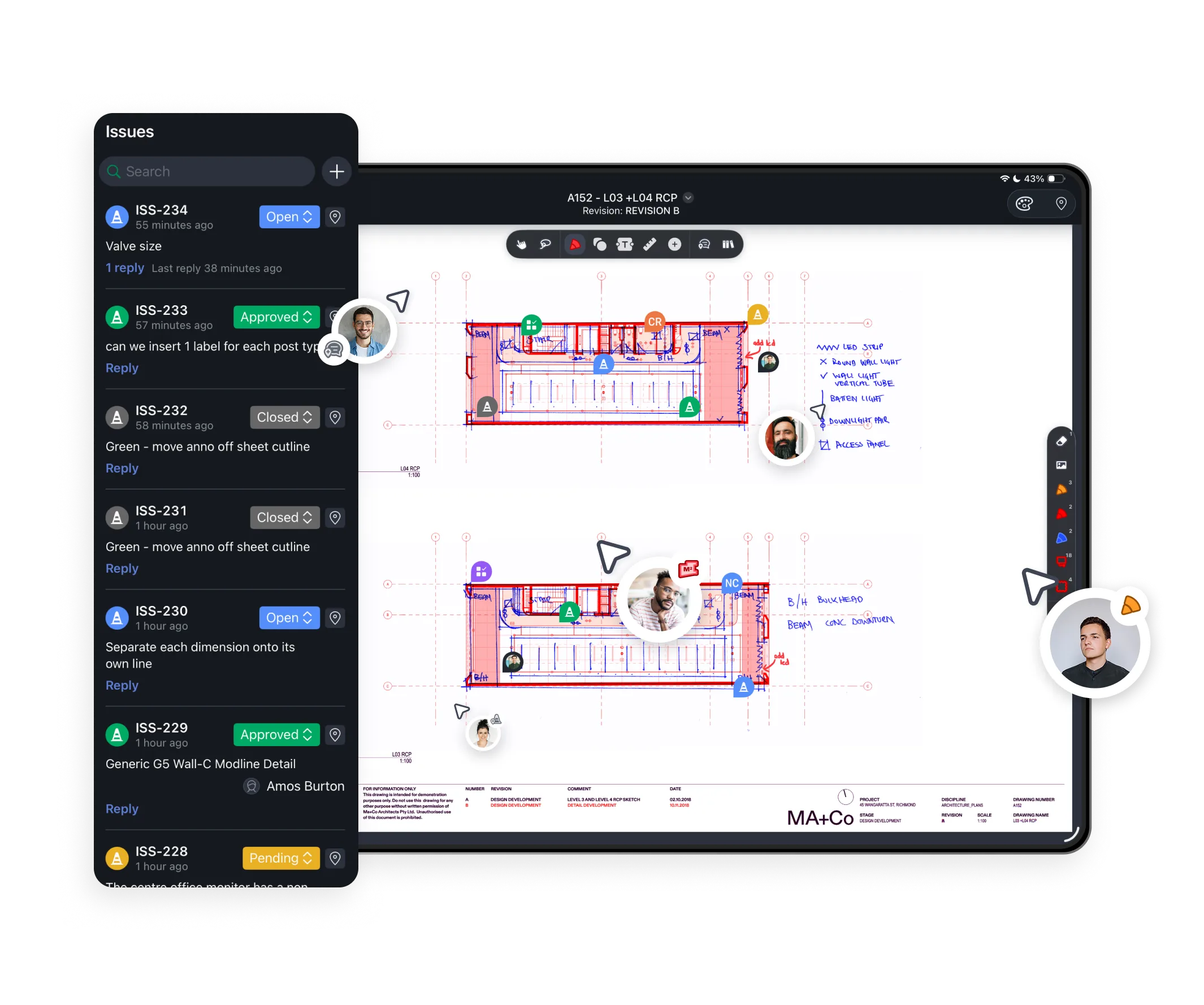
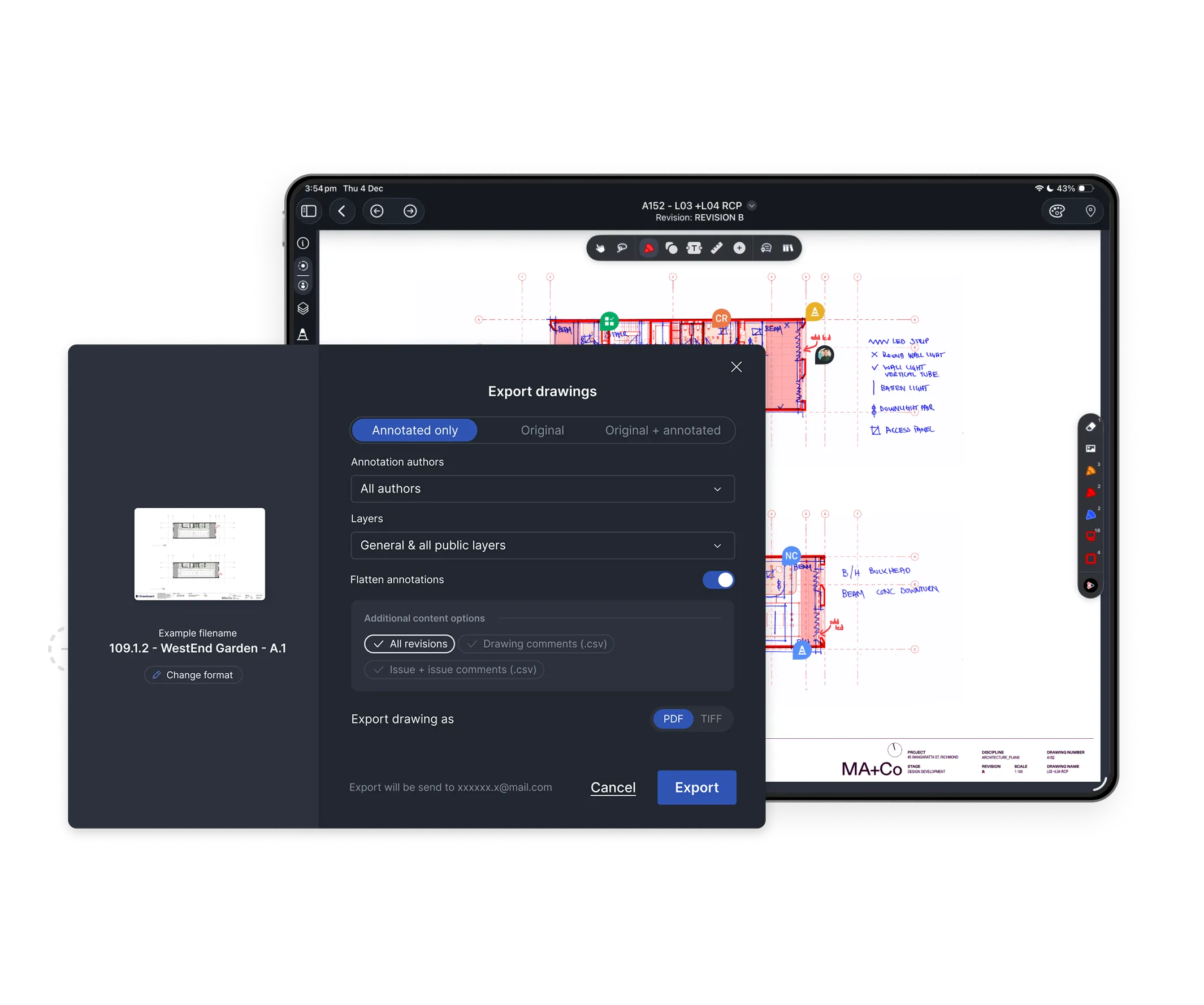
Review details, verify buildability, and sketch clarifications directly on your PDFs to catch issues early and keep construction moving accurately.
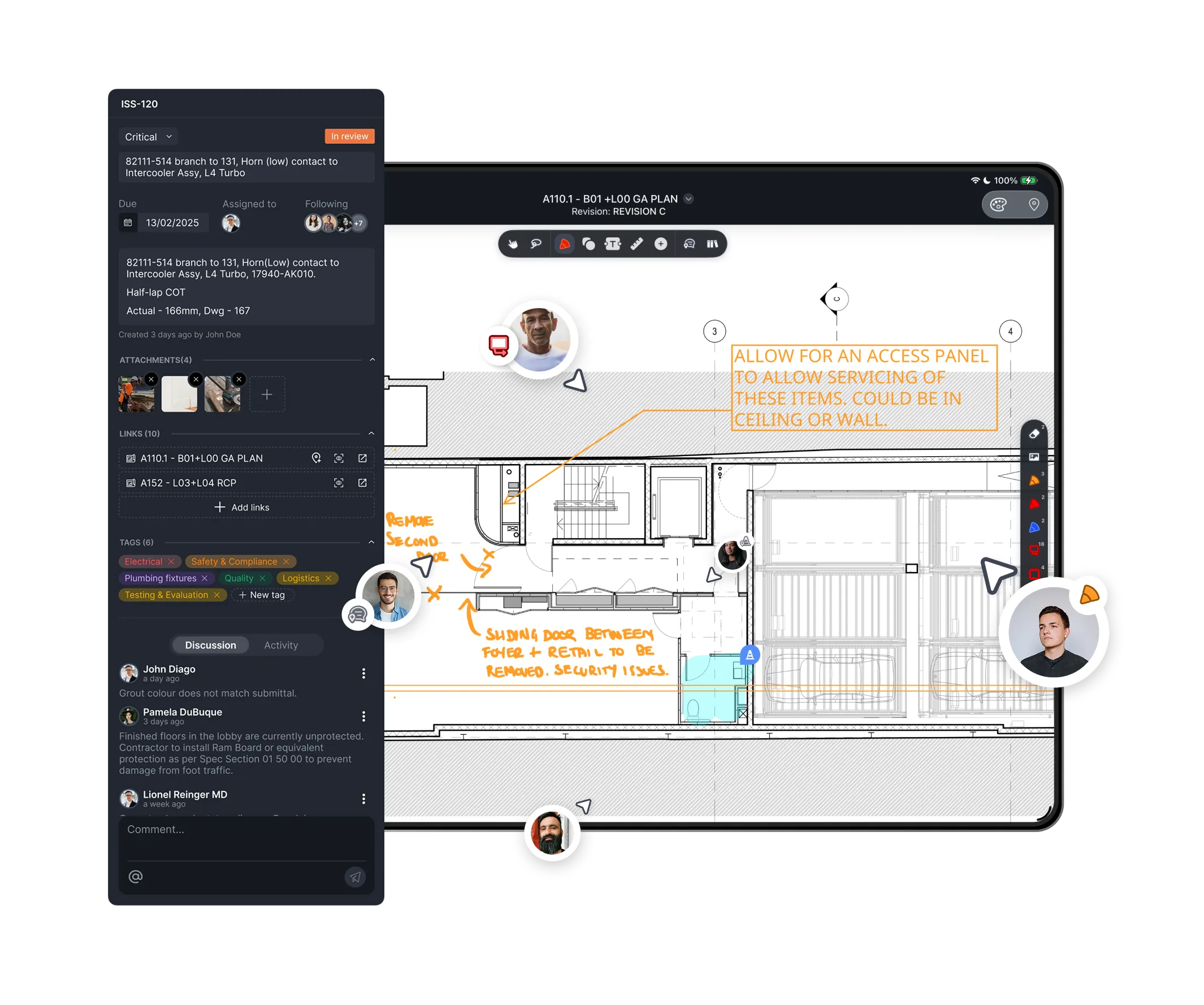
Drop pins on drawings, add photos, and record issues on site using tablet, PC, or mobile. Updates sync instantly so office and field teams always see the same information.
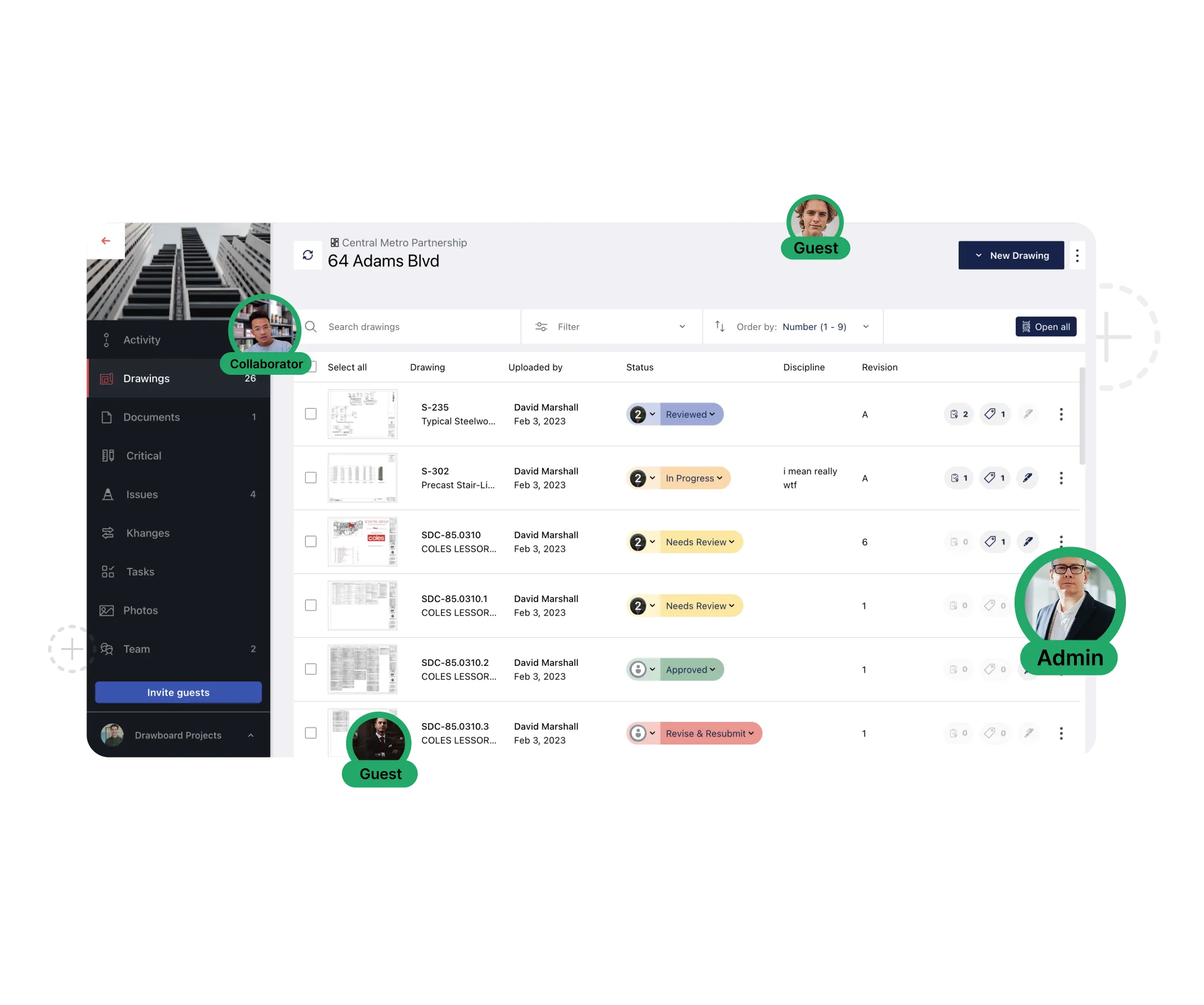
Host live or asynchronous reviews in a shared space where every thread stays tied to the drawing. Invite consultants, subs, and clients with free guest access so they can review, comment, and approve from anywhere.
Whether you’re using Drawboard Projects or Drawboard PDF, it’s easy to keep construction design reviews clear, fast, and connected to the drawings that matter.
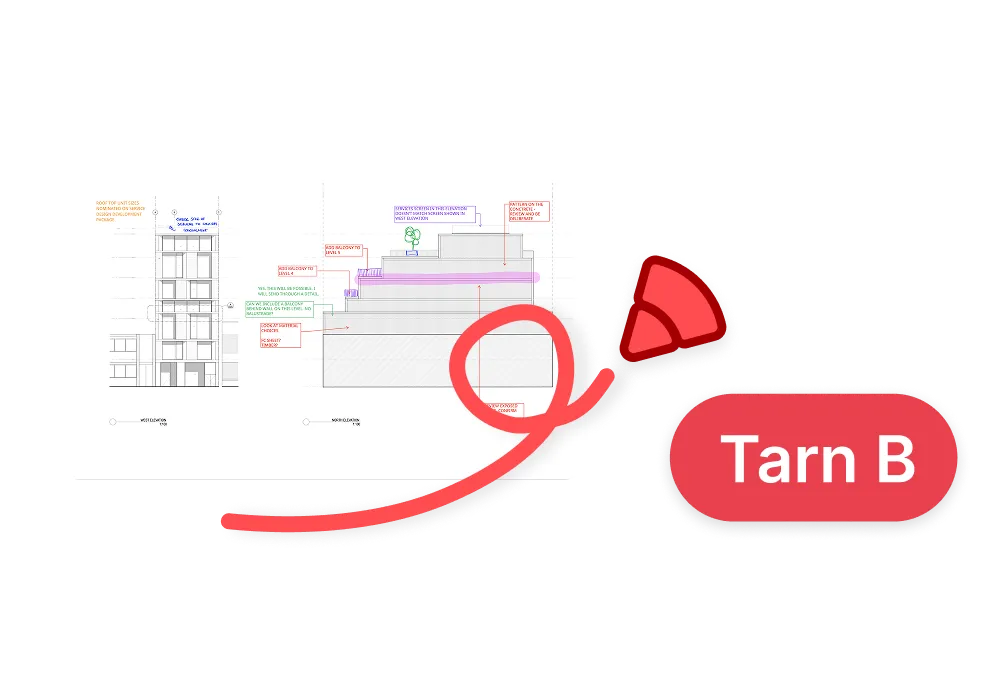
Natural, precise inking and reusable annotations help teams mark up drawings quickly and consistently on iOS, Windows, Mac, and the web app.
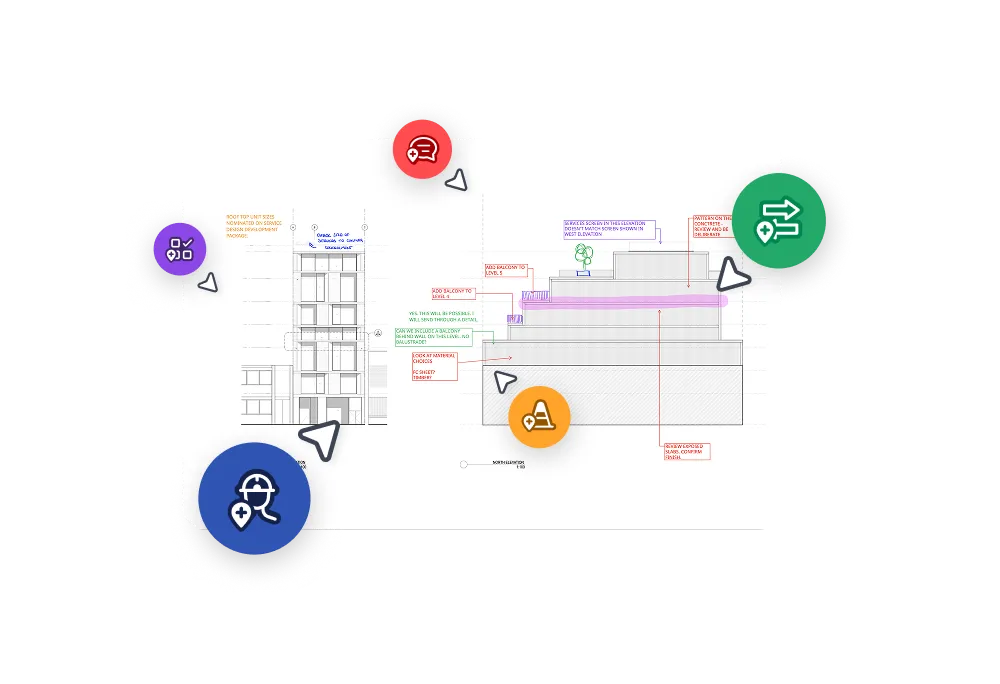
Turn markups into Tasks on Drawboard Projects with assignees, due dates, statuses, and discussion threads, all pinned to exact drawing locations.
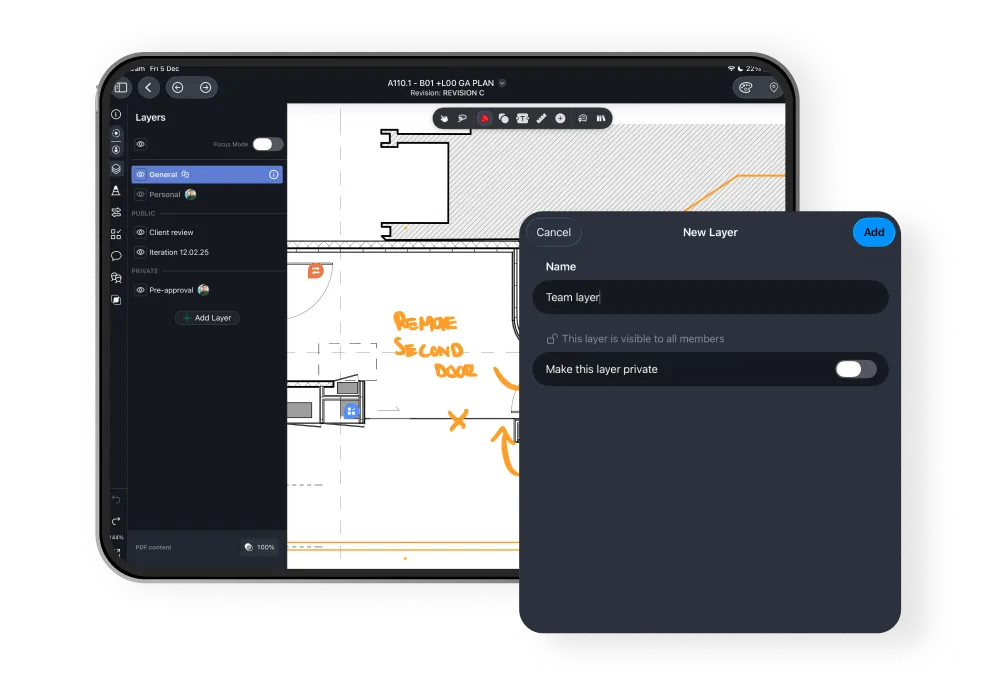
Separate feedback by trade or reviewer with private and shared markup layers to keep complex drawing sets clear and focused.


Drawboard Projects sits between your design tools and site execution. It replaces disconnected PDF markups and email threads with a shared review layer, helping teams clarify feedback before it turns into rework on site.
Site teams can open drawings on tablets, drop pins for issues or photos, and sync updates instantly to the office. It’s ideal for punch walks, QA, and quick clarifications while keeping everything tied to the latest drawings.
Yes, when using the native Windows, iPad, and iOS apps, teams can view drawings and add markups or comments while offline. All updates sync automatically once the device reconnects, so field feedback is never lost. The Web app isn’t usable offline, however.
Drawboard Projects connects to Revit, Procore, Aconex, OneDrive, Google Drive, and Dropbox for easier drawing intake and review handoff. You can import plans directly from these platforms, review them collaboratively in Projects, and publish annotated sets or updated versions back, keeping documentation consistent without managing duplicate files.
Yes. Drawboard Projects runs on Web (Mac and Android), Windows, and iOS with full stylus, mouse, and touch support. Markups, Tasks, and comments stay synced so everyone, from office to site, sees the latest version.
Each drawing shows all comments, markups, and Tasks in one place. You can filter by reviewer, status, or discipline to see what’s resolved and what still needs attention. No more tracking feedback across separate files or email threads.


.svg)


