

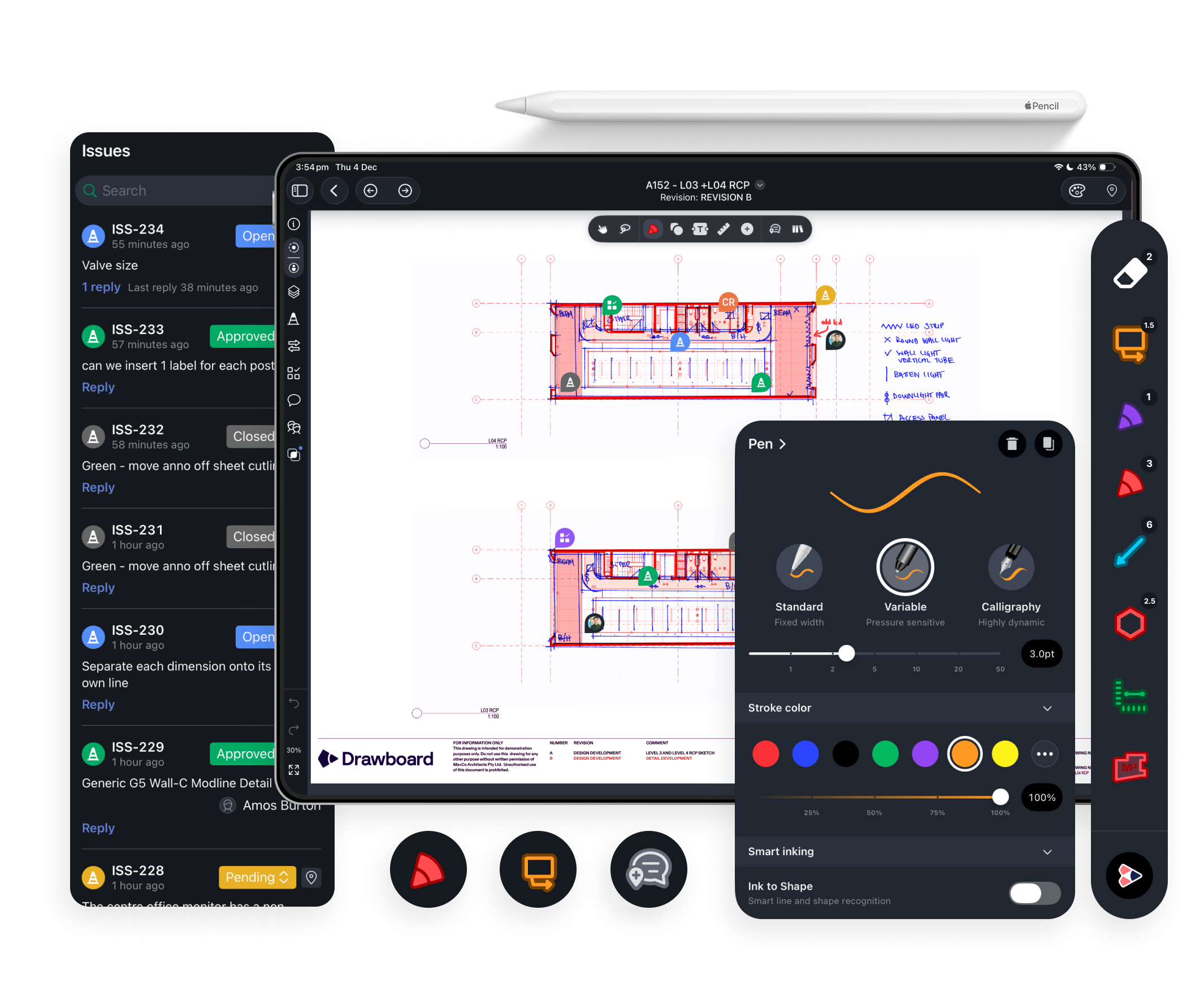
Sketch, redline, and call out issues with pressure-sensitive, pen-like accuracy. Drawboard Projects’s Apple Pencil support helps you capture detail clearly on any drawing, right where it matters.
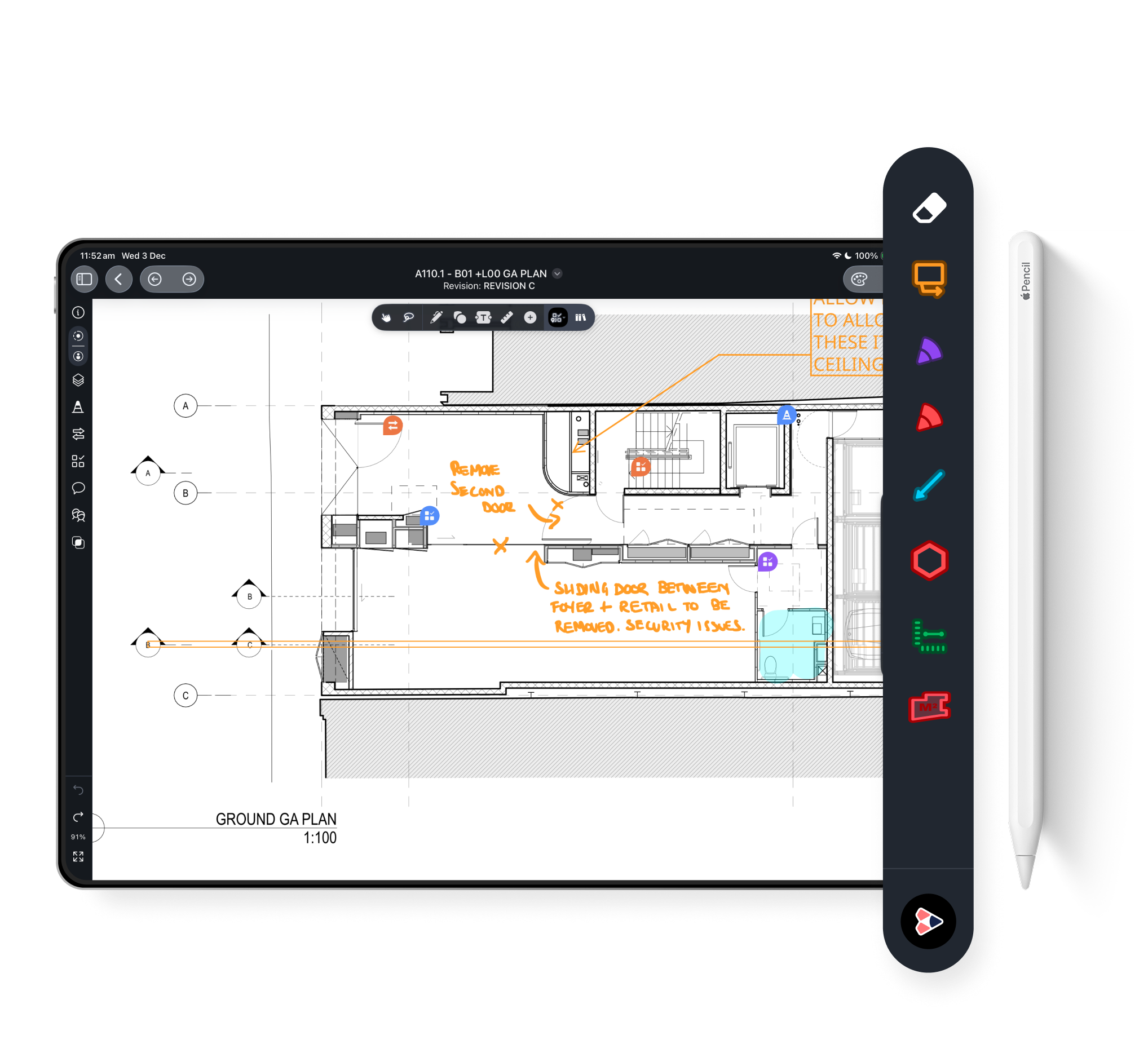
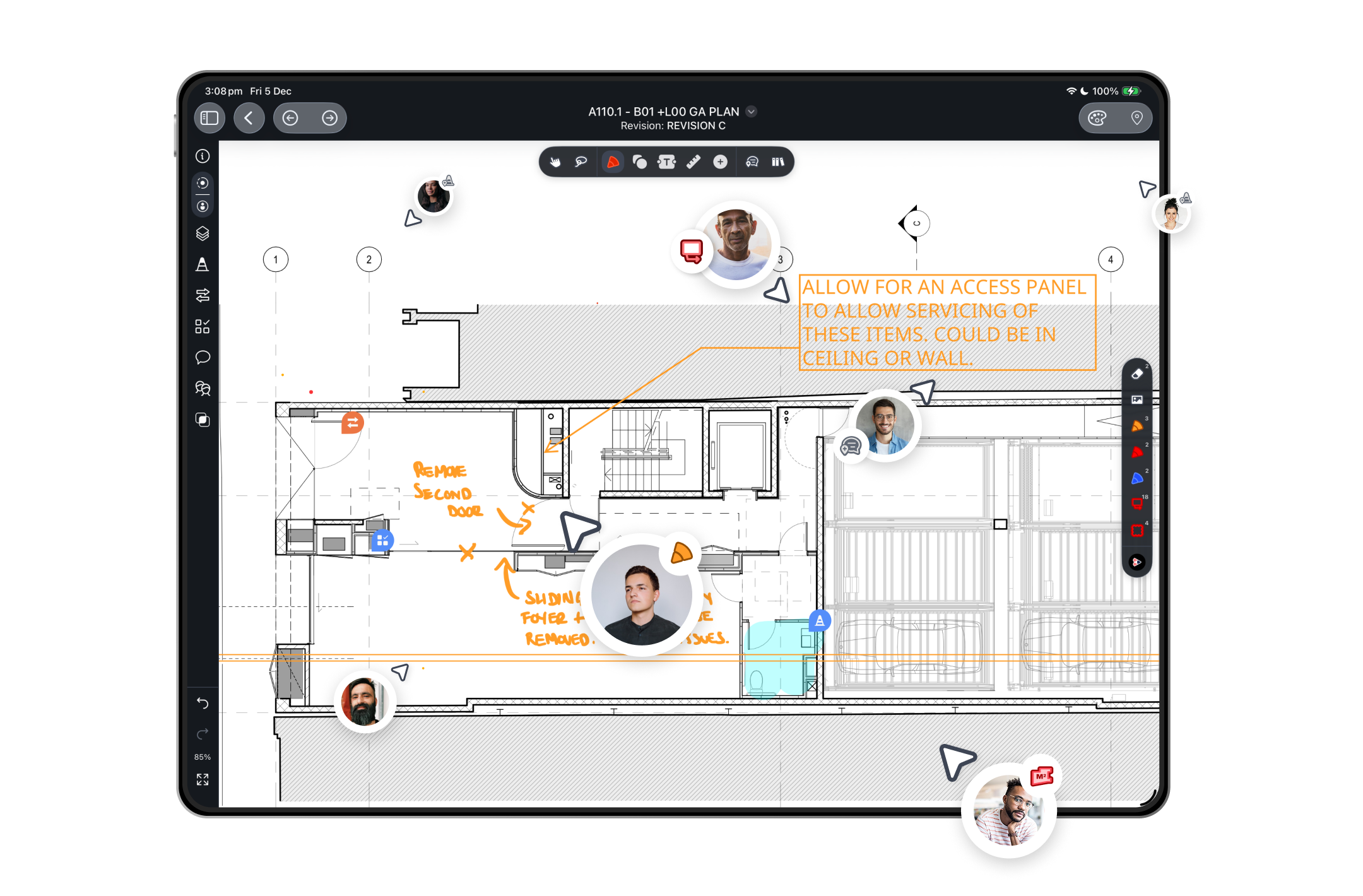
Place annotations exactly where feedback belongs. Every markup stays anchored to the right detail across revisions, so your team always understands what’s being discussed and why it matters.
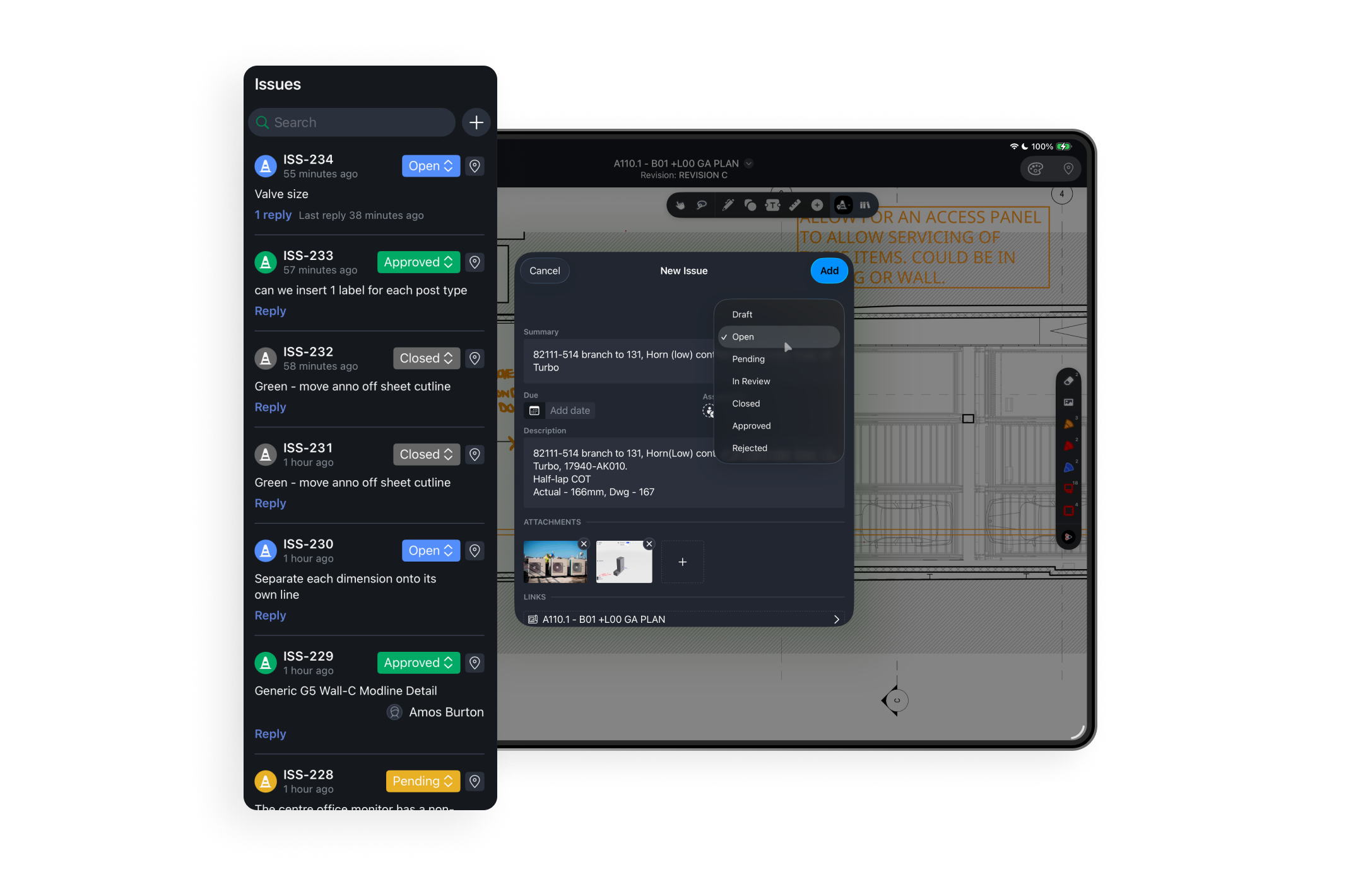
Pin Tasks exactly where action is needed and give them clear owners, statuses, tags, and categories. Attach photos or comments for added context and manage everything in one list so punch items, RFIs, and follow-ups stay visible and easy to track.
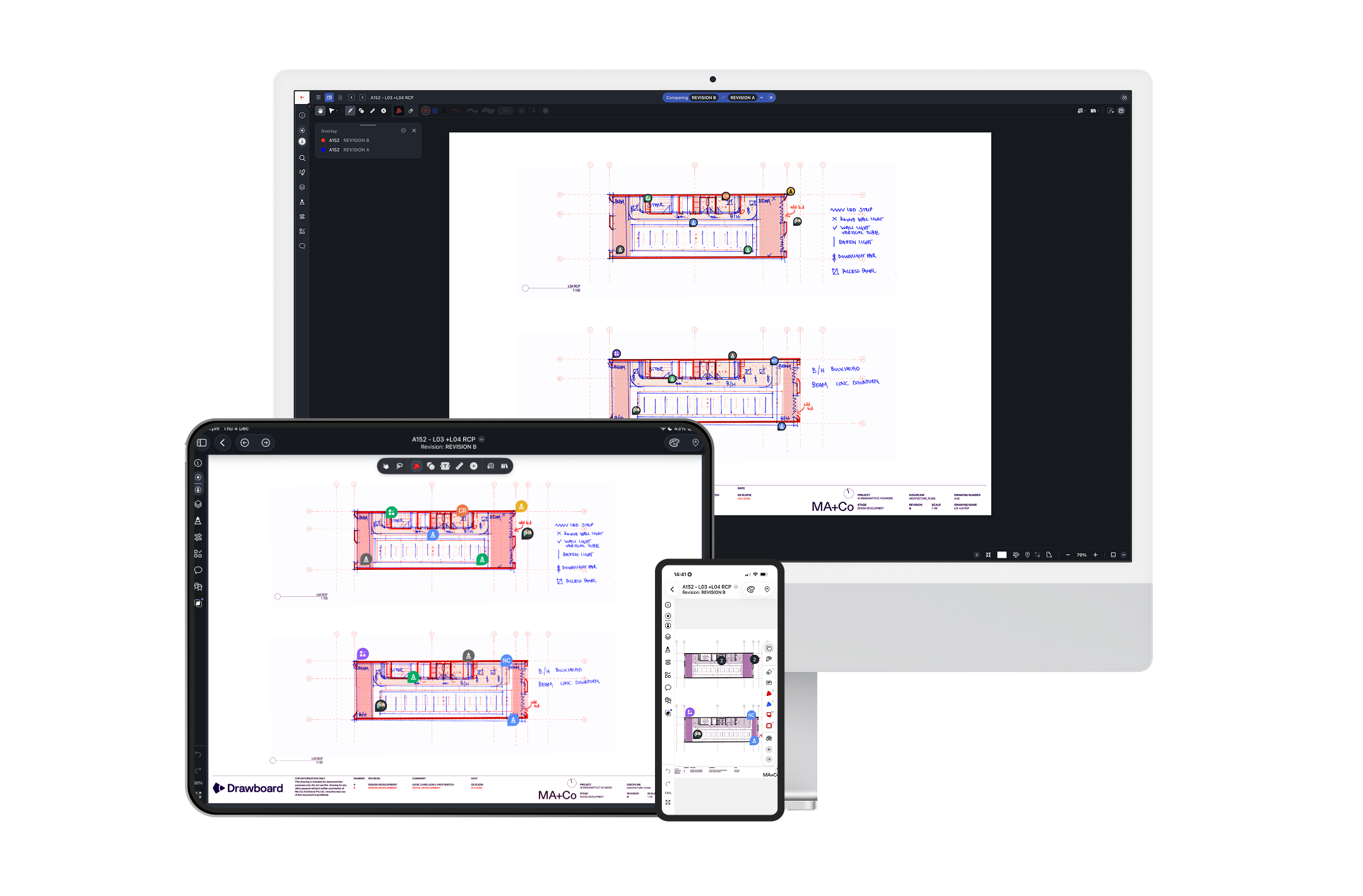
Work live with your team or contribute asynchronously. See markups appear as they happen, add clarifications when it suits your workflow, and keep everyone aligned without relying on email threads or scattered files.
Drawboard Projects brings your core markup, organization, and navigation tools together on iOS so you can work with clarity and move decisions forward efficiently from anywhere.
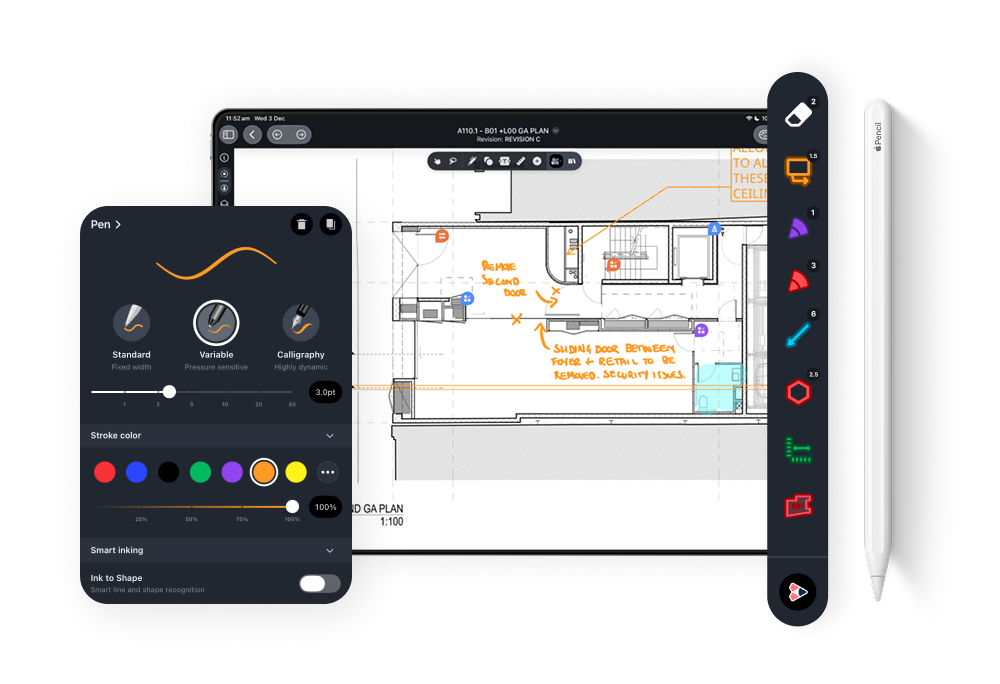
Use shapes, clouds, callouts, and stamps, and keep your commonly used annotations in the Markup Library for fast, consistent markups across every project.
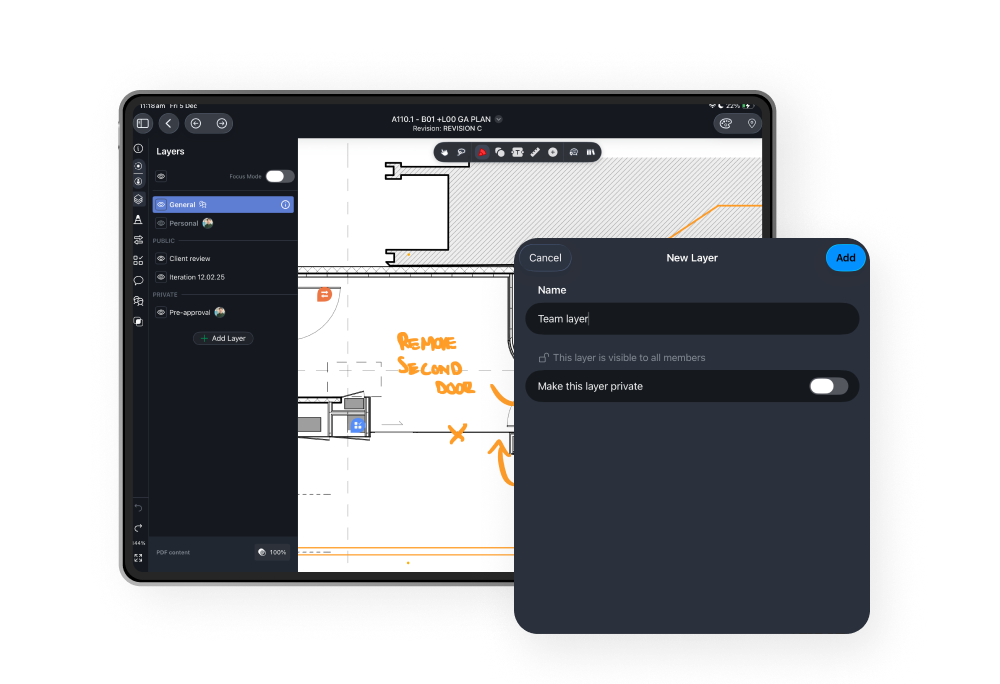
Toggle markup layers or isolate individual contributors to keep drawings easy to read, reduce clutter, and focus on the information that matters.
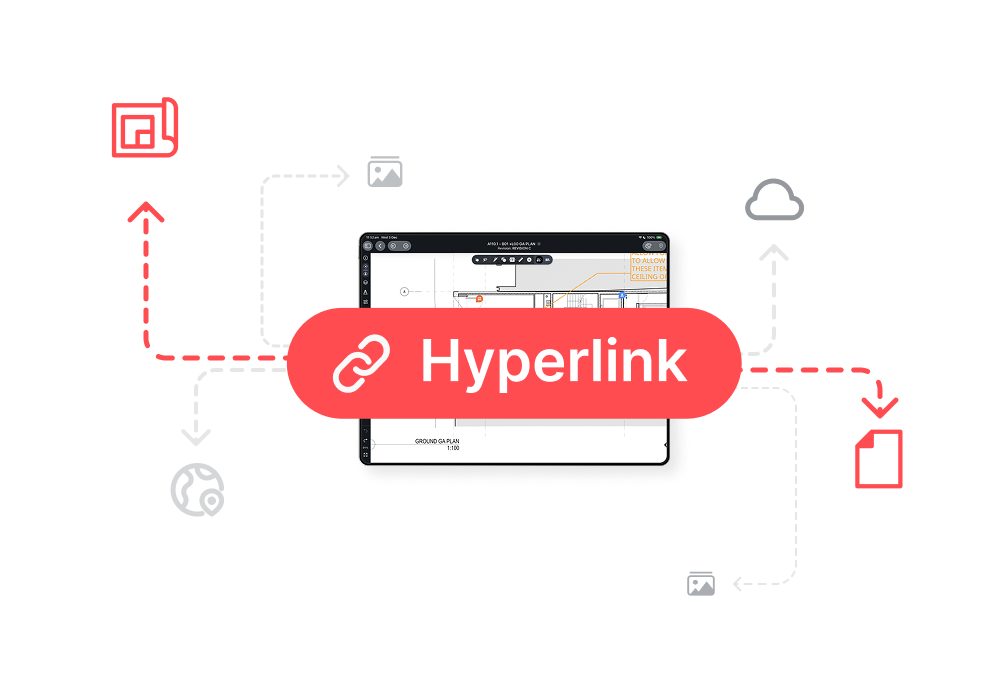
Tap hyperlinks between related sheets, details, and supporting documents to move quickly through large or complex drawing sets.


Team is for small groups managing drawing reviews and day-to-day coordination. It offers unlimited projects and drawings, core markup and Tasking capabilities, and enough storage and workspace capacity to support focused project teams. You also get Revit and third-party storage integrations for better accessibility.
Growth is for companies coordinating multiple projects or working across several disciplines. It adds unlimited workspaces and storage, shared public and private layers, shared project markup libraries, and customizable Task Lists with custom statuses, tags, and types. Growth also unlocks key AEC integrations like Procore and Aconex.
Enterprise is for organizations that need security, governance, and deep workflow connectivity. It adds SSO, configurable access controls, API keys and webhooks, public Task API access, extended guest access durations, priority support, and a dedicated account manager.
It’s best for teams standardizing Drawboard Projects at scale or operating under strict IT and compliance requirements.
When you sign in with the same account, your drawings, markups, Tasks, and comments stay in sync across iPad, iPhone, Windows, and the web app. You can start work on your desktop, continue on your iPad, and quickly check or respond to Tasks from your phone without exporting or emailing files.
Your files are also accessible across your organization, so your team can contribute and track progress in real-time as well.
Yes. Both iPad and iPhone support core capabilities such as markups, Tasks, Hyperlinks, and real-time collaboration. The main difference is interaction: iPad offers a larger canvas and supports Apple Pencil, while iPhone is ideal for quick checks, capturing issues, adding pictures for context, and responding to comments on the go.
Yes, Drawboard Projects fully supports the Apple Pencil on iPad, allowing you to sketch, redline, and call out issues on drawings with pressure-sensitive ink and pen-on-paper accuracy.
Yes. You can open drawings and add markups or comments while offline. When your device reconnects, your changes will sync back to the project so the rest of the team can see them.
Invite teammates or external collaborators into a project and work together on the same drawings. Markups, comments, and Tasks appear in real time, and you can filter by contributor or layer to focus on specific inputs. This makes multi-discipline reviews and coordination sessions easier to run and easier to track.
Drawboard Projects connects to the tools AEC teams use every day, including:
Public API and webhooks for custom integrations and automation on Enterprise plans
Yes. You can invite external collaborators into your Projects workspace, and on eligible plans you can also use time-limited guest access so stakeholders without a full Projects account can review and mark up drawings for a set period. This is useful for client reviews, consultant input, or short-lived coordination sessions.
Most day-to-day review workflows are supported on iOS, including markups, Tasks, Hyperlinks, layers, and real-time collaboration.
Some administrative and setup functions, such as workspace administration, detailed security configuration, and creating API keys or webhooks, are handled via the web app or desktop.

.png)


