


Bluebeam Revu has long been the AEC default for PDF markup, calibrated takeoffs, and disciplined plan review. Revu is powerful on Windows, and Bluebeam Cloud extends some of that into the browser when teams need mobile flexibility. For a lot of architects, engineers, and contractors, it's still the tool every drawing eventually lands in.
But frustration starts once collaboration extends beyond the Windows ecosystem. Revu has no native Mac or iPad app, so Apple users are working through Bluebeam Cloud, a browser-based experience that covers the basics but drops the deeper markup tools, CAD integrations, and measurement capabilities that make Revu worth paying for.
Real-time collaboration also runs through Studio Sessions, which require a higher-tier plan to launch and a timed session to be open rather than keeping markups live and persistent across the project. And while external reviewers can join for free with a Bluebeam ID, they're limited to a handful of basic markup tools, meaning no custom annotations, stamps, or access to your team's toolkit.
This pushes teams to start looking for alternatives that are easier to adopt and share across devices. If you’re one of those teams, below are nine that come up most in 2026, split between purpose-built AEC platforms and general-purpose PDF editors that handle the documentation side.
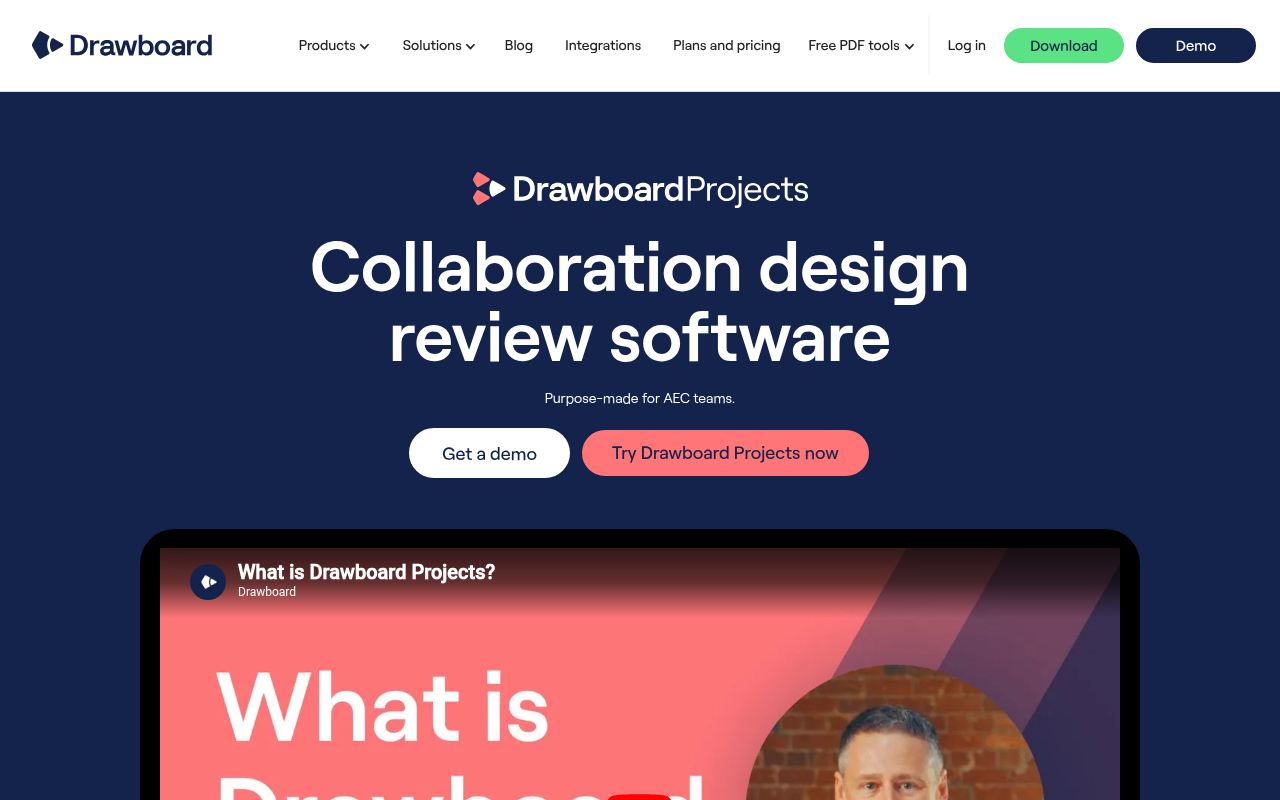
Drawboard Projects is built for AEC teams that need real-time markup sync across every device on the jobsite. Markups appear within seconds across all devices, whether your team is on Windows in the office, iPad in the field, or iOS on the move, with Mac and Android users joining through an advanced web app.
Drawboard’s cross-platform parity is the core difference from Bluebeam. With Revu, Bluebeam focuses primarily on supporting firms on Windows while Apple users make the best of Bluebeam Cloud’s limited feature set.
Architects, engineers, and project managers use Drawboard Projects to run drawing reviews where everyone marks up the same sheet at the same time. Live Cursors and Presence show you who's viewing a sheet and where they're pointing, so review meetings feel like standing around a physical set of plans instead of waiting for someone to upload a session file. And because Drawboard Projects allows external clients, consultants, and trade partners to join reviews as free guest reviewers, those meetings are easier to conduct and keep everyone on the same page.
Bluebeam supports basic external markup using a limited tool set, but most significant participants must hold a license to collaborate in Studio, which adds friction when you're pulling in a structural consultant for a one-hour review.
The iPad and iOS apps, which Bluebeam stopped supporting last year, offer field teams using Drawboard Projects a seamless transition from office to the job site. The native iPad app pairs best-in-class digital ink with Apple Pencil pressure sensitivity, giving you a natural pen-on-paper feel that makes redlining easier and more reliable. Surface Pen support delivers the same response on Windows tablets, so superintendents can mark up RFIs in the field and have those redlines visible to the office team in real time.
With Drawboard, your team gets a consolidated view of data related to a specific spot on the drawing. The Tasks and Issues feature allows you to pin specific spots, and each pin holds activity history, due dates, photos, custom statuses, and threaded comments, anchored to the exact spot on a drawing where the issue lives.
These pins replace the spreadsheet-and-email loop most teams run alongside Bluebeam, keeping coordination, accountability, and context attached to the drawing instead of scattered across tools.
Drawboard Projects makes the most sense for AEC teams that spend more time coordinating live reviews across devices than doing estimator-grade takeoffs or desktop-heavy QA workflows. The combination of continuous sync and friction-free external reviews fits especially well for firms trying to keep office teams, field staff, and consultants working from the same drawings without extra handoffs.
Drawboard Projects offers three plans with a 30-day free trial, and free guest reviewer access is included on every tier.
"One of the things I really liked about [Drawboard Projects] was it was trying to keep the paper and pencil concept." — Jacob Loupe, Delivery Systems and Innovations Manager, Arion
"One thing that really surprised me with how useful it's been is the Issues tool… you can respond directly in the tool." — Patrick Blomberg, Process Department Manager, Arion
"I absolutely love the ability to interact directly with teammates on the same document almost seamless in real-time. This type of coordination is not possible even with something like Bluebeam Studio, which is quick, but not real-time and usable for meetings as they happen." — Anonymous reviewer, Capterra
"Bullclip has allowed us to have a more efficient level of communication between our office and our field guys." — Mateo G., Director, Capterra
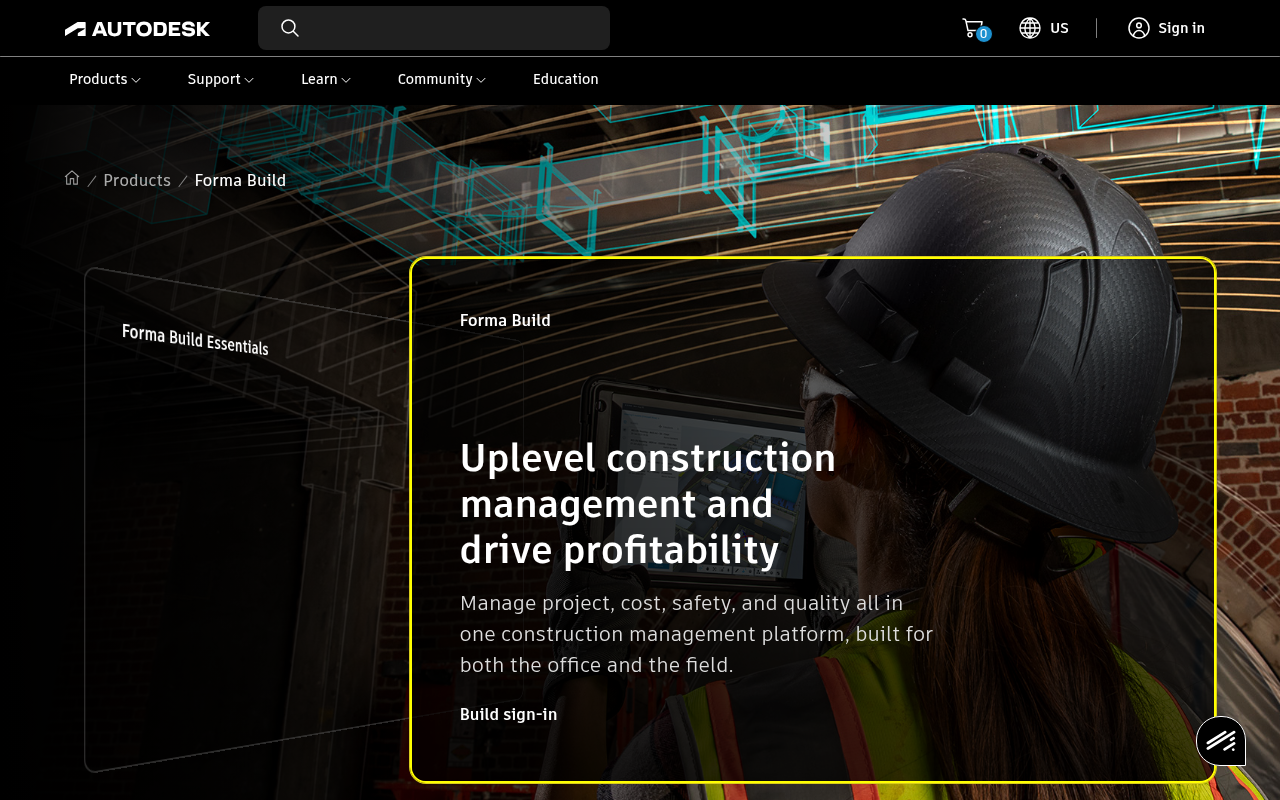
Autodesk Forma Build helps contractors already running AutoCAD, Revit, or the broader Autodesk Construction Cloud stack. It connects RFIs, submittals, schedules, cost tracking, and field coordination directly back to the same design environment that your project team is already working in.
One of Forma Build’s core focuses is RFIs, which allow field teams to open an RFI from mobile or web, drop a pushpin directly onto a 2D drawing or 3D model area, attach photos and markups, and route it to the right reviewer without leaving the sheet. Issues spotted during a punch walk can be escalated directly to RFIs, so the conversation history stays attached to the issue instead of spilling into email threads.
Submittals on Forma Build run through a single log, with the Specifications tool generating logs automatically from CSI MasterFormat specs and supporting custom fields for project-specific requirements. Budgets, forecasting, and change orders all sit alongside that workflow, so PMs can track how a single change order affects project cost without jumping between separate systems.
Forma Build also gives stakeholders the flexibility to stick to their existing scheduling tool. The Schedule management feature imports scheduling data from Primavera P6, Microsoft Project, and ASTA Powerproject, which matters on projects where different stakeholders are already committed to different scheduling systems.
Despite how broad the platform is, it has a few quirks that make document management and collaboration a hassle. For example, Forma’s Copy feature only works for single documents, which means copying folders with dozens of documents requires significant manual effort. There are also no lightweight licensing options for external reviewers. If you want to bring in collaborators with limited review access, you either incur a cost or share files with them manually outside of Forma Build.
Overall, Autodesk Build is worth considering if you’re a mid-market or enterprise GC already standardized on AutoCAD and Revit and need end-to-end project management connected to design data. But it's less suited for specialty contractors, smaller firms, or teams that primarily need fast 2D markup and takeoff without the full PM stack.
Autodesk Build offers two pricing paths. There’s a per-user subscription for predictable team sizes and a quote-based unlimited-user model priced by project volume.
"Being able to track RFIs has saved us from making mistakes." — Garrett U., Detailer & Project Assistant (Capterra)
"The platform significantly improved communication and workflow on our projects." — Om Prakash P., Civil Engineer (Capterra)

Fieldwire is a mobile-first platform that focuses on teams working on the field instead of the project manager at the desk. That field-first DNA makes it a relevant Bluebeam alternative for superintendents, trade contractors, and small-to-mid GCs who care less about polished plan review and more about getting punch items, RFIs, and as-builts captured while walking the site.
Most teams start with the mobile plan viewer, where drawings include automatically hyperlinked callouts that let crews jump quickly between related sheets without manually scrolling through plan sets, and versioning keeps updated revisions live across the field. Even if you’re offline, markups and as-built drawings stay editable, which matters when crews are framing in a basement or pulling cable through a tunnel with zero signal.
With Fieldwire, all tasks stay tied to drawing locations. Once your team drops a pin on a sheet, attaches a photo, and assigns a deadline, the task lives at that exact coordinate forever. You can also link these tasks to hyperlinks for easier access during a review.
Teams view tasks in Kanban, calendar, and Gantt views depending on whether they're running a daily huddle or a six-week look-ahead. Additionally, the app lets them create custom task statuses based on existing workflow instead of bending to the tool.
The platform also pushes a big chunk of QA and field documentation work out onto the jobsite. Punch lists and inspections on Fieldwire rely heavily on photos and markups, with two-step verification and admin-level approval before anything closes out. To minimize human error, Fieldwire has reusable templates that eliminate the need to retype the same items across multiple units
Teams typically start facing issues with Fieldwire when they begin working on deeper office markup sessions or have to export large volumes of documents. The markup tools handle field annotations just fine, but detailed plan review sessions still feel fairly lightweight compared to dedicated desktop markup platforms.
There are also multiple caps that make document management difficult. PDF uploads are capped at 50MB, plans at 1GB, and exports max out at 1,000 sheets per batch. Most teams resolve this by pairing Fieldwire with a heavier markup tool for office plan review, or stepping up to a more comprehensive tool.
Fieldwire is a strong fit for foremen and other on-site contractors who want to conduct faster, more reliable site walks. But office-driven design review or teams that need deep PDF markup workflows will likely want to choose a dedicated review tool that’s equally useful off-site.
Fieldwire runs four tiers with field execution unlocked at lower prices and full PM features (RFIs, submittals, change orders) reserved for the top plan—see Fieldwire pricing for current details.
"We love that everyone who uses it can be anywhere at anytime. Our project managers have the ability to get real time updates on where there project is at all times. We also love the completed reports that are sent to our customers which is a nice way to wrap up the project." — Marie L., Office Manager, Small Business (G2)
"Easy to learn and implement, my staff in the field become proficient quickly. It is also very quick and easy to upload new revisions to ensure everyone has the most up to date documents. Both my superintendents and office staff use the app on phone/iPad constantly walking the site with subs, architects, inspectors, or owners." — Charlie L., Project Manager, Small Business (G2)

Procore is for GCs whose work runs well past drawings and into budgets, schedules, RFIs, submittals, daily logs, and reporting. That's a different category of tool than Bluebeam, which is a drawing review and markup tool. Many GCs run them side by side: Procore for project management, and Bluebeam for PDF markup on drawings and specs.
Procore ensures teams that require complete project management capabilities are never forced to leave the platform. Its Project Management module bundles 20+ integrated tools under a single project, so a PM doesn't toggle between a scheduling app, a punch list spreadsheet, and an RFI inbox.
RFIs get routed across the team with a full audit trail, and submittals live in a single log with a Bluebeam Studio integration. This allows reviewers to mark up packages without leaving their existing PDF workflow, then push comments back to the submittal record.
Procore’s financial module is one of its most extensive. It ties field progress directly to accounting with configurable budgets, contract management, invoice management, and pay tools, and allows your PM to see how a change order impacts project cost and margin without exporting to a spreadsheet.
Procore also keeps scheduling and field coordination connected to the rest of the workflow. The schedule links to RFIs, submittals, and field activity rather than living as a standalone Gantt, while the BIM viewer gives on-site crews access to model data on tablets.
Mobile apps provide more ways to access project data from the field. It allows teams to update daily logs, capture photos and videos, and submit time and material tickets from the field, so superintendents update the office record from their phone instead of typing it up after hours. Smaller contractors may not need that level of operational connectivity, but larger GCs usually feel the difference immediately.
While that feature breadth may look attractive, Procore isn’t a great choice for smaller contractors. The platform requires users to manage a level of process structure that most lower-volume contractors typically don’t need, especially if their workflows still revolve primarily around drawing review and field coordination rather than full project controls. That administrative overhead also adds unnecessary complexity and can make it harder to get crew members to use it.
Procore is, however, a platform worth considering for general contractors above ~$100M annual volume who need integrated financials, unlimited-user pricing, and a single platform connecting field to office.
Procore uses a quote-based model calculated on Annual Construction Volume (ACV), which is the aggregate dollar value of construction work across your projects. There's no public price list, so totals depend on company size and project mix, but here’s a general pricing summary:
"I really liked that it is extremely user-friendly with a short learning curve." — Vickie R., Owner, Construction (Capterra)
"It was easy to manage Submittals, RFIs, transmittals, Inspection, Punch list and milestones." — BISHNU A., Project Engineer, Construction (Capterra)
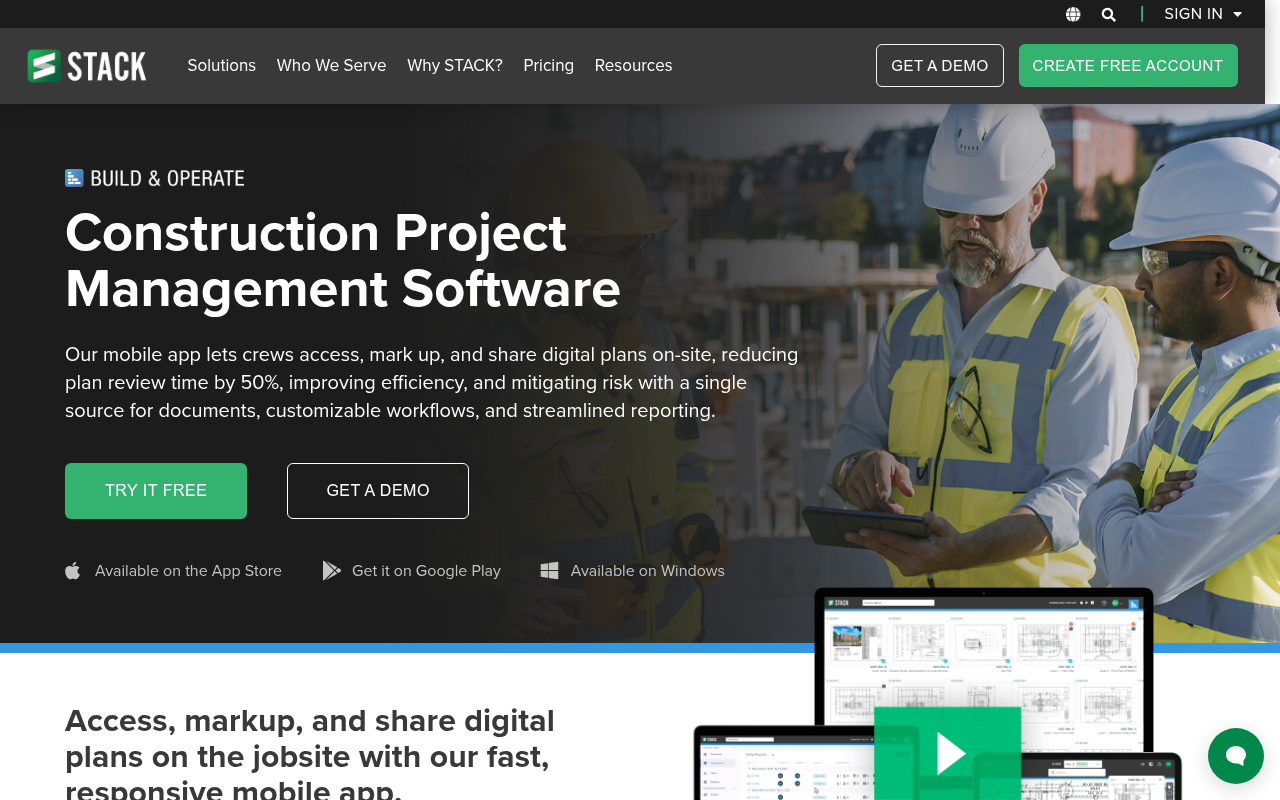
STACK Build & Operate is a cloud-based field coordination and document management platform built for on-site GCs and specialty subs who need drawings, markups, and field updates to stay current across office and site. It’s often used alongside other STACK tools, like STACK Takeoff for preconstruction, with the integration pushing quantities and project data directly into Build & Operate so teams aren't re-entering information when work moves from bid to build.
The daily workhorse behind Build & Operate is the plan viewer, which focuses heavily on day-to-day field access to drawings. Crews can search, zoom, and mark up plans from any device, so there’s no need to wait for updated PDFs to circulate manually between the field and office.
When plans are being worked on, additions like markups and hyperlinks also stay synced across devices, which means a sub flagging a clash on their phone shows up the same way on the PM's desktop.
These collaborative features rely on the platform keeping field coordination and document workflows tied directly to drawings.
It accomplishes that by enabling pinning Punch lists and Issues to specific locations on the plan, with photos, comments, due dates, and assigned collaborators attached. Teams can also identify drawing changes between versions easily with Sheet Comparison, a feature that overlays revisions side by side.
RFIs, submittals, PCOs, COs, and shop drawings all move through customizable workflows, so teams can match existing approval and coordination processes instead of rebuilding them around the software. Additionally, version control helps teams keep documents and drawings current across the project, reducing the risk of teams using outdated sheets.
Unfortunately, Build & Operate runs entirely on PDF-based workflows. DWG files and 3D models require conversion before upload, and there's no BIM viewer for teams running 3D coordination. You'll need a separate platform alongside it. File uploads are also individual rather than batch, which adds admin overhead on projects with large drawing sets.
STACK Build & Operate works well when you want cloud plan management with field coordination built in, particularly if your team’s already using STACK Takeoff for preconstruction. It's less suited for BIM-heavy workflows, design-side review, or teams processing large volumes of non-PDF drawings.
STACK runs on annual licensing only. Pricing is per user per year across three tiers:
"SmartUse allows us instant collaboration on plans and documents, including markups, direct from the field to the office." — Nick C., Operations Manager, Construction (Capterra)
"It is a great tool for creating a 'one-stop-shop' for construction plans." — Charles A., Project Director, Construction (GetApp)

PDF-XChange is built for estimators and reviewers who mainly want a PDF markup tool without paying for a full construction software stack.
The free version covers 23 annotation types out of the gate, including highlights, sticky notes, callouts, polygons, and freehand markup. None of these stamp a watermark on your output, which is the usual catch with free PDF tools. For a single estimator handling a steady flow of drawings, that alone closes most of the daily redline gap with Bluebeam.
PDF-XChange Editor’s measurement tools help make it usable for actual AEC drawing review instead of just general PDF editing. Estimators can calibrate to a known dimension, then run area, distance, and perimeter measurements across a sheet and export the results to CSV for your takeoff spreadsheet. It's the same loop a junior estimator runs in Revu, minus the studio session and the project-level document management.
If you’re a power user, the Editor Plus perpetual license at $79 gives you access to a JavaScript console for scripting dynamic stamps, document comparison that summarizes replacements and insertions, Enhanced OCR, and forms recognition. Some of these features come built into Revu, but not in Cloud.
That said, PDF-XChange Editor works much better as a solo desktop review tool than a collaborative construction platform. There’s no live multi-user environment, integrations with construction PM systems are limited, and most workflows still assume you have one person working locally on a Windows machine rather than multiple teams coordinating across devices. Once PM needs grow and reviews start involving field crews and consultants, teams quickly outgrow the platform’s collaboration limitations.
PDF-XChange Editor may work for you if you're a solo estimator, project engineer, or trade contractor who marks up drawings on a Windows machine and resents subscription billing. But it’s not built for concurrent markup sessions, deep Procore or ACC ties, or Mac usage.
PDF-XChange skips the subscription model entirely. Every paid tier is a perpetual license with one year of maintenance included.
"Great program to navigate and edit PDFs. It is a major part of my job." — Anonymous Capterra reviewer, Revit Modeller, Construction (Capterra)
“I like that PDF-XChange Editor lets users password-protect their PDFs. This is especially useful in our firm when we send payslips, because it helps ensure no one else can open or view another employee’s confidential information. The document-editing features are also extremely helpful in a corporate setting, particularly for updating and refining client documents when changes are needed.” — Sagar J., Consultant, Enterprise Business (G2)
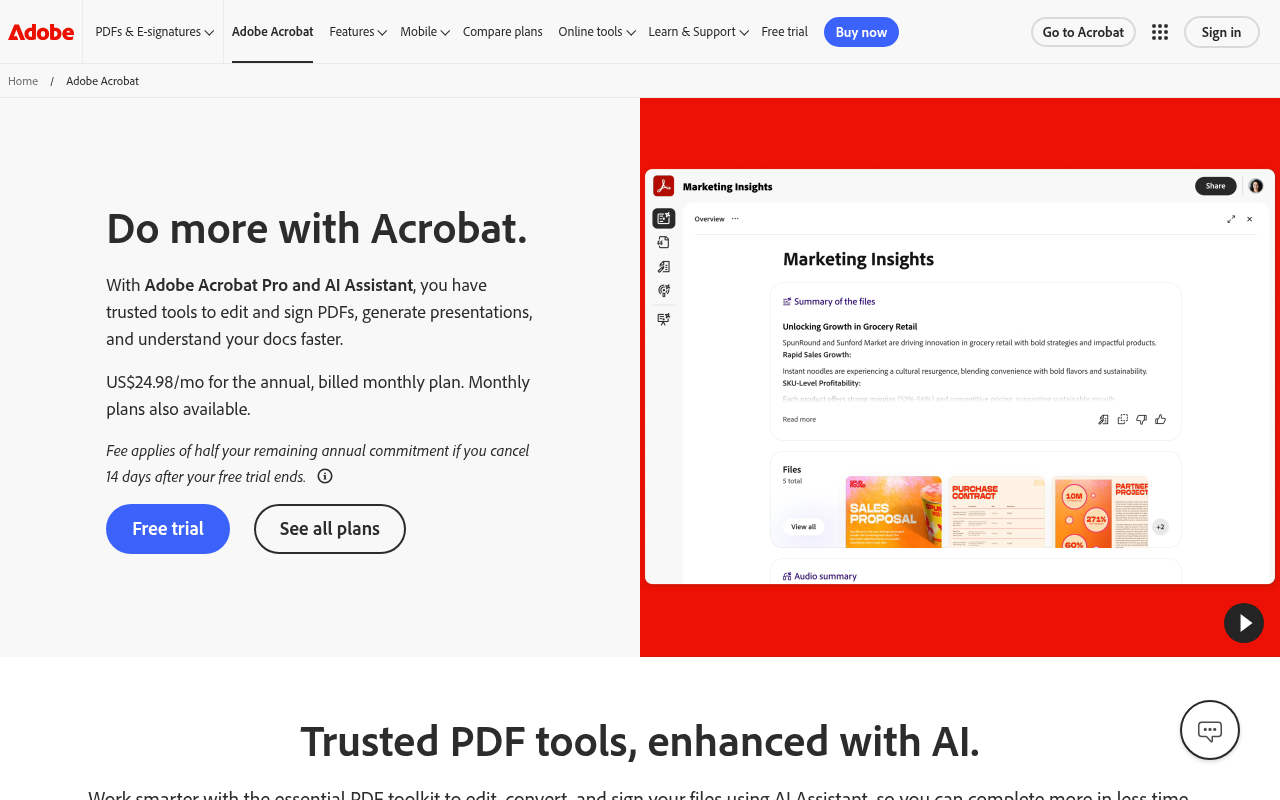
Adobe Acrobat is a popular tool for managing construction document work, even if most drawing reviews happen elsewhere. It shows up constantly in back-office construction workflows, especially around contracts, signatures, insurance documentation, and formal project correspondence.
Acrobat's exceptional editing toolkit can handle most document manipulation your office team needs, including text and image editing with full paragraph reflow, page reorganization, and OCR that converts scanned files into searchable PDFs while preserving original fonts.
Markup tools handle annotations, highlights, and basic distance and area measurements, which is enough for reviewing a contract or flagging a specification but falls short of anything a field team or estimator would lean on for drawing work.
Compare Documents handles contract redlines well enough that legal and project admin teams can track changes between agreement versions without exporting to a separate tool. Acrobat Sign routes those documents for e-signature through the same platform, and integrations with Box, Dropbox, Google Drive, and OneDrive mean it sits inside whatever file management setup your team already has.
Teams on Acrobat can expand their office-side toolkit further with Acrobat Studio, which adds an AI Assistant, PDF workspaces, and Adobe Express Premium on top of the standard Acrobat Pro feature set. Many construction teams use Studio for contract review, including pulling payment terms, scoping language, and identifying liability clauses from dense legal documentation.
The platform also gives teams access to a variety of editing tools, like sticky notes, highlights, underlines, and simple measurement tools for distance or area calculations. For example, you can edit text and images with full-page paragraph reflow, reorganize pages, and run OCR that converts scanned documents into searchable PDFs while matching original fonts.
That said, Acrobat’s drawing coordination remains fairly lightweight. Acrobat doesn’t have RFI tracking, submittal logs, sheet-set management, or a feature equivalent to Bluebeam Studio Sessions for real-time multi-user markup.
If you review complex drawings frequently, you’d likely end up pairing Acrobat with separate construction-focused software once coordination starts involving field teams and external reviewers across multiple revisions.
Acrobat fits best in document-heavy office workflows where contracts, approvals, signatures, and administrative PDFs move constantly between internal teams, clients, and subcontractors. But it’s not built for AEC and construction management workflows, which is why most firms use it alongside a dedicated drawing and project management tool.
Adobe sells Acrobat as an annual subscription billed monthly, with separate tracks for individuals and teams. Individual plans scale from a free reader up to Studio with AI.
"Pretty Good in general. In regular day-to-day use, it is pretty handy. But for specific use, for instance reviewing documents, plans — BlueBeam Revu excels." — Enamul K., Project Manager, Civil Engineering (Capterra)
"Adobe Acrobat blows me away with how intuitive it is for editing PDFs—you're getting a ton of functionality without a huge learning curve. It's not the cheapest tool out there but you do get what you pay for." — Stacey S., Consultant, Construction (Capterra)
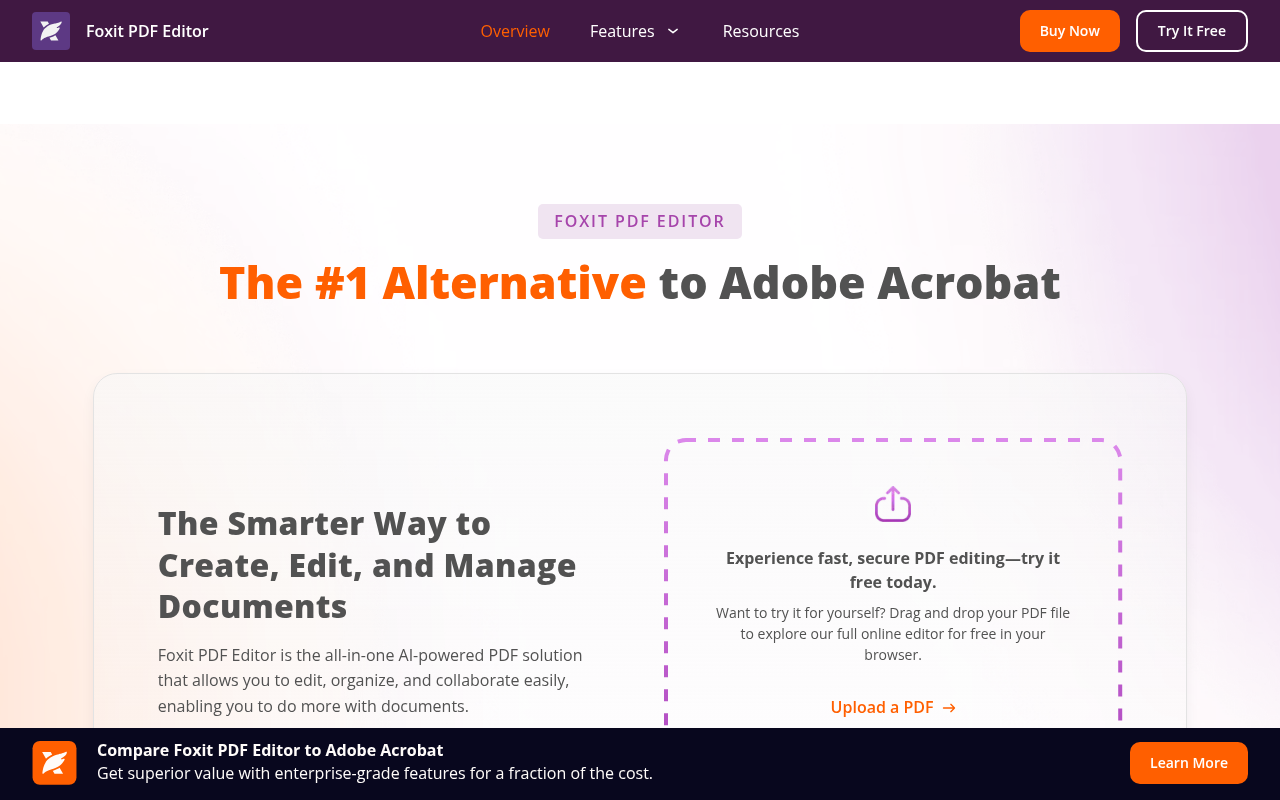
Foxit PDF Editor is a cross-platform PDF tool that runs on Windows, macOS, iOS, Android, and the web (on the Plus tier). While it’s a decent tool for cross-device teams, it’s not the best for AEC drawing markup.
The core editing experience runs through a Microsoft Office-style ribbon UI, which shortens the learning curve when teams migrate from Acrobat or Word. You can create, modify, merge, split, and convert PDFs from the same interface, and OCR with batch processing turns scanned documents into searchable, editable files without one-by-one conversion. That’s helpful for high-volume back-office work like contract intake or document digitization.
Foxit also layers in AI-assisted document workflows for teams handling large volumes of paperwork. It summarizes long documents, extracts specific information, and handles redaction tasks, with higher-tier plans adding AI Smart Redact for automated removal of sensitive data and add-on eSign plans for signature workflows.
Drawing reviews on Foxit aren’t fine-tuned for AEC teams. It has basic annotation tools like sticky notes, callouts, text markups, drawing shapes, and stamps. But there's no construction-specific takeoff or quantity measurement workflow or a Studio Sessions equivalent for live multi-user drawing review.
Foxit PDF Editor works best for general business teams who want a PDF editor that works across devices. But it's less suited for construction crews marking up drawings or running live design reviews. Those workflows belong on a tool built for AEC.
Foxit sells PDF Editor as a per-license subscription with monthly and annual billing, plus a free reader, perpetual licensing, and quote-based enterprise plans for 10+ users.
"Cheaper and just as useable as Adobe—very positive." — Finn M., Engineer, Civil Engineering (Capterra)
"The software provides us a quick solution to edit quotes and create custom forms." — Tina W., IT-Account Manager, Construction (Capterra)
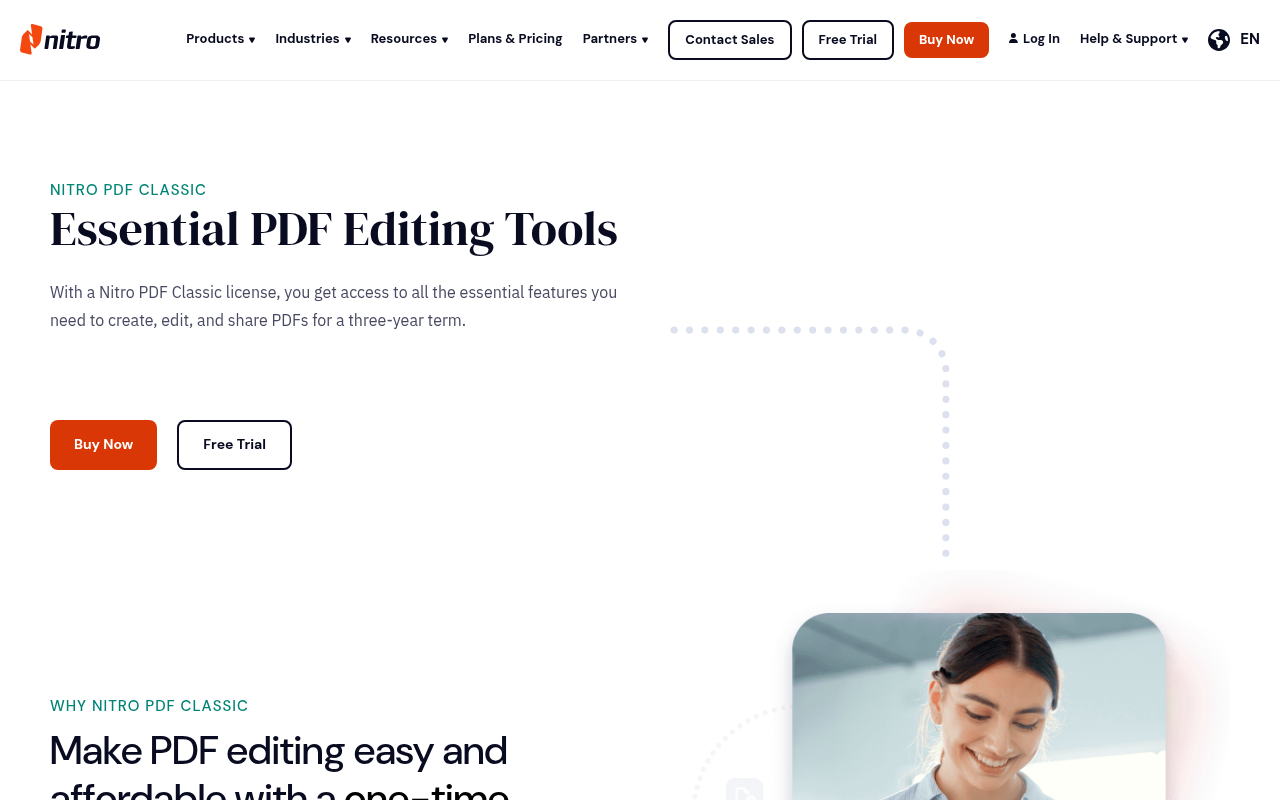
Nitro PDF Pro is built for general business use. Most teams use it for editing contracts, forms, approvals, scanned documents, and other office-side PDFs. It's not built for drawing review specifically, but teams adding basic annotations can sometimes make it work.
The editing and conversion toolkit handles most of what office teams need. It lets you create files from any input and push them out to Word, Excel, or PowerPoint, and offers an OCR engine that turns scanned documents like signed COIs or drawing logs into searchable text.
For firms processing high volumes of administrative paperwork, the AI tools do the repetitive work that usually falls on someone's desk. Document Assistant can summarize or translate a dense subcontractor agreement in seconds, Smart Redact flags sensitive data before files go out, and the extraction feature can pull structured information from existing PDFs, pushing subcontractor insurance details into a formatted Excel sheet without anyone re-keying it.
Nitro Sign is a separate subscription that handles e-signature routing with parallel and sequential signing order, audit trails, and a compliance stack covering HIPAA, SOC 2 Type 2, ISO 27001, and eIDAS. These features may be relevant when agreements need to meet specific contractual or regulatory requirements, but they’re more niche than most contractors require.
Nitro is a decent business PDF editor, but it’s not built for AEC drawing markup or construction takeoffs. There's no precision measurement, scale calibration, or AEC tool chest for teams running takeoffs or detailed plan markup . Most firms handling active field coordination still end up relying on separate drawing-review software once projects move beyond contracts and administrative PDFs.
Nitro PDF Pro makes the most sense for firms processing high volumes of contracts, COIs, and approval packages where e-signature compliance and automated document handling matter more than markup depth.
Nitro sells per-user subscriptions for the modern editor and a 3-year fixed-term Classic plan that replaces what used to be a true perpetual license.
"It is easy to use and does everything well — merge, conversion, OCR, e-signatures etc, at a much cheaper price." — Darren S., Product Owner (Capterra)
"Nitro PDF is a Great Program and Very Comparable to Adobe." — Renee M., Paralegal (Capterra)
The right Bluebeam alternative depends on where your team actually gets stuck. Full construction management platforms like Procore and Autodesk cover budgets, RFIs, and submittals alongside drawings, but come with the overhead to match. Field-first tools handle punch lists and site coordination well but don't go deep on design review. General-purpose PDF editors cover the back-office document layer without touching drawings at all.
Drawboard Projects is built for teams whose review process spans multiple devices and collaborators. Architects on Mac, project managers on Windows, site supervisors on iPad, and subs on Android all work from the same live drawing without the session files, manual sync, or reduced mobile experience that pushes most teams away from Bluebeam in the first place.
If you're tired of Revu for Mac workarounds or the limitations of Bluebeam Cloud, give Drawboard Projects a try. Start your 30-day free trial or book a demo to see how it fits into your review process.
Drawboard Projects is the strongest option for Mac-based teams because it ships native iPad and iOS apps alongside an advanced web app. You get full markup, real-time sync, and pin-based issue tracking without the Parallels workaround or stripped-down Bluebeam Cloud experience.
Yes, there are free Bluebeam alternatives. But they’re generally just for viewing PDFs and making very basic markups rather than collaborating with others or running a full design review.
Tools like PDF-XChange Editor offer similar markup breadth to Bluebeam on Windows, but no collaborative features. Adobe Acrobat Reader and Foxit PDF Reader are free for viewing, but only Foxit offers very basic markup without a subscription.
Drawboard Projects offers a free 30-day trial on all plans, and if you're trying to bring external clients or consultants into a review without buying them a license, Drawboard Projects includes free guest reviewer access. That means unlimited stakeholders can comment and respond on drawings without a paid seat or limited features.
Pricing depends heavily on whether you need full AEC markup, lighter PDF editing, or a broader project management platform.
Bluebeam Revu starts at $260 per user per year for Basics, with Core at $330 and Complete at $440.
Drawboard Projects costs $29-$39 per user per month depending on plan, and Fieldwire offers a free Basic tier with paid plans at $39-$89 per user per month.
For business PDF work specifically, Foxit PDF Editor sits at $10.99 per user per month, Nitro PDF at $15 per user per month, and Adobe Acrobat Pro at $19.99 per month. But these tools don’t offer AEC-specific tools. They’re primarily for office administration that helps set up and move contracts forward.
Drawboard for live markup collaboration across devices. It offers real-time sync, persistent pins with full history, and free guest access for external reviewers. This feature set allows everyone to work off the same drawings without juggling sessions or PDF exports.
But if you have more problems related to collaboration than drawings, Procore may be worth considering because it covers full project management. It's a different category, though, and most teams pair a PM platform with a dedicated markup tool rather than replacing one with the other.
Not in any meaningful way. Bluebeam Revu, the desktop product most teams actually use, is Windows-only. Bluebeam Cloud provides a web experience for Apple devices, but it's a subset of Revu's functionality rather than a true replacement. Native Apple support has been winding down, which is why so many Mac and iPad-heavy AEC teams are looking elsewhere.
Most of them, yes. Drawboard Projects offers a 30-day free trial with no credit card required. Fieldwire has a free Basic plan plus trials on paid tiers, and STACK Build & Operate runs a 30-day trial that does require a credit card upfront.
Adobe Acrobat, Foxit, and Nitro all offer free trials. Procore is the exception. It doesn't have a traditional self-serve trial. The only way to get a preview of the platform is to sign up for a sales demo.
Bluebeam Revu has long been the AEC default for PDF markup, calibrated takeoffs, and disciplined plan review. Revu is powerful on Windows, and Bluebeam Cloud extends some of that into the browser when teams need mobile flexibility. For a lot of architects, engineers, and contractors, it's still the tool every drawing eventually lands in.
But frustration starts once collaboration extends beyond the Windows ecosystem. Revu has no native Mac or iPad app, so Apple users are working through Bluebeam Cloud, a browser-based experience that covers the basics but drops the deeper markup tools, CAD integrations, and measurement capabilities that make Revu worth paying for.
Real-time collaboration also runs through Studio Sessions, which require a higher-tier plan to launch and a timed session to be open rather than keeping markups live and persistent across the project. And while external reviewers can join for free with a Bluebeam ID, they're limited to a handful of basic markup tools, meaning no custom annotations, stamps, or access to your team's toolkit.
This pushes teams to start looking for alternatives that are easier to adopt and share across devices. If you’re one of those teams, below are nine that come up most in 2026, split between purpose-built AEC platforms and general-purpose PDF editors that handle the documentation side.
Drawboard Projects is built for AEC teams that need real-time markup sync across every device on the jobsite. Markups appear within seconds across all devices, whether your team is on Windows in the office, iPad in the field, or iOS on the move, with Mac and Android users joining through an advanced web app.
Drawboard’s cross-platform parity is the core difference from Bluebeam. With Revu, Bluebeam focuses primarily on supporting firms on Windows while Apple users make the best of Bluebeam Cloud’s limited feature set.
Architects, engineers, and project managers use Drawboard Projects to run drawing reviews where everyone marks up the same sheet at the same time. Live Cursors and Presence show you who's viewing a sheet and where they're pointing, so review meetings feel like standing around a physical set of plans instead of waiting for someone to upload a session file. And because Drawboard Projects allows external clients, consultants, and trade partners to join reviews as free guest reviewers, those meetings are easier to conduct and keep everyone on the same page.
Bluebeam supports basic external markup using a limited tool set, but most significant participants must hold a license to collaborate in Studio, which adds friction when you're pulling in a structural consultant for a one-hour review.
The iPad and iOS apps, which Bluebeam stopped supporting last year, offer field teams using Drawboard Projects a seamless transition from office to the job site. The native iPad app pairs best-in-class digital ink with Apple Pencil pressure sensitivity, giving you a natural pen-on-paper feel that makes redlining easier and more reliable. Surface Pen support delivers the same response on Windows tablets, so superintendents can mark up RFIs in the field and have those redlines visible to the office team in real time.
With Drawboard, your team gets a consolidated view of data related to a specific spot on the drawing. The Tasks and Issues feature allows you to pin specific spots, and each pin holds activity history, due dates, photos, custom statuses, and threaded comments, anchored to the exact spot on a drawing where the issue lives.
These pins replace the spreadsheet-and-email loop most teams run alongside Bluebeam, keeping coordination, accountability, and context attached to the drawing instead of scattered across tools.
Drawboard Projects makes the most sense for AEC teams that spend more time coordinating live reviews across devices than doing estimator-grade takeoffs or desktop-heavy QA workflows. The combination of continuous sync and friction-free external reviews fits especially well for firms trying to keep office teams, field staff, and consultants working from the same drawings without extra handoffs.
Drawboard Projects offers three plans with a 30-day free trial, and free guest reviewer access is included on every tier.
"One of the things I really liked about [Drawboard Projects] was it was trying to keep the paper and pencil concept." — Jacob Loupe, Delivery Systems and Innovations Manager, Arion
"One thing that really surprised me with how useful it's been is the Issues tool… you can respond directly in the tool." — Patrick Blomberg, Process Department Manager, Arion
"I absolutely love the ability to interact directly with teammates on the same document almost seamless in real-time. This type of coordination is not possible even with something like Bluebeam Studio, which is quick, but not real-time and usable for meetings as they happen." — Anonymous reviewer, Capterra
"Bullclip has allowed us to have a more efficient level of communication between our office and our field guys." — Mateo G., Director, Capterra
Autodesk Forma Build helps contractors already running AutoCAD, Revit, or the broader Autodesk Construction Cloud stack. It connects RFIs, submittals, schedules, cost tracking, and field coordination directly back to the same design environment that your project team is already working in.
One of Forma Build’s core focuses is RFIs, which allow field teams to open an RFI from mobile or web, drop a pushpin directly onto a 2D drawing or 3D model area, attach photos and markups, and route it to the right reviewer without leaving the sheet. Issues spotted during a punch walk can be escalated directly to RFIs, so the conversation history stays attached to the issue instead of spilling into email threads.
Submittals on Forma Build run through a single log, with the Specifications tool generating logs automatically from CSI MasterFormat specs and supporting custom fields for project-specific requirements. Budgets, forecasting, and change orders all sit alongside that workflow, so PMs can track how a single change order affects project cost without jumping between separate systems.
Forma Build also gives stakeholders the flexibility to stick to their existing scheduling tool. The Schedule management feature imports scheduling data from Primavera P6, Microsoft Project, and ASTA Powerproject, which matters on projects where different stakeholders are already committed to different scheduling systems.
Despite how broad the platform is, it has a few quirks that make document management and collaboration a hassle. For example, Forma’s Copy feature only works for single documents, which means copying folders with dozens of documents requires significant manual effort. There are also no lightweight licensing options for external reviewers. If you want to bring in collaborators with limited review access, you either incur a cost or share files with them manually outside of Forma Build.
Overall, Autodesk Build is worth considering if you’re a mid-market or enterprise GC already standardized on AutoCAD and Revit and need end-to-end project management connected to design data. But it's less suited for specialty contractors, smaller firms, or teams that primarily need fast 2D markup and takeoff without the full PM stack.
Autodesk Build offers two pricing paths. There’s a per-user subscription for predictable team sizes and a quote-based unlimited-user model priced by project volume.
"Being able to track RFIs has saved us from making mistakes." — Garrett U., Detailer & Project Assistant (Capterra)
"The platform significantly improved communication and workflow on our projects." — Om Prakash P., Civil Engineer (Capterra)
Fieldwire is a mobile-first platform that focuses on teams working on the field instead of the project manager at the desk. That field-first DNA makes it a relevant Bluebeam alternative for superintendents, trade contractors, and small-to-mid GCs who care less about polished plan review and more about getting punch items, RFIs, and as-builts captured while walking the site.
Most teams start with the mobile plan viewer, where drawings include automatically hyperlinked callouts that let crews jump quickly between related sheets without manually scrolling through plan sets, and versioning keeps updated revisions live across the field. Even if you’re offline, markups and as-built drawings stay editable, which matters when crews are framing in a basement or pulling cable through a tunnel with zero signal.
With Fieldwire, all tasks stay tied to drawing locations. Once your team drops a pin on a sheet, attaches a photo, and assigns a deadline, the task lives at that exact coordinate forever. You can also link these tasks to hyperlinks for easier access during a review.
Teams view tasks in Kanban, calendar, and Gantt views depending on whether they're running a daily huddle or a six-week look-ahead. Additionally, the app lets them create custom task statuses based on existing workflow instead of bending to the tool.
The platform also pushes a big chunk of QA and field documentation work out onto the jobsite. Punch lists and inspections on Fieldwire rely heavily on photos and markups, with two-step verification and admin-level approval before anything closes out. To minimize human error, Fieldwire has reusable templates that eliminate the need to retype the same items across multiple units
Teams typically start facing issues with Fieldwire when they begin working on deeper office markup sessions or have to export large volumes of documents. The markup tools handle field annotations just fine, but detailed plan review sessions still feel fairly lightweight compared to dedicated desktop markup platforms.
There are also multiple caps that make document management difficult. PDF uploads are capped at 50MB, plans at 1GB, and exports max out at 1,000 sheets per batch. Most teams resolve this by pairing Fieldwire with a heavier markup tool for office plan review, or stepping up to a more comprehensive tool.
Fieldwire is a strong fit for foremen and other on-site contractors who want to conduct faster, more reliable site walks. But office-driven design review or teams that need deep PDF markup workflows will likely want to choose a dedicated review tool that’s equally useful off-site.
Fieldwire runs four tiers with field execution unlocked at lower prices and full PM features (RFIs, submittals, change orders) reserved for the top plan—see Fieldwire pricing for current details.
"We love that everyone who uses it can be anywhere at anytime. Our project managers have the ability to get real time updates on where there project is at all times. We also love the completed reports that are sent to our customers which is a nice way to wrap up the project." — Marie L., Office Manager, Small Business (G2)
"Easy to learn and implement, my staff in the field become proficient quickly. It is also very quick and easy to upload new revisions to ensure everyone has the most up to date documents. Both my superintendents and office staff use the app on phone/iPad constantly walking the site with subs, architects, inspectors, or owners." — Charlie L., Project Manager, Small Business (G2)
Procore is for GCs whose work runs well past drawings and into budgets, schedules, RFIs, submittals, daily logs, and reporting. That's a different category of tool than Bluebeam, which is a drawing review and markup tool. Many GCs run them side by side: Procore for project management, and Bluebeam for PDF markup on drawings and specs.
Procore ensures teams that require complete project management capabilities are never forced to leave the platform. Its Project Management module bundles 20+ integrated tools under a single project, so a PM doesn't toggle between a scheduling app, a punch list spreadsheet, and an RFI inbox.
RFIs get routed across the team with a full audit trail, and submittals live in a single log with a Bluebeam Studio integration. This allows reviewers to mark up packages without leaving their existing PDF workflow, then push comments back to the submittal record.
Procore’s financial module is one of its most extensive. It ties field progress directly to accounting with configurable budgets, contract management, invoice management, and pay tools, and allows your PM to see how a change order impacts project cost and margin without exporting to a spreadsheet.
Procore also keeps scheduling and field coordination connected to the rest of the workflow. The schedule links to RFIs, submittals, and field activity rather than living as a standalone Gantt, while the BIM viewer gives on-site crews access to model data on tablets.
Mobile apps provide more ways to access project data from the field. It allows teams to update daily logs, capture photos and videos, and submit time and material tickets from the field, so superintendents update the office record from their phone instead of typing it up after hours. Smaller contractors may not need that level of operational connectivity, but larger GCs usually feel the difference immediately.
While that feature breadth may look attractive, Procore isn’t a great choice for smaller contractors. The platform requires users to manage a level of process structure that most lower-volume contractors typically don’t need, especially if their workflows still revolve primarily around drawing review and field coordination rather than full project controls. That administrative overhead also adds unnecessary complexity and can make it harder to get crew members to use it.
Procore is, however, a platform worth considering for general contractors above ~$100M annual volume who need integrated financials, unlimited-user pricing, and a single platform connecting field to office.
Procore uses a quote-based model calculated on Annual Construction Volume (ACV), which is the aggregate dollar value of construction work across your projects. There's no public price list, so totals depend on company size and project mix, but here’s a general pricing summary:
"I really liked that it is extremely user-friendly with a short learning curve." — Vickie R., Owner, Construction (Capterra)
"It was easy to manage Submittals, RFIs, transmittals, Inspection, Punch list and milestones." — BISHNU A., Project Engineer, Construction (Capterra)
STACK Build & Operate is a cloud-based field coordination and document management platform built for on-site GCs and specialty subs who need drawings, markups, and field updates to stay current across office and site. It’s often used alongside other STACK tools, like STACK Takeoff for preconstruction, with the integration pushing quantities and project data directly into Build & Operate so teams aren't re-entering information when work moves from bid to build.
The daily workhorse behind Build & Operate is the plan viewer, which focuses heavily on day-to-day field access to drawings. Crews can search, zoom, and mark up plans from any device, so there’s no need to wait for updated PDFs to circulate manually between the field and office.
When plans are being worked on, additions like markups and hyperlinks also stay synced across devices, which means a sub flagging a clash on their phone shows up the same way on the PM's desktop.
These collaborative features rely on the platform keeping field coordination and document workflows tied directly to drawings.
It accomplishes that by enabling pinning Punch lists and Issues to specific locations on the plan, with photos, comments, due dates, and assigned collaborators attached. Teams can also identify drawing changes between versions easily with Sheet Comparison, a feature that overlays revisions side by side.
RFIs, submittals, PCOs, COs, and shop drawings all move through customizable workflows, so teams can match existing approval and coordination processes instead of rebuilding them around the software. Additionally, version control helps teams keep documents and drawings current across the project, reducing the risk of teams using outdated sheets.
Unfortunately, Build & Operate runs entirely on PDF-based workflows. DWG files and 3D models require conversion before upload, and there's no BIM viewer for teams running 3D coordination. You'll need a separate platform alongside it. File uploads are also individual rather than batch, which adds admin overhead on projects with large drawing sets.
STACK Build & Operate works well when you want cloud plan management with field coordination built in, particularly if your team’s already using STACK Takeoff for preconstruction. It's less suited for BIM-heavy workflows, design-side review, or teams processing large volumes of non-PDF drawings.
STACK runs on annual licensing only. Pricing is per user per year across three tiers:
"SmartUse allows us instant collaboration on plans and documents, including markups, direct from the field to the office." — Nick C., Operations Manager, Construction (Capterra)
"It is a great tool for creating a 'one-stop-shop' for construction plans." — Charles A., Project Director, Construction (GetApp)
PDF-XChange is built for estimators and reviewers who mainly want a PDF markup tool without paying for a full construction software stack.
The free version covers 23 annotation types out of the gate, including highlights, sticky notes, callouts, polygons, and freehand markup. None of these stamp a watermark on your output, which is the usual catch with free PDF tools. For a single estimator handling a steady flow of drawings, that alone closes most of the daily redline gap with Bluebeam.
PDF-XChange Editor’s measurement tools help make it usable for actual AEC drawing review instead of just general PDF editing. Estimators can calibrate to a known dimension, then run area, distance, and perimeter measurements across a sheet and export the results to CSV for your takeoff spreadsheet. It's the same loop a junior estimator runs in Revu, minus the studio session and the project-level document management.
If you’re a power user, the Editor Plus perpetual license at $79 gives you access to a JavaScript console for scripting dynamic stamps, document comparison that summarizes replacements and insertions, Enhanced OCR, and forms recognition. Some of these features come built into Revu, but not in Cloud.
That said, PDF-XChange Editor works much better as a solo desktop review tool than a collaborative construction platform. There’s no live multi-user environment, integrations with construction PM systems are limited, and most workflows still assume you have one person working locally on a Windows machine rather than multiple teams coordinating across devices. Once PM needs grow and reviews start involving field crews and consultants, teams quickly outgrow the platform’s collaboration limitations.
PDF-XChange Editor may work for you if you're a solo estimator, project engineer, or trade contractor who marks up drawings on a Windows machine and resents subscription billing. But it’s not built for concurrent markup sessions, deep Procore or ACC ties, or Mac usage.
PDF-XChange skips the subscription model entirely. Every paid tier is a perpetual license with one year of maintenance included.
"Great program to navigate and edit PDFs. It is a major part of my job." — Anonymous Capterra reviewer, Revit Modeller, Construction (Capterra)
“I like that PDF-XChange Editor lets users password-protect their PDFs. This is especially useful in our firm when we send payslips, because it helps ensure no one else can open or view another employee’s confidential information. The document-editing features are also extremely helpful in a corporate setting, particularly for updating and refining client documents when changes are needed.” — Sagar J., Consultant, Enterprise Business (G2)
Adobe Acrobat is a popular tool for managing construction document work, even if most drawing reviews happen elsewhere. It shows up constantly in back-office construction workflows, especially around contracts, signatures, insurance documentation, and formal project correspondence.
Acrobat's exceptional editing toolkit can handle most document manipulation your office team needs, including text and image editing with full paragraph reflow, page reorganization, and OCR that converts scanned files into searchable PDFs while preserving original fonts.
Markup tools handle annotations, highlights, and basic distance and area measurements, which is enough for reviewing a contract or flagging a specification but falls short of anything a field team or estimator would lean on for drawing work.
Compare Documents handles contract redlines well enough that legal and project admin teams can track changes between agreement versions without exporting to a separate tool. Acrobat Sign routes those documents for e-signature through the same platform, and integrations with Box, Dropbox, Google Drive, and OneDrive mean it sits inside whatever file management setup your team already has.
Teams on Acrobat can expand their office-side toolkit further with Acrobat Studio, which adds an AI Assistant, PDF workspaces, and Adobe Express Premium on top of the standard Acrobat Pro feature set. Many construction teams use Studio for contract review, including pulling payment terms, scoping language, and identifying liability clauses from dense legal documentation.
The platform also gives teams access to a variety of editing tools, like sticky notes, highlights, underlines, and simple measurement tools for distance or area calculations. For example, you can edit text and images with full-page paragraph reflow, reorganize pages, and run OCR that converts scanned documents into searchable PDFs while matching original fonts.
That said, Acrobat’s drawing coordination remains fairly lightweight. Acrobat doesn’t have RFI tracking, submittal logs, sheet-set management, or a feature equivalent to Bluebeam Studio Sessions for real-time multi-user markup.
If you review complex drawings frequently, you’d likely end up pairing Acrobat with separate construction-focused software once coordination starts involving field teams and external reviewers across multiple revisions.
Acrobat fits best in document-heavy office workflows where contracts, approvals, signatures, and administrative PDFs move constantly between internal teams, clients, and subcontractors. But it’s not built for AEC and construction management workflows, which is why most firms use it alongside a dedicated drawing and project management tool.
Adobe sells Acrobat as an annual subscription billed monthly, with separate tracks for individuals and teams. Individual plans scale from a free reader up to Studio with AI.
"Pretty Good in general. In regular day-to-day use, it is pretty handy. But for specific use, for instance reviewing documents, plans — BlueBeam Revu excels." — Enamul K., Project Manager, Civil Engineering (Capterra)
"Adobe Acrobat blows me away with how intuitive it is for editing PDFs—you're getting a ton of functionality without a huge learning curve. It's not the cheapest tool out there but you do get what you pay for." — Stacey S., Consultant, Construction (Capterra)
Foxit PDF Editor is a cross-platform PDF tool that runs on Windows, macOS, iOS, Android, and the web (on the Plus tier). While it’s a decent tool for cross-device teams, it’s not the best for AEC drawing markup.
The core editing experience runs through a Microsoft Office-style ribbon UI, which shortens the learning curve when teams migrate from Acrobat or Word. You can create, modify, merge, split, and convert PDFs from the same interface, and OCR with batch processing turns scanned documents into searchable, editable files without one-by-one conversion. That’s helpful for high-volume back-office work like contract intake or document digitization.
Foxit also layers in AI-assisted document workflows for teams handling large volumes of paperwork. It summarizes long documents, extracts specific information, and handles redaction tasks, with higher-tier plans adding AI Smart Redact for automated removal of sensitive data and add-on eSign plans for signature workflows.
Drawing reviews on Foxit aren’t fine-tuned for AEC teams. It has basic annotation tools like sticky notes, callouts, text markups, drawing shapes, and stamps. But there's no construction-specific takeoff or quantity measurement workflow or a Studio Sessions equivalent for live multi-user drawing review.
Foxit PDF Editor works best for general business teams who want a PDF editor that works across devices. But it's less suited for construction crews marking up drawings or running live design reviews. Those workflows belong on a tool built for AEC.
Foxit sells PDF Editor as a per-license subscription with monthly and annual billing, plus a free reader, perpetual licensing, and quote-based enterprise plans for 10+ users.
"Cheaper and just as useable as Adobe—very positive." — Finn M., Engineer, Civil Engineering (Capterra)
"The software provides us a quick solution to edit quotes and create custom forms." — Tina W., IT-Account Manager, Construction (Capterra)
Nitro PDF Pro is built for general business use. Most teams use it for editing contracts, forms, approvals, scanned documents, and other office-side PDFs. It's not built for drawing review specifically, but teams adding basic annotations can sometimes make it work.
The editing and conversion toolkit handles most of what office teams need. It lets you create files from any input and push them out to Word, Excel, or PowerPoint, and offers an OCR engine that turns scanned documents like signed COIs or drawing logs into searchable text.
For firms processing high volumes of administrative paperwork, the AI tools do the repetitive work that usually falls on someone's desk. Document Assistant can summarize or translate a dense subcontractor agreement in seconds, Smart Redact flags sensitive data before files go out, and the extraction feature can pull structured information from existing PDFs, pushing subcontractor insurance details into a formatted Excel sheet without anyone re-keying it.
Nitro Sign is a separate subscription that handles e-signature routing with parallel and sequential signing order, audit trails, and a compliance stack covering HIPAA, SOC 2 Type 2, ISO 27001, and eIDAS. These features may be relevant when agreements need to meet specific contractual or regulatory requirements, but they’re more niche than most contractors require.
Nitro is a decent business PDF editor, but it’s not built for AEC drawing markup or construction takeoffs. There's no precision measurement, scale calibration, or AEC tool chest for teams running takeoffs or detailed plan markup . Most firms handling active field coordination still end up relying on separate drawing-review software once projects move beyond contracts and administrative PDFs.
Nitro PDF Pro makes the most sense for firms processing high volumes of contracts, COIs, and approval packages where e-signature compliance and automated document handling matter more than markup depth.
Nitro sells per-user subscriptions for the modern editor and a 3-year fixed-term Classic plan that replaces what used to be a true perpetual license.
"It is easy to use and does everything well — merge, conversion, OCR, e-signatures etc, at a much cheaper price." — Darren S., Product Owner (Capterra)
"Nitro PDF is a Great Program and Very Comparable to Adobe." — Renee M., Paralegal (Capterra)
The right Bluebeam alternative depends on where your team actually gets stuck. Full construction management platforms like Procore and Autodesk cover budgets, RFIs, and submittals alongside drawings, but come with the overhead to match. Field-first tools handle punch lists and site coordination well but don't go deep on design review. General-purpose PDF editors cover the back-office document layer without touching drawings at all.
Drawboard Projects is built for teams whose review process spans multiple devices and collaborators. Architects on Mac, project managers on Windows, site supervisors on iPad, and subs on Android all work from the same live drawing without the session files, manual sync, or reduced mobile experience that pushes most teams away from Bluebeam in the first place.
If you're tired of Revu for Mac workarounds or the limitations of Bluebeam Cloud, give Drawboard Projects a try. Start your 30-day free trial or book a demo to see how it fits into your review process.
Drawboard Projects is the strongest option for Mac-based teams because it ships native iPad and iOS apps alongside an advanced web app. You get full markup, real-time sync, and pin-based issue tracking without the Parallels workaround or stripped-down Bluebeam Cloud experience.
Yes, there are free Bluebeam alternatives. But they’re generally just for viewing PDFs and making very basic markups rather than collaborating with others or running a full design review.
Tools like PDF-XChange Editor offer similar markup breadth to Bluebeam on Windows, but no collaborative features. Adobe Acrobat Reader and Foxit PDF Reader are free for viewing, but only Foxit offers very basic markup without a subscription.
Drawboard Projects offers a free 30-day trial on all plans, and if you're trying to bring external clients or consultants into a review without buying them a license, Drawboard Projects includes free guest reviewer access. That means unlimited stakeholders can comment and respond on drawings without a paid seat or limited features.
Pricing depends heavily on whether you need full AEC markup, lighter PDF editing, or a broader project management platform.
Bluebeam Revu starts at $260 per user per year for Basics, with Core at $330 and Complete at $440.
Drawboard Projects costs $29-$39 per user per month depending on plan, and Fieldwire offers a free Basic tier with paid plans at $39-$89 per user per month.
For business PDF work specifically, Foxit PDF Editor sits at $10.99 per user per month, Nitro PDF at $15 per user per month, and Adobe Acrobat Pro at $19.99 per month. But these tools don’t offer AEC-specific tools. They’re primarily for office administration that helps set up and move contracts forward.
Drawboard for live markup collaboration across devices. It offers real-time sync, persistent pins with full history, and free guest access for external reviewers. This feature set allows everyone to work off the same drawings without juggling sessions or PDF exports.
But if you have more problems related to collaboration than drawings, Procore may be worth considering because it covers full project management. It's a different category, though, and most teams pair a PM platform with a dedicated markup tool rather than replacing one with the other.
Not in any meaningful way. Bluebeam Revu, the desktop product most teams actually use, is Windows-only. Bluebeam Cloud provides a web experience for Apple devices, but it's a subset of Revu's functionality rather than a true replacement. Native Apple support has been winding down, which is why so many Mac and iPad-heavy AEC teams are looking elsewhere.
Most of them, yes. Drawboard Projects offers a 30-day free trial with no credit card required. Fieldwire has a free Basic plan plus trials on paid tiers, and STACK Build & Operate runs a 30-day trial that does require a credit card upfront.
Adobe Acrobat, Foxit, and Nitro all offer free trials. Procore is the exception. It doesn't have a traditional self-serve trial. The only way to get a preview of the platform is to sign up for a sales demo.


We are a PDF and collaboration company. We believe that creating more effective connections between people reduces waste.
Our best work has been overtaken by busywork. That’s why we’ve created ways to help people get back to working wonders without any paper in sight.
Drawboard PDF lets you mark up and share with ease, and Drawboard Projects brings collaborative design review to architecture and engineering teams.
At Drawboard, we work our magic so our customers can get back to working theirs.
We are a PDF and collaboration company. We believe that creating more effective connections between people reduces waste.
Our best work has been overtaken by busywork. That’s why we’ve created ways to help people get back to working wonders without any paper in sight.
Drawboard PDF lets you mark up and share with ease, and Drawboard Projects brings collaborative design review to architecture and engineering teams.
At Drawboard, we work our magic so our customers can get back to working theirs.


