


Reading a detailed document, a lecture or an architectural drawing on a phone has always meant pinching, zooming and losing your place. The usual fix is an iPad, but an iPad doesn't fit in a pocket or come up a ladder.
iPhone Duo changes that, and today Drawboard PDF is ready for it. We've reimagined the app for iPhone Duo with an all-new canvas experience that adapts to however you're holding it.
Folded: quick access on the outer display. Keep it closed and in one hand. Find any document, see what's synced, and check off issues as you walk the site.
Unfolded: the whole page. Open it up and the full drawing is there at a readable size, no pinching required. Circle what needs fixing, measure to scale, and share it with your team on the spot.
Partially folded: read and write. Prop it half-open on a desk with your page on top and the keyboard below. Read a textbook hands-free, or mix handwriting and typed notes in the same document during a lecture.
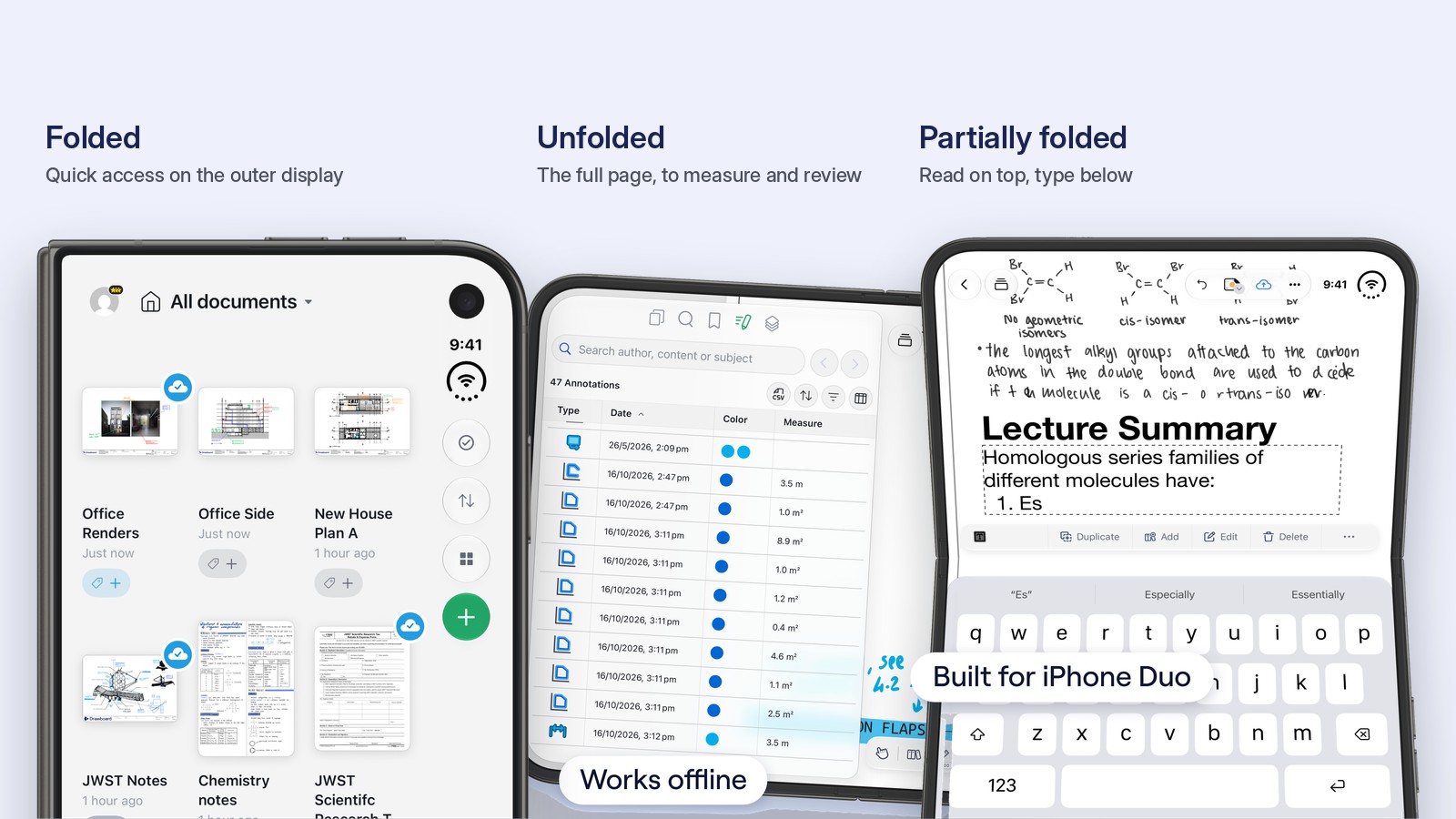
On site. An engineer can check off problems one-handed on the outer display, then unfold iPhone Duo to see the full drawing, circle what needs fixing and share it with the whole team, all without leaving the floor. Measurement works offline too, so a patchy signal on site doesn't stop the review.
In the office and on the move. Professionals can review, mark up and share feedback on contracts, proposals and presentations together, wherever they are.
In the lecture hall. Students can read their textbooks naturally with iPhone Duo partially folded, or quickly type notes during a lecture.
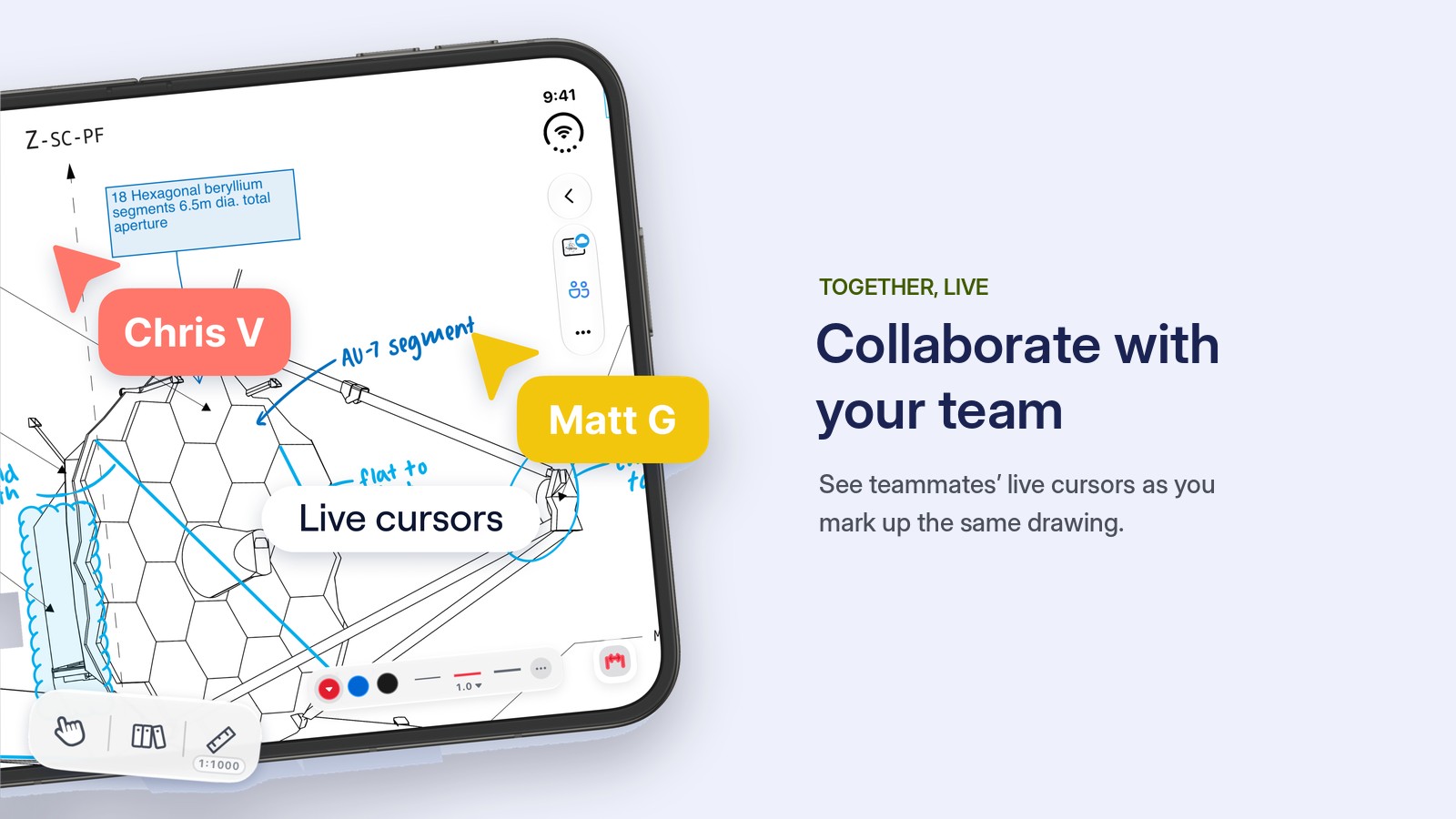
The new canvas builds on Drawboard's live collaboration and extensive toolset, trusted by millions of people worldwide, from students and educators to lawyers and architects.

Drawboard PDF for iPhone Duo is available now on the App Store. If you already use Drawboard PDF on Windows, iPad, Mac or the web, your documents are waiting for you.
Reading a detailed document, a lecture or an architectural drawing on a phone has always meant pinching, zooming and losing your place. The usual fix is an iPad, but an iPad doesn't fit in a pocket or come up a ladder.
iPhone Duo changes that, and today Drawboard PDF is ready for it. We've reimagined the app for iPhone Duo with an all-new canvas experience that adapts to however you're holding it.
Folded: quick access on the outer display. Keep it closed and in one hand. Find any document, see what's synced, and check off issues as you walk the site.
Unfolded: the whole page. Open it up and the full drawing is there at a readable size, no pinching required. Circle what needs fixing, measure to scale, and share it with your team on the spot.
Partially folded: read and write. Prop it half-open on a desk with your page on top and the keyboard below. Read a textbook hands-free, or mix handwriting and typed notes in the same document during a lecture.
On site. An engineer can check off problems one-handed on the outer display, then unfold iPhone Duo to see the full drawing, circle what needs fixing and share it with the whole team, all without leaving the floor. Measurement works offline too, so a patchy signal on site doesn't stop the review.
In the office and on the move. Professionals can review, mark up and share feedback on contracts, proposals and presentations together, wherever they are.
In the lecture hall. Students can read their textbooks naturally with iPhone Duo partially folded, or quickly type notes during a lecture.
The new canvas builds on Drawboard's live collaboration and extensive toolset, trusted by millions of people worldwide, from students and educators to lawyers and architects.
Drawboard PDF for iPhone Duo is available now on the App Store. If you already use Drawboard PDF on Windows, iPad, Mac or the web, your documents are waiting for you.


We are a PDF and collaboration company. We believe that creating more effective connections between people reduces waste.
Our best work has been overtaken by busywork. That’s why we’ve created ways to help people get back to working wonders without any paper in sight.
Drawboard PDF lets you mark up and share with ease, and Drawboard Projects brings collaborative design review to architecture and engineering teams.
At Drawboard, we work our magic so our customers can get back to working theirs.
We are a PDF and collaboration company. We believe that creating more effective connections between people reduces waste.
Our best work has been overtaken by busywork. That’s why we’ve created ways to help people get back to working wonders without any paper in sight.
Drawboard PDF lets you mark up and share with ease, and Drawboard Projects brings collaborative design review to architecture and engineering teams.
At Drawboard, we work our magic so our customers can get back to working theirs.


