


Fieldwire has built a solid reputation among superintendents, subcontractors, and foremen who need a practical way to keep jobsites organized. Crews can view plans, drop pins for tasks and punch items, attach photos, and keep working offline with changes syncing once they reconnect.
But the platform is built for field execution first, and that focus can become limiting as coordination needs grow. Markup tools cover the basics without the advanced digital inking or review management that design-side teams expect. Financial oversight like budgets, change orders, and RFIs does not come in until the Business Plus tier, and even then there's no built-in time tracking, invoicing, or accounting integration. Plus, every reviewer, internal or external, also needs a licensed seat to participate, which adds up across larger organizations.
For teams that have outgrown that scope, here are ten Fieldwire alternatives worth a closer look.
Where Fieldwire is built for field execution, Drawboard Projects is built for multi-stakeholder design review, drawing coordination, and on-site execution across AEC teams. Architects, engineers, and contractors work on the same drawings simultaneously, with every annotation, task assignment, and revision decision syncing live rather than circulating through email chains or disconnected file shares. Native apps run on Windows, iPad, and iOS, while an advanced web app covers Mac and Android, so every participant joins the review on whatever device they have.
That cross-device reach matters because review teams rarely share a single platform. A structural engineer might mark up details on a Surface tablet in the office while a superintendent flags a conflict from an iPad on site, and both see each other's annotations instantly. Drawboard Projects keeps the entire review process centralized in one workspace instead of scattered across tools and file versions.
Every annotation, comment, and status change syncs live across every user and device, which means review cycles aren't held up by someone forgetting to upload a file or waiting for a colleague to refresh their screen. For teams running weekly design coordination meetings, that persistent live sync turns Drawboard Projects into a shared workspace where decisions happen in the session rather than in follow-up emails after the fact.
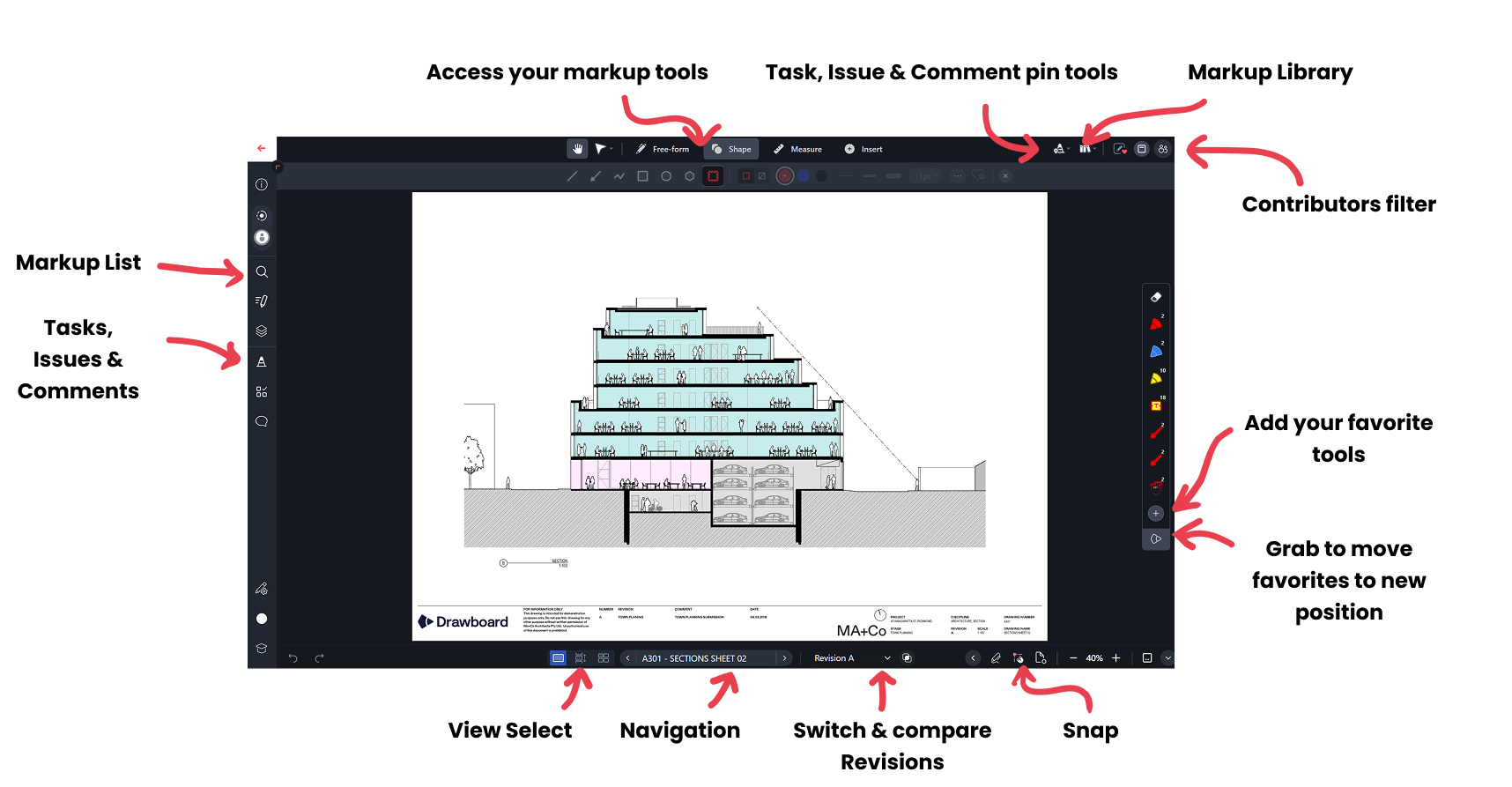
Sheet management in Drawboard Projects uses OCR-assisted intake to read your drawing title blocks, match revisions automatically, and stack them so you can flick between versions without hunting through folders. When a new revision set comes in, the system recognizes which sheets have been updated and layers them on top of the previous version. You can then compare changes visually using Drawing Overlays instead of cross-referencing revision logs, saving time during fast-moving design phases where multiple disciplines issue updates in the same week.
Task pins give you a way to flag specific locations on a drawing and turn them into actionable items with due dates, custom statuses, attached photos, and full revision history. Architects, engineers, and contractors can drop pins directly on the problem area, assign responsibility, and track resolution without switching to a separate project management tool. Every pin keeps a complete audit trail, so when a question comes up six months later about why a detail changed, the full conversation and decision history is right there on the sheet.
Each contributor's annotations live on separate, shareable layers with clear attribution, so you can toggle between the structural engineer's comments and the architect's redlines without visual clutter. External consultants and owner's reps can join a review through time-limited guest access without a paid license, which removes the seat-licensing friction that makes Fieldwire inconvenient for multi-party reviews.
Drawboard Projects integrates with Revit, Procore, Aconex, OneDrive, Google Drive, and Dropbox, tying design reviews directly into broader project workflows rather than leaving them siloed.
If your team's review process stalls because stakeholders work across different devices, feedback gets lost between revisions, or no one can tell who marked up what and when, Drawboard Projects centralizes the entire coordination workflow into one live workspace. And if you're also evaluating PDF markup tools beyond Fieldwire, check out our Bluebeam alternatives comparison.
Drawboard Projects plans come with a 30-day free trial. You can subscribe monthly or annually, with a per-user pricing model.
"One thing that really surprised me with how useful it's been is the Issues/Tasks tool... Using that tool to ping each other and say, 'Hey, I want you to look at this right here'... you can respond directly in the tool, and then you can make a record of that if needed." — Patrick Blomberg, Arion
"I absolutely love the ability to interact directly with teammates on the same document almost seamless in real-time. This type of coordination is not possible even with something like Bluebeam Studio." — Civil Engineer, G2 User
"[Projects] has allowed us to have a more efficient level of communication between our office and our field guys." — Mateo G., Capterra User
"Drawboard Projects saves us a significant amount of time. I'd say it's made our revision process about 5 times faster." — D'Angelo and Associates
For large general contractors and construction firms managing dozens of concurrent projects, Procore's unlimited-user model removes the per-seat math that makes most platforms expensive at scale. Every project team member, from superintendents to accounting staff, gets access without triggering additional license fees, which makes a big difference when you're staffing 50-person project teams across multiple jobsites.
The platform covers the full project lifecycle. RFI and submittal workflows keep design coordination moving, with automated routing so items don't sit in someone's inbox for a week. Scheduling tools handle dependencies and critical path tracking. Quality and safety modules let field teams run inspections, log incidents, and attach photos directly to punch list items, with results feeding into dashboards that give project managers a live view of site compliance rather than a lagging report.
Cost management is where Procore earns its reputation with larger firms. Budget tracking, change order management, and real-time financial reporting give project managers and executives visibility into margins without waiting for monthly reconciliation. The 360 analytics layer pulls data across projects, so you can spot trends in cost overruns or safety incidents across your entire portfolio.
On the integration side, Procore connects with over 500 third-party tools including ERP systems, estimating software, accounting platforms, and BIM tools. For firms that have already invested in specialized software for specific workflows, this matters. Procore acts as the connective layer rather than asking you to rip and replace everything. The newer Procore AI features automate document classification and pull up relevant project data, though the rollout is still maturing across the platform.
Cost is the main barrier for smaller firms. Procore's pricing is based on your annual construction volume, not user count, which means firms working on high-value projects pay more even if their teams are small. Third-party estimates put annual contracts between $10,000 and $50,000+, with no month-to-month option. For firms under $5M in annual volume, that price tag is difficult to justify, especially during slower years when revenue drops but your contract doesn't.
Overall, Procore is a strong fit for mid-to-large general contractors and commercial builders who need a single platform across preconstruction, field, and financial management, and who have the budget and internal bandwidth to support a full rollout. If you're a small specialty contractor or a firm that primarily needs drawing markup and field reporting, you'll likely find Procore overbuilt for your needs and priced well beyond what simpler tools would cost.
Procore doesn’t publicly list packages or pricing, but costs are dependent on Annual Construction Value rather than user count. All plans are annual and include unlimited users, unlimited data, and onboarding assistance. For pricing, request a quote.
Buildertrend is built specifically for residential construction, remodeling, and specialty contracting; the kind of work where client communication, selection management, and homeowner-driven change orders are as much of the job as coordinating trades. Its Gantt scheduling with dependency tracking gives you production-level project management without the overhead of platforms designed for large commercial work.
The client portal is the feature residential builders talk about most. Homeowners log in to see real-time progress updates, approve selections, sign change orders, and make payments without calling your office. They can also view the project schedule and daily log photos, which for custom home builders managing 10 to 15 active clients cuts a significant volume of weekly check-in calls down to self-serve updates.
Financial management runs deep for a residential-focused tool. Estimating feeds directly into budgets, and QuickBooks and Xero integrations sync invoices and payments so your bookkeeper isn't double-entering data. Material takeoffs connect to estimates, and the purchase order system tracks what's been ordered, delivered, and invoiced. That same pipeline extends into sales: you can track leads, send proposals, manage your pipeline, and convert won bids directly into active projects, so your estimator and superintendent are working from the same data from the moment a job is signed.
Complexity and price work against adoption for smaller teams. At $499/month for the Essential plan, Buildertrend isn't a casual commitment, and onboarding fees add another $400-$1,500 depending on the plan. Users consistently report that the platform takes several weeks to configure properly, between setting up templates, integrating accounting, and training your team, and that the interface is slower and cluttered than other modern tools. So if you're a two-person operation building three homes a year, the ramp-up time and monthly cost may not pencil out against simpler, cheaper tools.
Buildertrend fits residential home builders, remodelers, and specialty contractors who want one platform from lead capture through warranty management. It's particularly strong for custom home builders who need a client-facing portal. It's less suited for commercial general contractors or firms that need advanced drawing markup tools; the document management works fine for residential plans, but it won't replace dedicated plan review software on complex commercial sets.
Buildertrend requires you to contact their sales team for a quote.
If your firm already runs Revit, AutoCAD, or Navisworks, Autodesk Build slots into that workflow without the integration friction you'd hit with a standalone platform. Sheet management through Autodesk Docs provides version-controlled plan storage, and markups made in Build stay linked to the source files your design team is updating. That continuity keeps design and field working from the same record rather than passing files back and forth, and is the core reason teams in the Autodesk ecosystem choose Build over alternatives.
The PlanGrid Build mobile app, carried over from Autodesk's 2018 acquisition, handles offline field access well. Superintendents can pull up sheets, add markups, create issues, and complete inspection checklists without cell service, then sync everything once they're back online. For jobsites in basements, rural areas, or concrete structures where connectivity drops, that offline reliability keeps field teams productive instead of waiting for a signal.
RFI and submittal management follow standard routing workflows, including create, route, review, and close, with the useful addition of location pinning. You can tie an RFI directly to a specific spot on a sheet, attach related submittals, and track the full thread in one place. Quality and safety checklists work the same way, with inspection items anchored to drawing locations so your QC team can document issues in context rather than in a disconnected spreadsheet.
Cost management includes budget tracking, contract management, and budget snapshots that let you compare financial positions at different points in a project. It's functional for tracking costs against estimates, though firms with complex multi-entity accounting structures will still need a dedicated ERP. Meeting minutes, scheduling, and closeout/document turnover round out the feature set, making Build a credible single-platform option for project management in Autodesk environments.
The main tradeoff with Autodesk Build is that per-seat pricing compounds quickly on larger teams. Its unlimited sheets plan is priced at $1,400/user/year on its own, before you account for the other Autodesk licenses your firm is already paying, which exceeds many other options available. Teams that migrated from other tools have also experienced friction during the transition, with some workflows and features changing or disappearing in the consolidation into Autodesk Construction Cloud.
Autodesk Build is a strong choice for firms already invested in the Autodesk ecosystem. Architects, engineers, and GCs running Revit-based workflows get design-to-field continuity without bolting on a separate platform. Without existing Autodesk products, it doesn’t offer as much value, especially for smaller teams who will feel the per-seat pricing more sharply than they would with unlimited-user platforms.
Autodesk Build offers two per-user plans, plus a by-quote enterprise team plan.
Bluebeam Revu is built for professionals who live inside drawing sets: estimators running quantity takeoffs, project engineers reviewing submittals, and superintendents managing punch lists. If your workflows center on detailed document markup rather than lightweight field coordination, Revu sits in a different category from Fieldwire entirely.
The markup engine centers on a customizable Tool Chest that lets teams build, save, and share standardized markup sets as .btx files, so everyone from the field engineer to the senior estimator works with the same callout styles, symbols, and line weights across every project. That consistency helps cut down on miscommunication and rework across different teams, and is one of the main reasons teams choose or switch to Bluebeam.
When it comes to takeoff, Bluebeam’s Dynamic Fill lets you click inside enclosed regions to auto-calculate areas, and live Excel links push takeoff data directly into cost models without manual re-entry. Formulas built inside Revu handle unit conversions and material waste factors, which for estimators who currently bounce between a PDF viewer and a spreadsheet means bid day involves fewer open applications and less re-entry risk.
Studio Sessions enable real-time, multi-user collaboration on the same document set. When office and field need to resolve an issue on the same drawing, multiple team members can mark up simultaneously without emailing PDFs back and forth, with each person's changes visible to everyone in the session. The overlay and comparison tools also let you stack revision sets and spot what changed between versions, which matters on fast-track projects where drawings update weekly.
Bluebeam Cloud extends access to web and iOS so field teams can view and mark up documents without a Windows laptop on site, though the experience is limited compared to the native Windows apps. Batch processing handles repetitive tasks like applying digital signatures across a full submittal package or inserting slip sheets into a spec set, and integrations with Procore, SharePoint, and Autodesk Construction Cloud keep Revu connected to existing project management workflows.
Platform dependency is the biggest limitation. Revu's desktop application runs on Windows only, and Bluebeam has recently ended native Apple support entirely, so Mac, iPad, and iOS users are pushed to Cloud-based tools that don't carry the full feature set of the desktop app. That can create a two-tier experience where some team members have access to advanced takeoff and batch tools while others don't. For mixed-OS firms, you'll need to evaluate whether Cloud access is sufficient for your Mac users or whether you need to standardize on Windows hardware.
Bluebeam Revu is a good fit for estimators, project engineers, and document-heavy teams that need professional-grade PDF markup, measurement, and takeoff on Windows. Teams on mixed or Apple-first setups will struggle to keep up with Cloud versus native Revu. And if you’re looking primarily for lightweight mobile field management, like daily logs, photo documentation, and simple punch lists, Revu is likely more than your team needs.
Small contracting firms that need project management, scheduling, estimating, and safety tracking without buying four separate tools can consider Contractor Foreman. It consolidates over 35 modules into a single platform, covering everything from bid management to AIA invoicing. The target user is a GC or specialty contractor running crews of 1 to 15 who can't justify the per-user cost of enterprise platforms but still needs structured workflows beyond spreadsheets and text messages.
GPS-driven timecards with geofencing let you verify that crew members are clocking in from the actual job site, not from their driveway. The system captures location data at punch-in and punch-out, which gives you documentation for certified payroll or dispute resolution. For contractors dealing with prevailing wage projects, that location verification paired with accurate time records reduces compliance headaches significantly.
Scheduling uses Gantt charts alongside daily logs, so your project timeline and field activity stay connected in one view. When a superintendent files a daily log noting a weather delay, you can see how that impacts the schedule without switching between apps. Estimates and proposals flow into bid management, and once a job is awarded, the same data feeds into job costing, so you're not re-entering numbers at every project phase.
Safety management includes over 800 pre-built toolbox talk topics and incident tracking with photo documentation. You can assign safety meetings to specific crews, track attendance, and store records for OSHA compliance. The client portal lets clients view project progress, approve change orders, and sign documents online, which helps small contractors maintain professionalism throughout the sales and construction processes without significant infrastructure in place.
RFIs, submittals, and change orders follow standard workflows with approval chains, and document management keeps plans, specs, and contracts organized by project. Job costing tracks labor, materials, and subcontractor expenses against your original estimate, so you can catch budget overruns before they compound. AIA invoicing generates pay applications in the standard format that most owners and GCs require.
Where Contractor Foreman struggles is polish. The interface feels dated compared to newer platforms, and performance slows on larger or more complex projects. With 35+ modules available, teams that haven't used construction management software before may spend the first few weeks figuring out which modules matter for their business and ignoring the rest. Onboarding support and training resources are available, but expect an adjustment period before the platform runs smoothly for your team.
Contractor Foreman fits small to mid-size contractors who want broad functionality at a price point that won't strain a tight overhead budget. Larger firms running complex, multi-phase projects will find the performance and customization ceiling too low. If your priority is deep functionality in one area, like document markup or field reporting, a specialized tool will outperform it in that category.
Contractor Foreman pricing is tiered by the number of and the features included. Each plan includes a 30-day free trial, a 100-day money-back guarantee, and is billed quarterly or annually.
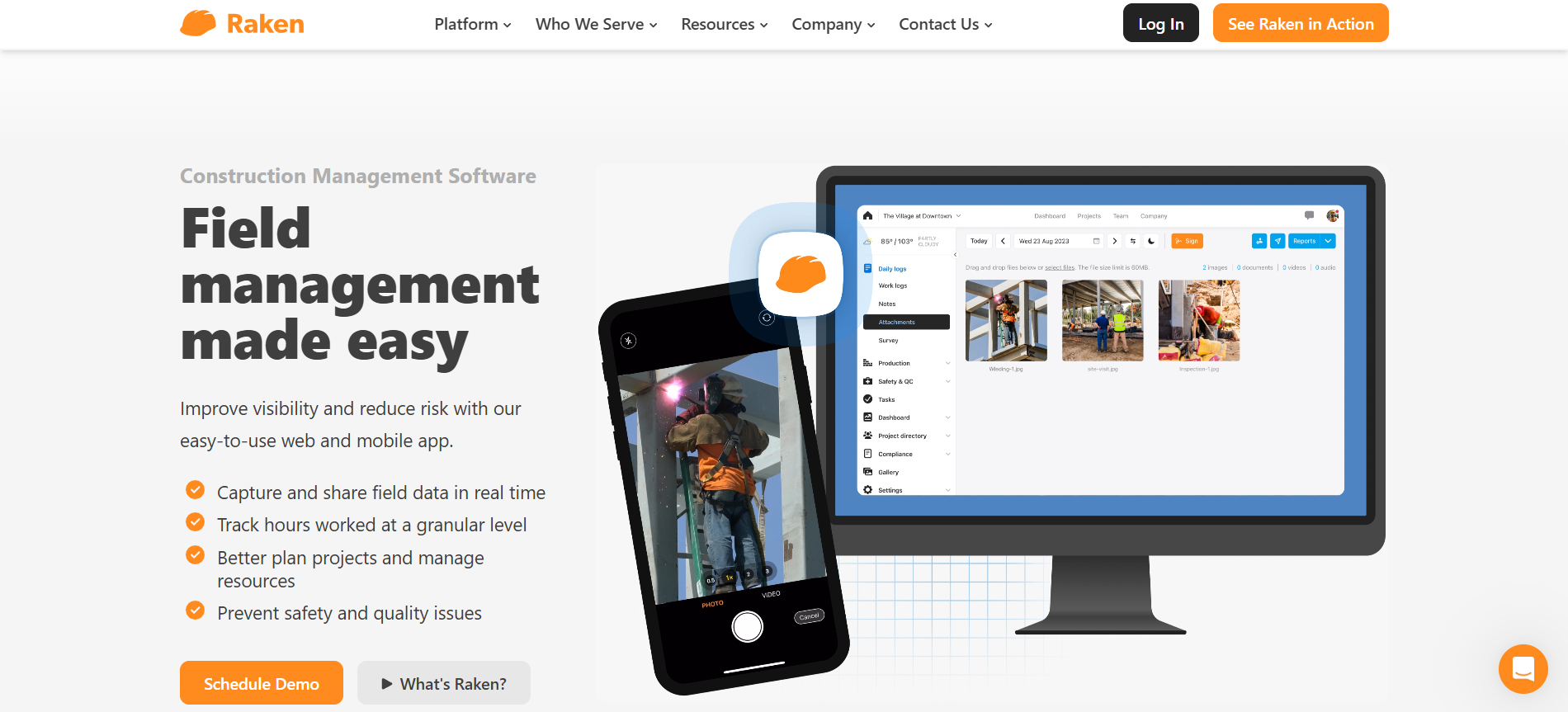
Getting consistent, complete daily reports from the field without chasing superintendents at 6 PM is the problem Raken is built to solve. The platform focuses on daily reporting as its core workflow, then layers time tracking, safety management, and photo documentation around it. General contractors managing multiple subs on a single project benefit most: Raken's Super Daily feature automatically consolidates subcontractor reports into one unified document, eliminating the manual assembly that typically eats up a PM's morning.
Daily report creation is designed to minimize friction for field supervisors. Voice-to-text input lets superintendents narrate their report instead of typing on a phone screen, which makes a real difference for crews working in gloves or direct sunlight. Weather data auto-populates based on job site location, and completed reports generate formatted PDFs automatically. The result is a professional daily record that's ready for owner review or dispute documentation without anyone in the office reformatting it.
Time tracking offers three modes to match how your crews actually work: supervisor time cards let a foreman log hours for an entire crew from one device, kiosk mode sets up a shared tablet at the job trailer for individual clock-ins, and individual GPS-tracked clocks cover distributed crews or workers who move between sites during the day. That way, you can adjust your approach to fit each project's conditions rather than forcing one method across your whole operation.
Photo and video documentation uses AI-powered keyword tagging to make media searchable after the fact. When a superintendent takes 40 photos during a concrete pour, the system tags them with relevant terms and attaches them to the corresponding daily report automatically. Six months later, when a dispute arises about rebar placement, you can find the right photos without scrolling through thousands of unlabeled files. Production tracking ties into the daily report workflow so you can monitor installed quantities against your schedule without maintaining a separate tracking system.
Safety and quality management includes over 100 pre-built toolbox talk templates, custom inspection checklists, and compliance dashboards that aggregate safety data across projects. Integrations with Procore and Autodesk BIM 360 keep Raken connected to your broader project management stack, so daily report data flows into the systems your office team already uses for project controls.
App stability is the weak spot. Users consistently report glitches and occasional crashes, particularly when uploading large photo batches or working in areas with spotty cell coverage. For a platform that depends on field adoption, app stability directly impacts whether your crews will actually use it. Raken has been improving the mobile experience, but if your job sites are in remote areas with unreliable connectivity, you should test the app thoroughly during the free trial before committing.
Raken is a strong fit for general contractors and construction managers who need structured, automated daily reporting, especially those coordinating multiple subcontractors on active job sites. If you need a broader project management platform with document markup, estimating, or scheduling, you'll need to pair it with another tool.
Raken does not provide public packages or pricing. Contact them for a quote based on your company size and needs.
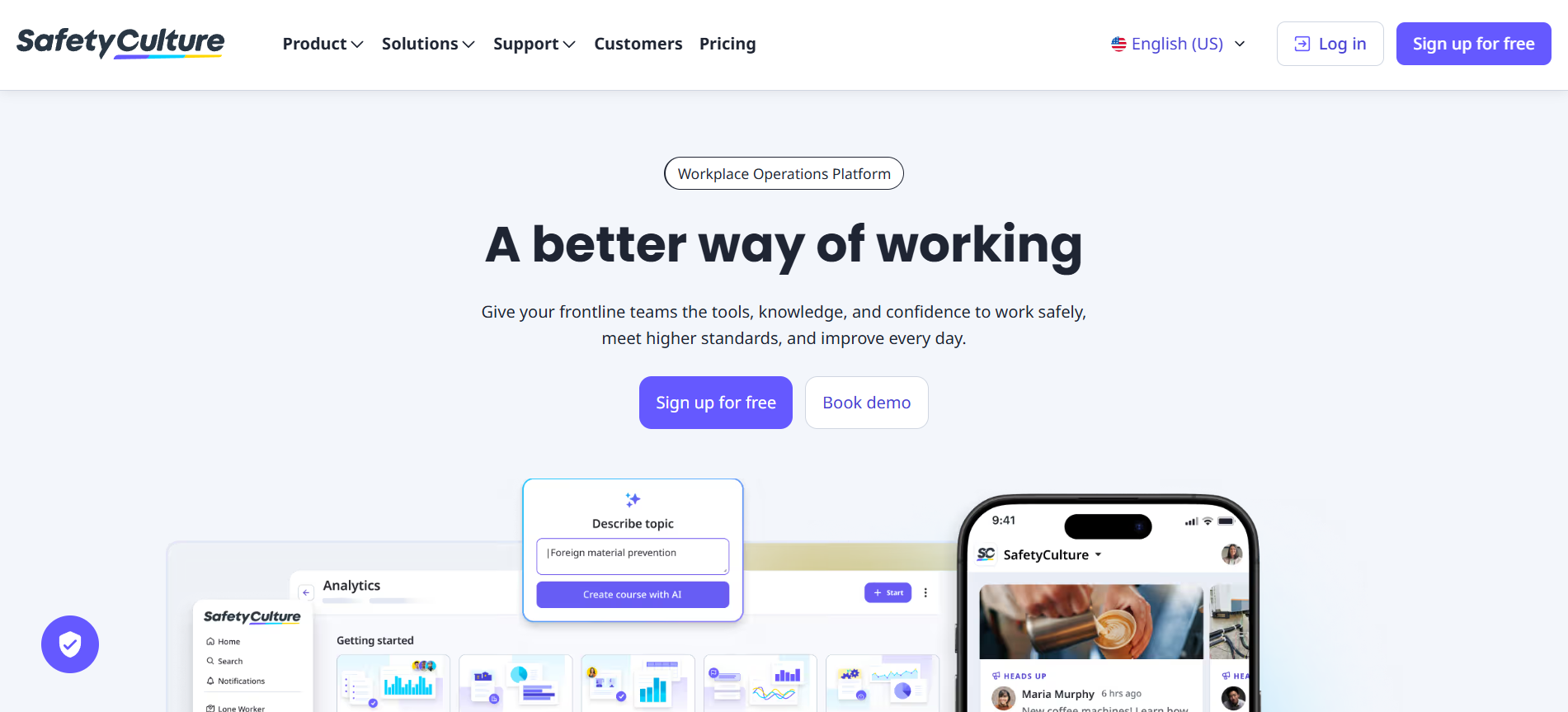
Construction teams that still run safety inspections on paper lose time to illegible handwriting, misplaced forms, and manual report assembly. SafetyCulture (formerly iAuditor) replaces that process with a mobile inspection app that makes it fast to run checklists on a phone or tablet and automatically generates PDF reports when you're done.
The inspection builder uses a drag-and-drop interface, and you can create templates from scratch or pull from a library of over 100,000 pre-built options covering everything from OSHA walk-throughs to equipment pre-starts. An AI template creator generates checklists from a photo, PDF, or text prompt, which is particularly useful when converting legacy paper forms into digital workflows.
Beyond inspections, SafetyCulture handles incident management with photo attachments, priority flags, and assigned owners. Asset tracking uses QR codes tied to maintenance schedules, and IoT sensor integrations monitor temperature and vibration in real time for concrete curing or equipment-heavy environments where threshold breaches need to be documented. Lone worker mode adds GPS tracking and panic alerts for employees in isolated or high-risk conditions, and SC Training lets you build and assign compliance courses directly inside the platform.
Report customization is a consistent frustration, with most users ending up exporting to Excel to get the layout their clients or project managers actually need. Per-user pricing at $24/user/month compounds quickly for larger site teams, especially since there are no drawing markup tools, plan management, RFIs, submittals, or task coordination tied to sheet locations. For construction teams that need those workflows covered alongside inspections, SafetyCulture will need a companion platform, and at that price point the combination adds up quickly against tools that cover both.
SafetyCulture is a strong fit for safety managers and site supervisors whose primary need is digitizing inspection and compliance workflows. Teams looking for a broader construction management platform will find the scope too narrow to rely on it as a standalone tool.
SafetyCulture offers a free tier, a paid tier, and an enterprise tier, each recommended for a certain range of team sizes (1-10, 11-150, and 150+ respectively). Paid plans include a 30-day free trial
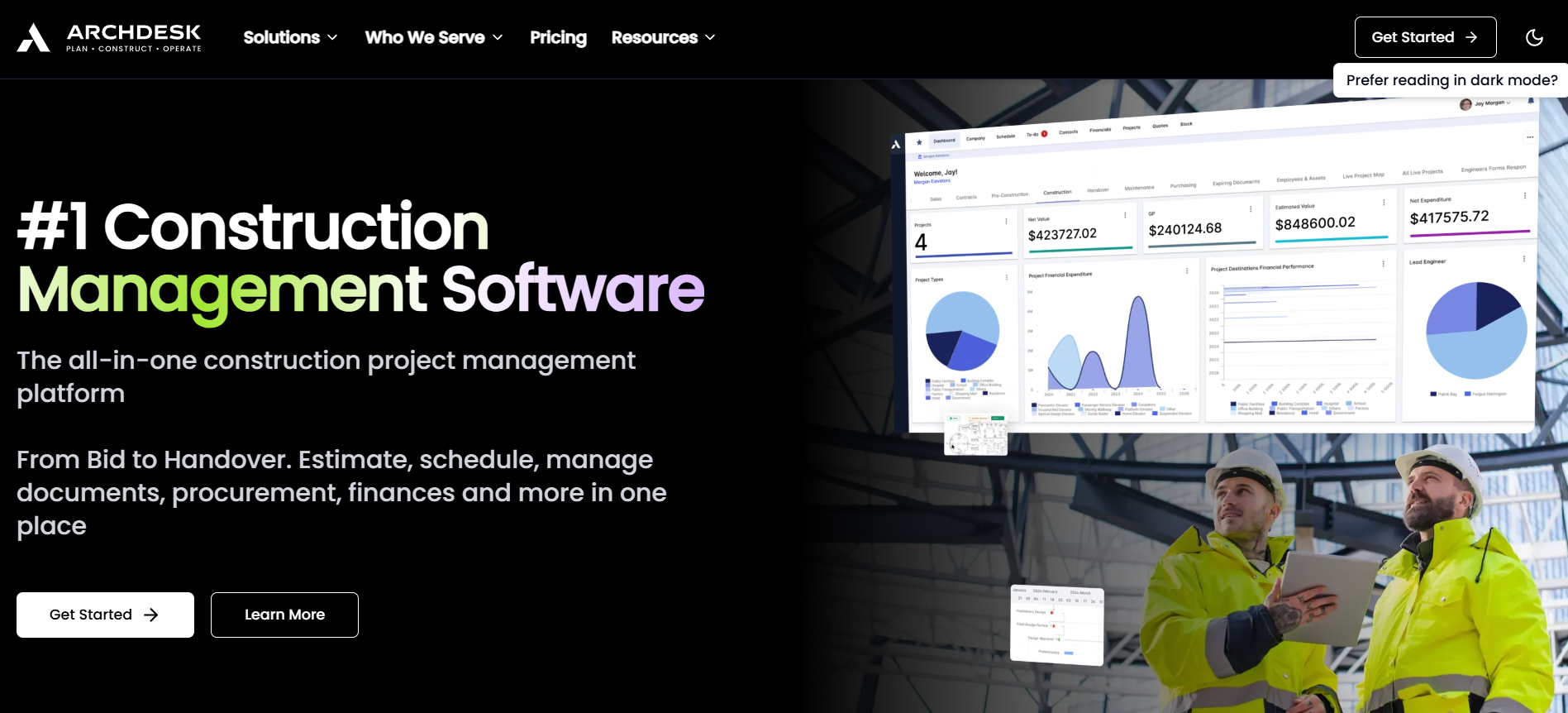
Mid-to-large construction firms that have outgrown standalone project management tools often hit the same wall: project data lives in one system, financials in another, and procurement in a third. Archdesk is built to consolidate those functions for contractors running multiple concurrent projects where cost control and procurement complexity demand more than a task board and a spreadsheet.
Project scheduling uses Gantt charts with a global scheduler that lets you view timelines across your entire portfolio, not just individual jobs. If your team already works in MS Project or Primavera P6, Archdesk integrates with both, so you can import existing schedules without rebuilding them. Document management includes version control with BIM and CAD file support, keeping drawings and models centralized alongside the rest of your project data.
The procurement and financial tools are where Archdesk earns its place over lighter platforms. Purchase orders, tender management, and invoice matching are handled in one place, and job costing runs in real time against your budget. You can configure the system to automatically block purchase orders that would push a cost category over budget. Subcontractors get their own portal with rated profiles and accreditation tracking, and integrations with Sage, Xero, and QuickBooks keep financial data in sync across platforms.
Entry cost is the biggest barrier. At $790/month to start, Archdesk prices out smaller contractors and single-project firms before they've evaluated a single feature. The platform's depth also means a steep learning curve: new users may find that the interface isn't intuitive, and onboarding takes real time investment to get up to speed.
Archdesk fits contractors that need a configurable ERP tying together scheduling, procurement, cost control, and subcontractor management, consolidating workflows that would otherwise require three or four separate systems. For firms looking for lightweight field coordination, it's usually too expensive and complicated to justify.
Archdesk offers one priced plan that covers many of the base features, but limits depth and customization, plus two by-quote plans that add more control and support.
Teams that already think in rows, columns, and formulas often resist adopting construction-specific tools that force an unfamiliar workflow. Smartsheet is a work management platform built on a spreadsheet interface that supports Gantt scheduling, automated workflows, and real-time dashboards. For AEC firms where project managers, estimators, and operations staff already have spreadsheet fluency, it removes the learning curve that slows adoption of purpose-built construction tools.
Gantt scheduling supports dependencies, critical path calculation, and baselines. Automated workflows handle approval routing, status notifications, and data updates. For field data collection, forms and QR codes let crews submit information from mobile devices directly into your sheets without manual entry.
Viewers are free on all plans, and Business plans and above include free guest access, so clients, owners, and stakeholders can see dashboards and reports without adding to your per-seat cost. That makes it practical for projects with large external teams who need visibility but don't need editing access. Roll-up reports and portfolio dashboards aggregate data across multiple sheets, letting you track status, budgets, and timelines at the program level without opening each project individually.
Resource management and workload tracking are available at higher tiers, giving you visibility into team allocation across projects before capacity issues become scheduling problems. The platform's flexibility means you can model most workflows if you're willing to configure them, though that configuration work adds up, and it's what distinguishes Smartsheet from tools built specifically for construction.
What you give up is construction-specific functionality. There's no native estimating, job costing, RFI tracking, submittal management, or drawing markup, but teams willing to invest in configuration can build suitable replacements using Smartsheet's flexibility. Firms that primarily need portfolio-level visibility often run Smartsheet alongside a dedicated field tool to cover plan viewing, punch lists, and on-site documentation. There's also no native integration with Procore or Autodesk products, and the automation builder has a steep learning curve despite the platform's otherwise familiar interface.
Smartsheet makes the most sense for AEC teams that need flexible project tracking and portfolio-level visibility without committing to a construction-specific platform. When your projects don't require plan markup, punch lists, or deep field management, it's a capable and familiar option. If they do, pair it with another tool to fill the gaps.
Smartsheet pricing is tiered across Pro, Business, Enterprise, and Advanced Work Management, with the first two plans publicly priced per member/month billed yearly and the upper tiers sold on custom pricing. All plans have a 30-day free trial
The right Fieldwire alternative depends on what your team needs beyond basic field coordination. The larger platforms on this list cover enterprise financials, bid workflows, and cost controls. Specialized tools handle daily reporting and safety compliance faster than a general platform can. And for teams that live in spreadsheets, a flexible work management tool can extend what they're already comfortable with.
But for architecture, engineering, and construction teams whose core challenge is design review and drawing coordination across devices, Drawboard Projects fills the gaps that Fieldwire leaves open. Markups sync live across Windows, iPad, iOS, and Mac, every reviewer, internal or external, works from the same version simultaneously, and every pin, comment, and decision stays anchored to its exact location on the drawing through every revision.
Free guest access removes the seat-licensing friction that makes Fieldwire cumbersome for multi-party reviews, and integrations with Revit, Procore, and Aconex mean reviews connect directly into the broader project workflow rather than sitting in a separate system.
If you’ve been making do with Fieldwire's more basic markup tools, you’ll feel the difference immediately.
Fieldwire has built a solid reputation among superintendents, subcontractors, and foremen who need a practical way to keep jobsites organized. Crews can view plans, drop pins for tasks and punch items, attach photos, and keep working offline with changes syncing once they reconnect.
But the platform is built for field execution first, and that focus can become limiting as coordination needs grow. Markup tools cover the basics without the advanced digital inking or review management that design-side teams expect. Financial oversight like budgets, change orders, and RFIs does not come in until the Business Plus tier, and even then there's no built-in time tracking, invoicing, or accounting integration. Plus, every reviewer, internal or external, also needs a licensed seat to participate, which adds up across larger organizations.
For teams that have outgrown that scope, here are ten Fieldwire alternatives worth a closer look.
Where Fieldwire is built for field execution, Drawboard Projects is built for multi-stakeholder design review, drawing coordination, and on-site execution across AEC teams. Architects, engineers, and contractors work on the same drawings simultaneously, with every annotation, task assignment, and revision decision syncing live rather than circulating through email chains or disconnected file shares. Native apps run on Windows, iPad, and iOS, while an advanced web app covers Mac and Android, so every participant joins the review on whatever device they have.
That cross-device reach matters because review teams rarely share a single platform. A structural engineer might mark up details on a Surface tablet in the office while a superintendent flags a conflict from an iPad on site, and both see each other's annotations instantly. Drawboard Projects keeps the entire review process centralized in one workspace instead of scattered across tools and file versions.
Every annotation, comment, and status change syncs live across every user and device, which means review cycles aren't held up by someone forgetting to upload a file or waiting for a colleague to refresh their screen. For teams running weekly design coordination meetings, that persistent live sync turns Drawboard Projects into a shared workspace where decisions happen in the session rather than in follow-up emails after the fact.
Sheet management in Drawboard Projects uses OCR-assisted intake to read your drawing title blocks, match revisions automatically, and stack them so you can flick between versions without hunting through folders. When a new revision set comes in, the system recognizes which sheets have been updated and layers them on top of the previous version. You can then compare changes visually using Drawing Overlays instead of cross-referencing revision logs, saving time during fast-moving design phases where multiple disciplines issue updates in the same week.
Task pins give you a way to flag specific locations on a drawing and turn them into actionable items with due dates, custom statuses, attached photos, and full revision history. Architects, engineers, and contractors can drop pins directly on the problem area, assign responsibility, and track resolution without switching to a separate project management tool. Every pin keeps a complete audit trail, so when a question comes up six months later about why a detail changed, the full conversation and decision history is right there on the sheet.
Each contributor's annotations live on separate, shareable layers with clear attribution, so you can toggle between the structural engineer's comments and the architect's redlines without visual clutter. External consultants and owner's reps can join a review through time-limited guest access without a paid license, which removes the seat-licensing friction that makes Fieldwire inconvenient for multi-party reviews.
Drawboard Projects integrates with Revit, Procore, Aconex, OneDrive, Google Drive, and Dropbox, tying design reviews directly into broader project workflows rather than leaving them siloed.
If your team's review process stalls because stakeholders work across different devices, feedback gets lost between revisions, or no one can tell who marked up what and when, Drawboard Projects centralizes the entire coordination workflow into one live workspace. And if you're also evaluating PDF markup tools beyond Fieldwire, check out our Bluebeam alternatives comparison.
Drawboard Projects plans come with a 30-day free trial. You can subscribe monthly or annually, with a per-user pricing model.
"One thing that really surprised me with how useful it's been is the Issues/Tasks tool... Using that tool to ping each other and say, 'Hey, I want you to look at this right here'... you can respond directly in the tool, and then you can make a record of that if needed." — Patrick Blomberg, Arion
"I absolutely love the ability to interact directly with teammates on the same document almost seamless in real-time. This type of coordination is not possible even with something like Bluebeam Studio." — Civil Engineer, G2 User
"[Projects] has allowed us to have a more efficient level of communication between our office and our field guys." — Mateo G., Capterra User
"Drawboard Projects saves us a significant amount of time. I'd say it's made our revision process about 5 times faster." — D'Angelo and Associates
For large general contractors and construction firms managing dozens of concurrent projects, Procore's unlimited-user model removes the per-seat math that makes most platforms expensive at scale. Every project team member, from superintendents to accounting staff, gets access without triggering additional license fees, which makes a big difference when you're staffing 50-person project teams across multiple jobsites.
The platform covers the full project lifecycle. RFI and submittal workflows keep design coordination moving, with automated routing so items don't sit in someone's inbox for a week. Scheduling tools handle dependencies and critical path tracking. Quality and safety modules let field teams run inspections, log incidents, and attach photos directly to punch list items, with results feeding into dashboards that give project managers a live view of site compliance rather than a lagging report.
Cost management is where Procore earns its reputation with larger firms. Budget tracking, change order management, and real-time financial reporting give project managers and executives visibility into margins without waiting for monthly reconciliation. The 360 analytics layer pulls data across projects, so you can spot trends in cost overruns or safety incidents across your entire portfolio.
On the integration side, Procore connects with over 500 third-party tools including ERP systems, estimating software, accounting platforms, and BIM tools. For firms that have already invested in specialized software for specific workflows, this matters. Procore acts as the connective layer rather than asking you to rip and replace everything. The newer Procore AI features automate document classification and pull up relevant project data, though the rollout is still maturing across the platform.
Cost is the main barrier for smaller firms. Procore's pricing is based on your annual construction volume, not user count, which means firms working on high-value projects pay more even if their teams are small. Third-party estimates put annual contracts between $10,000 and $50,000+, with no month-to-month option. For firms under $5M in annual volume, that price tag is difficult to justify, especially during slower years when revenue drops but your contract doesn't.
Overall, Procore is a strong fit for mid-to-large general contractors and commercial builders who need a single platform across preconstruction, field, and financial management, and who have the budget and internal bandwidth to support a full rollout. If you're a small specialty contractor or a firm that primarily needs drawing markup and field reporting, you'll likely find Procore overbuilt for your needs and priced well beyond what simpler tools would cost.
Procore doesn’t publicly list packages or pricing, but costs are dependent on Annual Construction Value rather than user count. All plans are annual and include unlimited users, unlimited data, and onboarding assistance. For pricing, request a quote.
Buildertrend is built specifically for residential construction, remodeling, and specialty contracting; the kind of work where client communication, selection management, and homeowner-driven change orders are as much of the job as coordinating trades. Its Gantt scheduling with dependency tracking gives you production-level project management without the overhead of platforms designed for large commercial work.
The client portal is the feature residential builders talk about most. Homeowners log in to see real-time progress updates, approve selections, sign change orders, and make payments without calling your office. They can also view the project schedule and daily log photos, which for custom home builders managing 10 to 15 active clients cuts a significant volume of weekly check-in calls down to self-serve updates.
Financial management runs deep for a residential-focused tool. Estimating feeds directly into budgets, and QuickBooks and Xero integrations sync invoices and payments so your bookkeeper isn't double-entering data. Material takeoffs connect to estimates, and the purchase order system tracks what's been ordered, delivered, and invoiced. That same pipeline extends into sales: you can track leads, send proposals, manage your pipeline, and convert won bids directly into active projects, so your estimator and superintendent are working from the same data from the moment a job is signed.
Complexity and price work against adoption for smaller teams. At $499/month for the Essential plan, Buildertrend isn't a casual commitment, and onboarding fees add another $400-$1,500 depending on the plan. Users consistently report that the platform takes several weeks to configure properly, between setting up templates, integrating accounting, and training your team, and that the interface is slower and cluttered than other modern tools. So if you're a two-person operation building three homes a year, the ramp-up time and monthly cost may not pencil out against simpler, cheaper tools.
Buildertrend fits residential home builders, remodelers, and specialty contractors who want one platform from lead capture through warranty management. It's particularly strong for custom home builders who need a client-facing portal. It's less suited for commercial general contractors or firms that need advanced drawing markup tools; the document management works fine for residential plans, but it won't replace dedicated plan review software on complex commercial sets.
Buildertrend requires you to contact their sales team for a quote.
If your firm already runs Revit, AutoCAD, or Navisworks, Autodesk Build slots into that workflow without the integration friction you'd hit with a standalone platform. Sheet management through Autodesk Docs provides version-controlled plan storage, and markups made in Build stay linked to the source files your design team is updating. That continuity keeps design and field working from the same record rather than passing files back and forth, and is the core reason teams in the Autodesk ecosystem choose Build over alternatives.
The PlanGrid Build mobile app, carried over from Autodesk's 2018 acquisition, handles offline field access well. Superintendents can pull up sheets, add markups, create issues, and complete inspection checklists without cell service, then sync everything once they're back online. For jobsites in basements, rural areas, or concrete structures where connectivity drops, that offline reliability keeps field teams productive instead of waiting for a signal.
RFI and submittal management follow standard routing workflows, including create, route, review, and close, with the useful addition of location pinning. You can tie an RFI directly to a specific spot on a sheet, attach related submittals, and track the full thread in one place. Quality and safety checklists work the same way, with inspection items anchored to drawing locations so your QC team can document issues in context rather than in a disconnected spreadsheet.
Cost management includes budget tracking, contract management, and budget snapshots that let you compare financial positions at different points in a project. It's functional for tracking costs against estimates, though firms with complex multi-entity accounting structures will still need a dedicated ERP. Meeting minutes, scheduling, and closeout/document turnover round out the feature set, making Build a credible single-platform option for project management in Autodesk environments.
The main tradeoff with Autodesk Build is that per-seat pricing compounds quickly on larger teams. Its unlimited sheets plan is priced at $1,400/user/year on its own, before you account for the other Autodesk licenses your firm is already paying, which exceeds many other options available. Teams that migrated from other tools have also experienced friction during the transition, with some workflows and features changing or disappearing in the consolidation into Autodesk Construction Cloud.
Autodesk Build is a strong choice for firms already invested in the Autodesk ecosystem. Architects, engineers, and GCs running Revit-based workflows get design-to-field continuity without bolting on a separate platform. Without existing Autodesk products, it doesn’t offer as much value, especially for smaller teams who will feel the per-seat pricing more sharply than they would with unlimited-user platforms.
Autodesk Build offers two per-user plans, plus a by-quote enterprise team plan.
Bluebeam Revu is built for professionals who live inside drawing sets: estimators running quantity takeoffs, project engineers reviewing submittals, and superintendents managing punch lists. If your workflows center on detailed document markup rather than lightweight field coordination, Revu sits in a different category from Fieldwire entirely.
The markup engine centers on a customizable Tool Chest that lets teams build, save, and share standardized markup sets as .btx files, so everyone from the field engineer to the senior estimator works with the same callout styles, symbols, and line weights across every project. That consistency helps cut down on miscommunication and rework across different teams, and is one of the main reasons teams choose or switch to Bluebeam.
When it comes to takeoff, Bluebeam’s Dynamic Fill lets you click inside enclosed regions to auto-calculate areas, and live Excel links push takeoff data directly into cost models without manual re-entry. Formulas built inside Revu handle unit conversions and material waste factors, which for estimators who currently bounce between a PDF viewer and a spreadsheet means bid day involves fewer open applications and less re-entry risk.
Studio Sessions enable real-time, multi-user collaboration on the same document set. When office and field need to resolve an issue on the same drawing, multiple team members can mark up simultaneously without emailing PDFs back and forth, with each person's changes visible to everyone in the session. The overlay and comparison tools also let you stack revision sets and spot what changed between versions, which matters on fast-track projects where drawings update weekly.
Bluebeam Cloud extends access to web and iOS so field teams can view and mark up documents without a Windows laptop on site, though the experience is limited compared to the native Windows apps. Batch processing handles repetitive tasks like applying digital signatures across a full submittal package or inserting slip sheets into a spec set, and integrations with Procore, SharePoint, and Autodesk Construction Cloud keep Revu connected to existing project management workflows.
Platform dependency is the biggest limitation. Revu's desktop application runs on Windows only, and Bluebeam has recently ended native Apple support entirely, so Mac, iPad, and iOS users are pushed to Cloud-based tools that don't carry the full feature set of the desktop app. That can create a two-tier experience where some team members have access to advanced takeoff and batch tools while others don't. For mixed-OS firms, you'll need to evaluate whether Cloud access is sufficient for your Mac users or whether you need to standardize on Windows hardware.
Bluebeam Revu is a good fit for estimators, project engineers, and document-heavy teams that need professional-grade PDF markup, measurement, and takeoff on Windows. Teams on mixed or Apple-first setups will struggle to keep up with Cloud versus native Revu. And if you’re looking primarily for lightweight mobile field management, like daily logs, photo documentation, and simple punch lists, Revu is likely more than your team needs.
Small contracting firms that need project management, scheduling, estimating, and safety tracking without buying four separate tools can consider Contractor Foreman. It consolidates over 35 modules into a single platform, covering everything from bid management to AIA invoicing. The target user is a GC or specialty contractor running crews of 1 to 15 who can't justify the per-user cost of enterprise platforms but still needs structured workflows beyond spreadsheets and text messages.
GPS-driven timecards with geofencing let you verify that crew members are clocking in from the actual job site, not from their driveway. The system captures location data at punch-in and punch-out, which gives you documentation for certified payroll or dispute resolution. For contractors dealing with prevailing wage projects, that location verification paired with accurate time records reduces compliance headaches significantly.
Scheduling uses Gantt charts alongside daily logs, so your project timeline and field activity stay connected in one view. When a superintendent files a daily log noting a weather delay, you can see how that impacts the schedule without switching between apps. Estimates and proposals flow into bid management, and once a job is awarded, the same data feeds into job costing, so you're not re-entering numbers at every project phase.
Safety management includes over 800 pre-built toolbox talk topics and incident tracking with photo documentation. You can assign safety meetings to specific crews, track attendance, and store records for OSHA compliance. The client portal lets clients view project progress, approve change orders, and sign documents online, which helps small contractors maintain professionalism throughout the sales and construction processes without significant infrastructure in place.
RFIs, submittals, and change orders follow standard workflows with approval chains, and document management keeps plans, specs, and contracts organized by project. Job costing tracks labor, materials, and subcontractor expenses against your original estimate, so you can catch budget overruns before they compound. AIA invoicing generates pay applications in the standard format that most owners and GCs require.
Where Contractor Foreman struggles is polish. The interface feels dated compared to newer platforms, and performance slows on larger or more complex projects. With 35+ modules available, teams that haven't used construction management software before may spend the first few weeks figuring out which modules matter for their business and ignoring the rest. Onboarding support and training resources are available, but expect an adjustment period before the platform runs smoothly for your team.
Contractor Foreman fits small to mid-size contractors who want broad functionality at a price point that won't strain a tight overhead budget. Larger firms running complex, multi-phase projects will find the performance and customization ceiling too low. If your priority is deep functionality in one area, like document markup or field reporting, a specialized tool will outperform it in that category.
Contractor Foreman pricing is tiered by the number of and the features included. Each plan includes a 30-day free trial, a 100-day money-back guarantee, and is billed quarterly or annually.
Getting consistent, complete daily reports from the field without chasing superintendents at 6 PM is the problem Raken is built to solve. The platform focuses on daily reporting as its core workflow, then layers time tracking, safety management, and photo documentation around it. General contractors managing multiple subs on a single project benefit most: Raken's Super Daily feature automatically consolidates subcontractor reports into one unified document, eliminating the manual assembly that typically eats up a PM's morning.
Daily report creation is designed to minimize friction for field supervisors. Voice-to-text input lets superintendents narrate their report instead of typing on a phone screen, which makes a real difference for crews working in gloves or direct sunlight. Weather data auto-populates based on job site location, and completed reports generate formatted PDFs automatically. The result is a professional daily record that's ready for owner review or dispute documentation without anyone in the office reformatting it.
Time tracking offers three modes to match how your crews actually work: supervisor time cards let a foreman log hours for an entire crew from one device, kiosk mode sets up a shared tablet at the job trailer for individual clock-ins, and individual GPS-tracked clocks cover distributed crews or workers who move between sites during the day. That way, you can adjust your approach to fit each project's conditions rather than forcing one method across your whole operation.
Photo and video documentation uses AI-powered keyword tagging to make media searchable after the fact. When a superintendent takes 40 photos during a concrete pour, the system tags them with relevant terms and attaches them to the corresponding daily report automatically. Six months later, when a dispute arises about rebar placement, you can find the right photos without scrolling through thousands of unlabeled files. Production tracking ties into the daily report workflow so you can monitor installed quantities against your schedule without maintaining a separate tracking system.
Safety and quality management includes over 100 pre-built toolbox talk templates, custom inspection checklists, and compliance dashboards that aggregate safety data across projects. Integrations with Procore and Autodesk BIM 360 keep Raken connected to your broader project management stack, so daily report data flows into the systems your office team already uses for project controls.
App stability is the weak spot. Users consistently report glitches and occasional crashes, particularly when uploading large photo batches or working in areas with spotty cell coverage. For a platform that depends on field adoption, app stability directly impacts whether your crews will actually use it. Raken has been improving the mobile experience, but if your job sites are in remote areas with unreliable connectivity, you should test the app thoroughly during the free trial before committing.
Raken is a strong fit for general contractors and construction managers who need structured, automated daily reporting, especially those coordinating multiple subcontractors on active job sites. If you need a broader project management platform with document markup, estimating, or scheduling, you'll need to pair it with another tool.
Raken does not provide public packages or pricing. Contact them for a quote based on your company size and needs.
Construction teams that still run safety inspections on paper lose time to illegible handwriting, misplaced forms, and manual report assembly. SafetyCulture (formerly iAuditor) replaces that process with a mobile inspection app that makes it fast to run checklists on a phone or tablet and automatically generates PDF reports when you're done.
The inspection builder uses a drag-and-drop interface, and you can create templates from scratch or pull from a library of over 100,000 pre-built options covering everything from OSHA walk-throughs to equipment pre-starts. An AI template creator generates checklists from a photo, PDF, or text prompt, which is particularly useful when converting legacy paper forms into digital workflows.
Beyond inspections, SafetyCulture handles incident management with photo attachments, priority flags, and assigned owners. Asset tracking uses QR codes tied to maintenance schedules, and IoT sensor integrations monitor temperature and vibration in real time for concrete curing or equipment-heavy environments where threshold breaches need to be documented. Lone worker mode adds GPS tracking and panic alerts for employees in isolated or high-risk conditions, and SC Training lets you build and assign compliance courses directly inside the platform.
Report customization is a consistent frustration, with most users ending up exporting to Excel to get the layout their clients or project managers actually need. Per-user pricing at $24/user/month compounds quickly for larger site teams, especially since there are no drawing markup tools, plan management, RFIs, submittals, or task coordination tied to sheet locations. For construction teams that need those workflows covered alongside inspections, SafetyCulture will need a companion platform, and at that price point the combination adds up quickly against tools that cover both.
SafetyCulture is a strong fit for safety managers and site supervisors whose primary need is digitizing inspection and compliance workflows. Teams looking for a broader construction management platform will find the scope too narrow to rely on it as a standalone tool.
SafetyCulture offers a free tier, a paid tier, and an enterprise tier, each recommended for a certain range of team sizes (1-10, 11-150, and 150+ respectively). Paid plans include a 30-day free trial
Mid-to-large construction firms that have outgrown standalone project management tools often hit the same wall: project data lives in one system, financials in another, and procurement in a third. Archdesk is built to consolidate those functions for contractors running multiple concurrent projects where cost control and procurement complexity demand more than a task board and a spreadsheet.
Project scheduling uses Gantt charts with a global scheduler that lets you view timelines across your entire portfolio, not just individual jobs. If your team already works in MS Project or Primavera P6, Archdesk integrates with both, so you can import existing schedules without rebuilding them. Document management includes version control with BIM and CAD file support, keeping drawings and models centralized alongside the rest of your project data.
The procurement and financial tools are where Archdesk earns its place over lighter platforms. Purchase orders, tender management, and invoice matching are handled in one place, and job costing runs in real time against your budget. You can configure the system to automatically block purchase orders that would push a cost category over budget. Subcontractors get their own portal with rated profiles and accreditation tracking, and integrations with Sage, Xero, and QuickBooks keep financial data in sync across platforms.
Entry cost is the biggest barrier. At $790/month to start, Archdesk prices out smaller contractors and single-project firms before they've evaluated a single feature. The platform's depth also means a steep learning curve: new users may find that the interface isn't intuitive, and onboarding takes real time investment to get up to speed.
Archdesk fits contractors that need a configurable ERP tying together scheduling, procurement, cost control, and subcontractor management, consolidating workflows that would otherwise require three or four separate systems. For firms looking for lightweight field coordination, it's usually too expensive and complicated to justify.
Archdesk offers one priced plan that covers many of the base features, but limits depth and customization, plus two by-quote plans that add more control and support.
Teams that already think in rows, columns, and formulas often resist adopting construction-specific tools that force an unfamiliar workflow. Smartsheet is a work management platform built on a spreadsheet interface that supports Gantt scheduling, automated workflows, and real-time dashboards. For AEC firms where project managers, estimators, and operations staff already have spreadsheet fluency, it removes the learning curve that slows adoption of purpose-built construction tools.
Gantt scheduling supports dependencies, critical path calculation, and baselines. Automated workflows handle approval routing, status notifications, and data updates. For field data collection, forms and QR codes let crews submit information from mobile devices directly into your sheets without manual entry.
Viewers are free on all plans, and Business plans and above include free guest access, so clients, owners, and stakeholders can see dashboards and reports without adding to your per-seat cost. That makes it practical for projects with large external teams who need visibility but don't need editing access. Roll-up reports and portfolio dashboards aggregate data across multiple sheets, letting you track status, budgets, and timelines at the program level without opening each project individually.
Resource management and workload tracking are available at higher tiers, giving you visibility into team allocation across projects before capacity issues become scheduling problems. The platform's flexibility means you can model most workflows if you're willing to configure them, though that configuration work adds up, and it's what distinguishes Smartsheet from tools built specifically for construction.
What you give up is construction-specific functionality. There's no native estimating, job costing, RFI tracking, submittal management, or drawing markup, but teams willing to invest in configuration can build suitable replacements using Smartsheet's flexibility. Firms that primarily need portfolio-level visibility often run Smartsheet alongside a dedicated field tool to cover plan viewing, punch lists, and on-site documentation. There's also no native integration with Procore or Autodesk products, and the automation builder has a steep learning curve despite the platform's otherwise familiar interface.
Smartsheet makes the most sense for AEC teams that need flexible project tracking and portfolio-level visibility without committing to a construction-specific platform. When your projects don't require plan markup, punch lists, or deep field management, it's a capable and familiar option. If they do, pair it with another tool to fill the gaps.
Smartsheet pricing is tiered across Pro, Business, Enterprise, and Advanced Work Management, with the first two plans publicly priced per member/month billed yearly and the upper tiers sold on custom pricing. All plans have a 30-day free trial
The right Fieldwire alternative depends on what your team needs beyond basic field coordination. The larger platforms on this list cover enterprise financials, bid workflows, and cost controls. Specialized tools handle daily reporting and safety compliance faster than a general platform can. And for teams that live in spreadsheets, a flexible work management tool can extend what they're already comfortable with.
But for architecture, engineering, and construction teams whose core challenge is design review and drawing coordination across devices, Drawboard Projects fills the gaps that Fieldwire leaves open. Markups sync live across Windows, iPad, iOS, and Mac, every reviewer, internal or external, works from the same version simultaneously, and every pin, comment, and decision stays anchored to its exact location on the drawing through every revision.
Free guest access removes the seat-licensing friction that makes Fieldwire cumbersome for multi-party reviews, and integrations with Revit, Procore, and Aconex mean reviews connect directly into the broader project workflow rather than sitting in a separate system.
If you’ve been making do with Fieldwire's more basic markup tools, you’ll feel the difference immediately.


We are a PDF and collaboration company. We believe that creating more effective connections between people reduces waste.
Our best work has been overtaken by busywork. That’s why we’ve created ways to help people get back to working wonders without any paper in sight.
Drawboard PDF lets you mark up and share with ease, and Drawboard Projects brings collaborative design review to architecture and engineering teams.
At Drawboard, we work our magic so our customers can get back to working theirs.
We are a PDF and collaboration company. We believe that creating more effective connections between people reduces waste.
Our best work has been overtaken by busywork. That’s why we’ve created ways to help people get back to working wonders without any paper in sight.
Drawboard PDF lets you mark up and share with ease, and Drawboard Projects brings collaborative design review to architecture and engineering teams.
At Drawboard, we work our magic so our customers can get back to working theirs.


