


Procore makes sense for enterprise GCs and owners who need RFIs, submittals, cost workflows, scheduling, and quality controls running through one platform with unlimited users.
But that same breadth can become a drawback for firms that don't need every operational layer under the same roof. A wider feature set usually means longer onboarding and more training on top of an already significant enterprise price point, and for smaller teams or specialized firms, the administration overhead can outweigh the benefit. Plus, a platform covering that much ground will always have areas where a purpose-built tool goes deeper.
That's why many AEC firms end up looking for Procore alternatives that do a specific job better, faster, or for less, or adding a tool that integrates with Procore to close a specific gap, like drawing review and markup or residential project management.
Here are seven of the best Procore alternatives, each with a different approach and core strength.
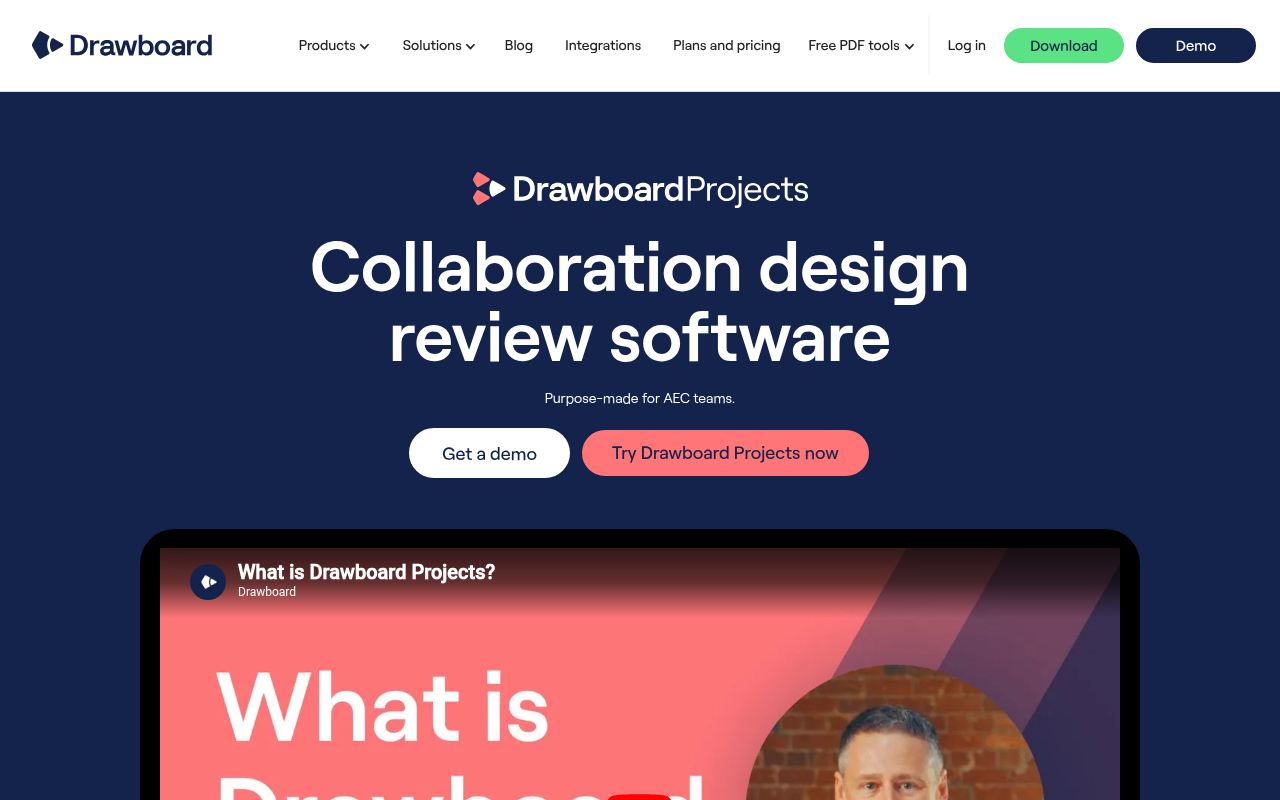
Drawboard Projects is a collaborative design review platform built around the drawing itself. Architects, engineers, and contractors use it to mark up, discuss, and coordinate on the same PDF drawings simultaneously, with the full context of every decision, annotation, and status change tied to the sheet where it happened and visible to everyone in the project.
Native apps cover Windows, iPad, and iOS, with a full-featured web app for Mac and Android, so no device is excluded from a live session. There's no check-out system, no waiting for someone to close a file, and no follow-up thread to reconstruct what was agreed on.
The markup engine is built for stylus-first input, with pressure-sensitive inking that responds natively to Apple Pencil and Surface Pen, a level of precision that Procore's document management doesn't attempt to match.
Task pins are where markup becomes action. Drop a pin on the exact location of an issue, assign it to a team member, set a due date, attach photos, and track resolution through custom statuses without leaving the drawing. A single Task can span multiple documents, making it practical for tracking issues that affect multiple areas, floors, or disciplines without duplicating records.
Drawboard Projects also auto-stacks revisions and scans title blocks during upload to minimize sheet sorting and version management work. Those updated revisions include the full history of Tasks, markups, and conversations, so all feedback and updates from revision 3 carry forward automatically to revision 4 without losing context. After your plans update, Drawing Overlays let you visually compare up to five revisions at once rather than checking edit logs, so it’s easy to see what changed at a glance.
Running a live review with a distributed team means constantly fighting to keep everyone looking at the same thing. Live Cursors make every participant's cursor visible on the drawing in real time, labeled by name, which means pointing to a detail takes a gesture rather than a verbal description.
When you need tighter control over the session, Spotlight locks every participant onto the presenter's view, mirroring their pan and zoom as they move through the set. And with Multi Drawing View pulling the full plan set onto a single canvas, nobody loses spatial context when switching between sheets mid-session.
Markup Layers keep multidisciplinary reviews from turning into a messy stream of comments. Architectural redlines, structural notes, and MEP coordination comments live on separate, togglable layers so there's never a competition for attention between disciplines on the same sheet. That separation matters even more when you factor in free guest access, which lets clients and external consultants join a live session without a paid seat, and keeps their feedback on its own layer rather than mixed in with your internal review.
Teams already running Procore can even use Drawboard Projects alongside it rather than replacing it outright. The official Procore integration, available on Growth and Enterprise plans, lets teams bulk-import drawings from Procore, review them collaboratively in Drawboard Projects with real-time multi-user markup, then sync annotated sets back to Procore Documents.
The advantage here is speed during live review sessions. Procore remains the central repository for project documentation and execution workflows, while Drawboard Projects handles the real-time markup and coordination process separately.
Drawboard Projects also integrates with other platforms, including Revit (upload sheets directly from the model without export steps), Aconex, and cloud storage services like SharePoint, OneDrive, Google Drive, and Dropbox. If you’re on an Enterprise plan, you can also use the API to tie reviews into internal approval workflows, document-control systems, project tracking dashboards, or other tools.
Drawboard Projects makes the most sense for teams whose day-to-day work revolves around drawing review and coordination. You can use it as your primary review environment, or if you’ve already invested in Procore, you can layer it into existing project workflows for faster markup collaboration.
And if you just need PDF annotation and editing, without project management, Drawboard PDF handles standalone markup with native apps across Windows, Mac, iPad, and iOS.
Drawboard Projects uses a per-user pricing model with monthly or annual billing, a 30-day free trial on every plan, and a 20-user minimum to start.
G2: ★★★★⯨ (4.8/5) – Based on 2 reviews
Capterra: ★★★★⯨ (4.8/5) – Based on 8 reviews
"One thing that really surprised me with how useful it's been is the Issues tool... Using that tool to ping each other and say, 'Hey, I want you to look at this right here'... you can respond directly in the tool, and then you can make a record of that if needed."
"I absolutely love the ability to interact directly with teammates on the same document almost seamless in real-time. This type of coordination is not possible even with something like Bluebeam Studio, which is quick, but not real-time and usable for meetings as they happen."
“We have been using draw board a lot since the pandemic and since working remotely. It is so easy to use especially with your iPad and a stylus or Apple Pencil, You can save different pens colors weights etc. and best of all you can share the document with your entire team and they can also mark things up at the same time or view your mark ups”
Autodesk Forma Build is the closest enterprise-grade alternative to Procore for teams already standardized on Revit, AutoCAD, and Navisworks. The platform covers RFIs, submittals, document management, cost tracking, and quality and safety workflows under one roof, with drawings and models flowing through Autodesk Docs so the same source of truth shows up across design, preconstruction, and the field.
Document management is one of Forma Build’s stronger areas. Sheets are versioned in Autodesk Docs with the unlimited-storage tier, drawings link to RFIs and submittals at specific locations on the plan, and the audit trail follows every comment, approval, and revision. RFIs move through standardized routing and response tracking, and submittals move through configurable approval chains tied back to specs and drawings.
Field execution runs through the PlanGrid Build mobile app on iOS and Android. Crews can access current drawings, log punch items directly against plans, capture site photos, and continue working offline when connectivity drops on site.
Field activity doesn’t stay isolated at the mobile level, either. Forma Build ties inspections, safety observations, budget tracking, and change management back into the same project records. This helps larger teams keep field activity, documentation, and costs connected instead of managing them across separate systems.
The breadth of modules can feel heavier for teams whose primary need is design review and live coordination. Updates sync to the cloud rather than appearing instantly on other users' screens during a review, so the experience leans toward structured approvals and audit trails instead of synchronous markup, and the onboarding typically takes time.
That’s usually manageable for enterprise contractors already running Revit, AutoCAD, and Autodesk Construction Cloud across multiple departments. Smaller firms or design-led teams need to decide whether they actually benefit from that operational depth or whether it adds process overhead that their projects don’t require.
Autodesk Forma Build fits best on large construction projects where design coordination, field execution, documentation, and cost management all need to stay tightly connected across the same platform. But smaller teams or design-led firms whose main job is fast review across stakeholders may find the platform broader than their workflow requires.
Autodesk Forma Build uses per-user pricing, with higher tiers adding broader project management, field execution, and enterprise collaboration capabilities.
G2: ★★★★⯨ (4.4/5) – Based on 5.380 reviews
Capterra: ★★★★ (4.3/5) – Based on 2,205 reviews

Fieldwire focuses heavily on day-to-day field coordination. Superintendents, foremen, and subcontractors can pull up current drawings onsite, pin issues directly to plans, assign follow-up work, and track completion from a phone or tablet.
The core of the product is the Tasks module. Field teams can create, assign, and track work with customizable statuses, categories, tags, priorities, and due dates, then view the same tasks in Kanban, calendar, or Gantt formats.
Each task your team pins stays tied to a specific location on the floor plan, and can be rolled up into walkthrough reports. Punch lists, QA/QC checks, and inspection workflows all run through the same module, so a foreman flagging a defect and a PM closing it out are working from the same record.
Drawing access is clearly designed around field use. Teams view versioned sheets across web, iOS, and Android, with auto-hyperlinking for plans and integrations with Box and Dropbox for source-file management.
Markups and as-builts can still be edited offline from mobile devices, then synced automatically once crews reconnect on site. This keeps projects moving where connectivity drops regularly, like basements, tunnels, or large concrete structures, where live access isn’t always reliable.
When it’s time for review, the Sheet Compare feature (available to Pro users) shows what changed between revisions, with automatic version control so the field always references the latest set without manual reconciliation.
Fieldwire's limitations show up on projects that need formal project management depth. RFIs, submittals, and change orders are gated to Business Plus, and BIM and 3D coordination are relatively limited compared to tools built around Revit or Navisworks workflows. A Budget module was added in 2025, but Fieldwire still fits better as field execution software than as a platform for full project or financial management.
Fieldwire is a strong fit for subcontractors, specialty trades, and smaller GCs whose day-to-day work is task coordination, punch walks, inspections, and plan access onsite. Architecture and engineering teams whose core work is design review and coordination across stakeholders will likely find it narrow.
Fieldwire prices per user per month, billed annually, with a free Basic plan that covers up to 5 users, 3 projects, and 100 sheets.
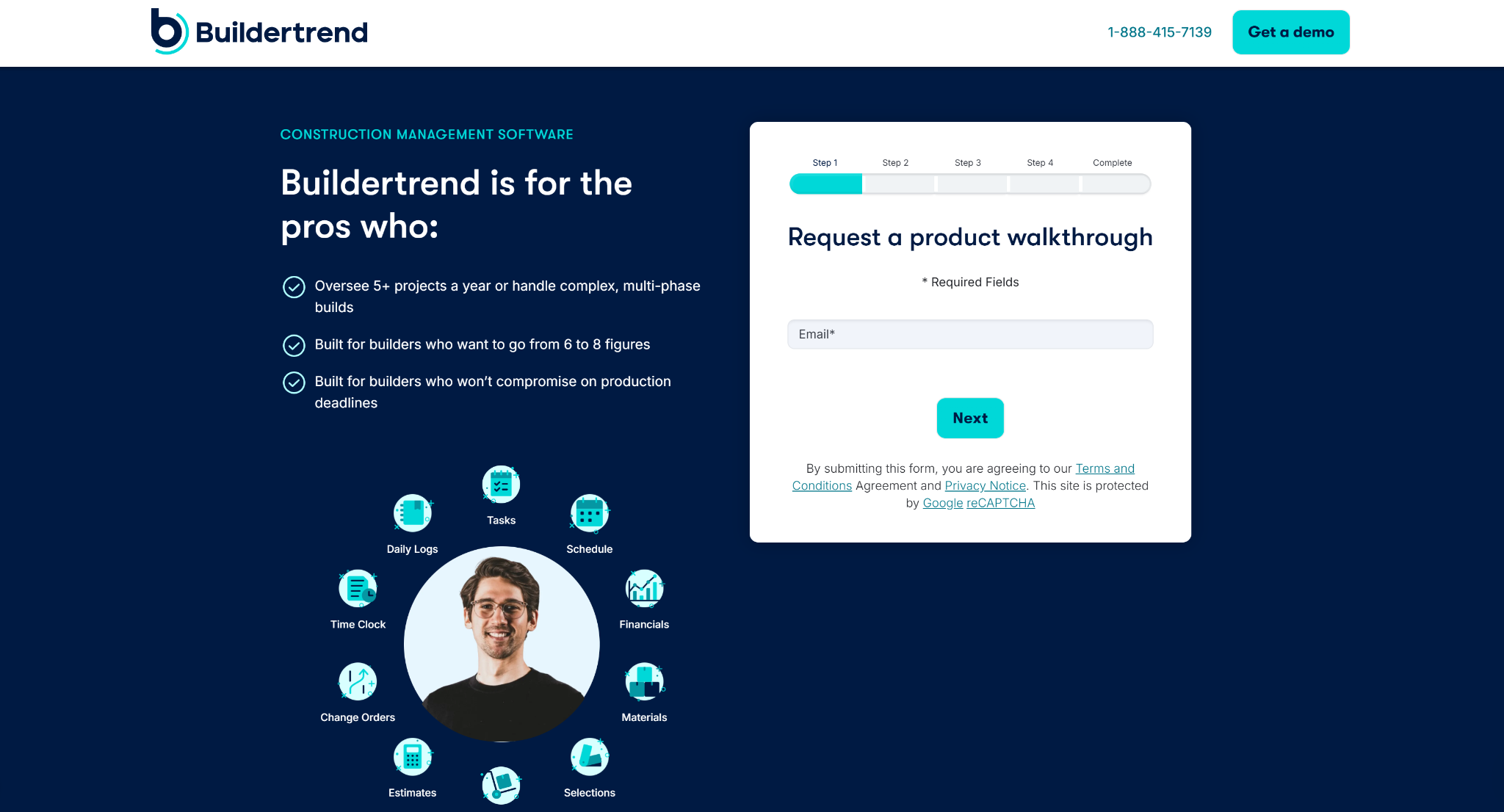
Buildertrend is built for residential construction businesses managing custom homes, remodels, and renovation projects. It combines pre-sales CRM, proposal generation, scheduling, financial management, and homeowner communication into a single system, which works well for GCs and remodelers who don't want to piece together separate tools for each.
Buildertrend's CRM captures leads, runs email marketing, and generates proposals without leaving the platform, and that lead history carries forward into the project record once a homeowner signs. For residential builders whose pipelines often start months before ground breaks, that continuity saves a lot of manual handoff work.
Project management runs on a Gantt-based schedule with linked tasks, dependencies, and critical-path visualization. Schedule items connect directly to change orders, to-dos, invoices, selections, bids, and job costing, so a delayed framing inspection updates downstream trade dates and flags affected line items automatically. Daily logs, weather tracking, and a mobile document scanner round out the field-side record-keeping.
The financial management part of the platform includes detailed estimating, change-order tracking, purchase orders, budgets, and revenue forecasting, with two-way integrations to QuickBooks and Xero. Additionally, it provides real-time profit reporting that gives builders a current view of margin per job rather than a backward-looking accountant snapshot.
The client portal is where Buildertrend most clearly differentiates itself for residential work. Homeowners log in to see schedule progress, approve selections and change orders, review invoices, and message the build team directly, keeping the back-and-forth out of email threads and text chains.
Buildertrend covers a large portion of the residential construction lifecycle, but that breadth comes with a steeper learning curve and a more cluttered interface than tools focused on a narrower workflow. The QuickBooks Online integration can also require careful oversight, particularly around syncing and accounting reconciliation.
For residential builders managing substantial project volume, having CRM, scheduling, budgeting, homeowner communication, and financial workflows all in one system may be worth the extra investment. But smaller remodelers or contractors with simpler operations may find the implementation overhead harder to justify.
Overall, Buildertrend can work for residential home builders and remodelers managing custom homes, additions, and major renovations who need everything from lead to project completion, with client communication handled in one place. But it doesn’t have the commercial tools or design review features to justify the switch for commercial GCs or AEC teams whose work revolves around drawings rather than homeowners.
As of 2026, Buildertrend no longer publishes tier names or dollar amounts on its public pricing page. Quotes are customized after a 5-step intake form covering builder type, annual revenue, implementation timeline, and role.
Bluebeam Revu's core strength is precision measurement and document control. Estimators, QA/QC teams, and VDC coordinators use it for calibrated distance, area, perimeter, count, angle, and volume takeoffs tied to custom scales, formulas, and live Excel-linked quantity tracking. Markups can be standardized across teams through reusable Tool Chest libraries, with callouts, clouds, polylines, stamps, and text styles saved and exported as .btx files for consistent use across estimators and reviewers.
Studio Sessions then puts multiple users on the same PDF in real time with attendee-following, built-in chat, and a full activity log. Revu also simplifies comparison with Overlay and drawing comparison tools. These tools convert two PDFs to different colors and stack them as transparent layers, while the AI-assisted Auto Align speeds up alignment between sets that were never plotted to the same scale.
Where Revu stands out is in document automation on the Complete plan. Batch Slip Sheet handles revision swaps across hundreds of pages at once, which matters when drawings update mid-bid and manual replacement isn't realistic at scale. Quantity Link keeps measurement data live in a connected Excel workbook as the takeoff evolves, removing the re-keying step that introduces errors when sets are revised. And Batch Link ties cross-document hyperlinking together, so navigating between sheets, specifications, and submittals works without manual setup on every revision cycle.
Platform support is the biggest issue with Revu. Revu runs natively on Windows only, with no native macOS desktop app, and native iPad support was retired at the end of 2025. Bluebeam Cloud extends access to web and iOS for lighter markup tasks, but measurement tools, batch processing, and advanced property editing are all absent from the cloud version, with no confirmed timeline for parity.
Teams fully standardized on Windows can take advantage of Revu's full depth without hitting those limits. Mixed-device environments face a harder tradeoff: Mac and iPad users either pay for desktop-tier capabilities they can't access, or switch devices and absorb the retraining (and hardware cost) that comes with it.
Revu makes the most sense for established AEC firms with standardized Windows environments and a high volume of measurement, document control, or automation work. Smaller teams or those earlier in their technology adoption may find the overhead hard to justify relative to what they actually use.
Bluebeam Revu prices per user per year on subscription, with a 14-day free trial and no credit card required to start.
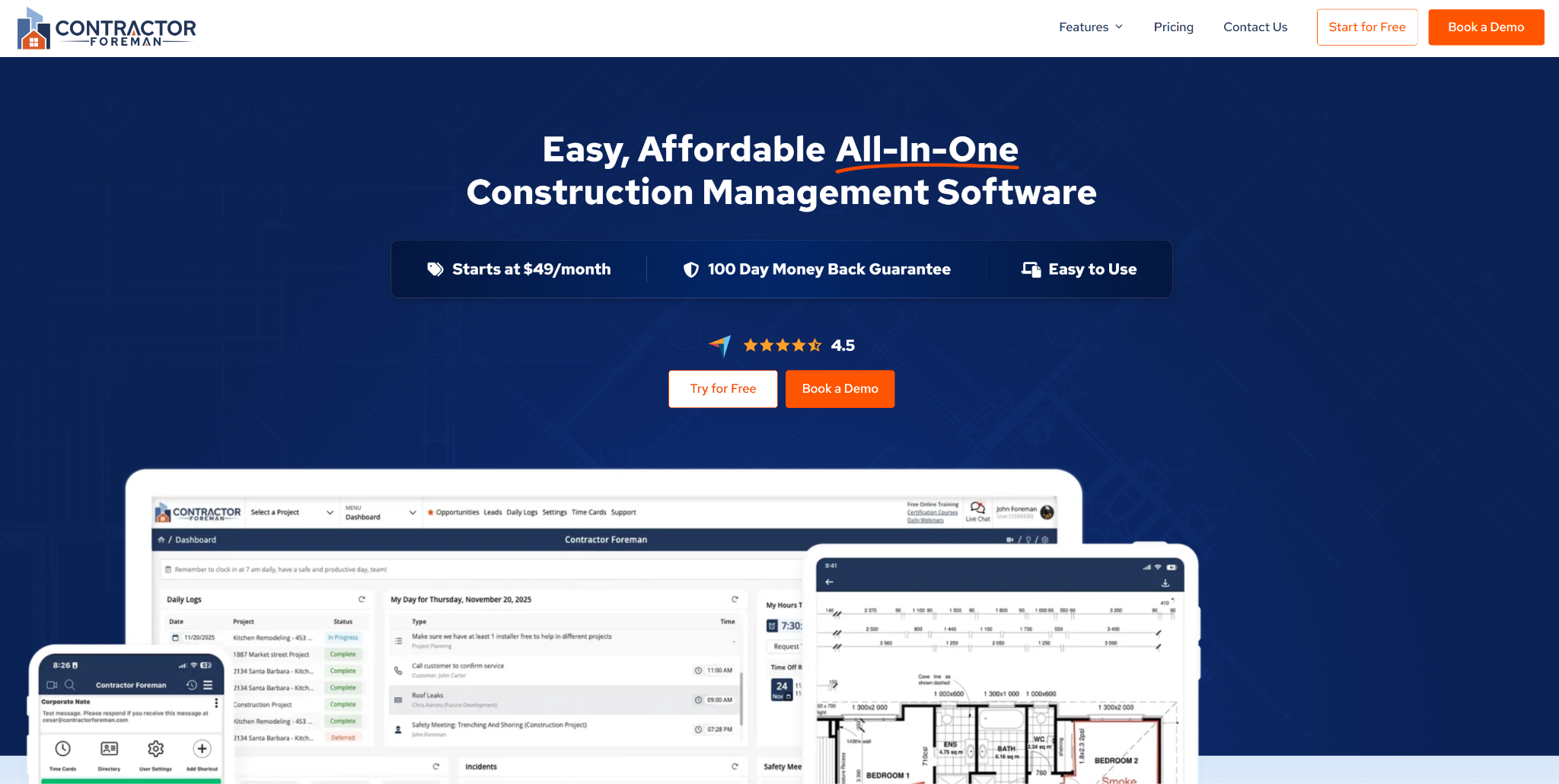
Contractor Foreman gives smaller construction teams broad operational coverage without the cost structure or complexity of enterprise software. Scheduling, RFIs, daily logs, GPS timecards, AIA invoicing, job costing, and client communication all live under one subscription, which appeals to contractors trying to consolidate disconnected spreadsheets, time-tracking apps, and standalone admin tools.
Pre-construction work runs through estimating templates, item libraries, and proposal generation, with bid tracking keeping open opportunities organized through to award. Once a project kicks off, scheduling picks up through Gantt or CPM views and imports directly from Microsoft Project files, so the transition from estimate to active schedule doesn't require rebuilding the plan from scratch.
Field accountability is where Contractor Foreman earns its place for labor-heavy commercial work. GPS-driven timecards with geofencing enforce physical presence at clock-in, which removes buddy-punching and keeps payroll hours tied to actual jobsite time rather than self-reported estimates. Safety modules sit alongside those field tools with 800+ pre-loaded meeting topics, digital signature capture, and incident reporting tied directly to project records, so compliance documentation accumulates through the normal course of work rather than getting reconstructed before an audit.
On the office side, the platform covers most of what smaller contractors typically manage across separate systems. RFIs and submittals move through tracked approval workflows, change orders follow the same chain, and job costing keeps labor, materials, and subcontractor spend running against estimates in real time. Plus, AIA-format G702/G703 invoicing handles progress billing for commercial work.
The platform also has a client portal that closes the loop for homeowners and owner reps, who can approve change orders, review project photos, and sign documents electronically. This helps it support residential AEC companies as well as commercial firms.
Contractor Foreman’s tradeoffs show up most clearly in reporting and document management.
Custom reports export as Excel downloads rather than rendering inside the platform, which means stepping outside the tool to reference data mid-project. And with permits, inspections, subcontracts, and timecards spread across separate sections, finding everything related to a single project takes more navigation than it should. Neither issue is a dealbreaker for straightforward project volumes, but teams managing more complex builds will likely fill the gaps with a dedicated reporting tool or tighter folder conventions to compensate.
Contractor Foreman is suitable for residential remodelers, specialty trades, and small commercial GCs who want one subscription to cover field, office, and client communication without paying per seat. Teams that need depth in specific areas rather than breadth or who require deep BIM integration may eventually outgrow it as operational complexity increases.
Contractor Foreman bills monthly on annual or quarterly contracts, with no per-user fees inside each tier. A 30-day free trial is available on every plan, and a 100-day money-back guarantee applies to Pro and Unlimited annual plans only.
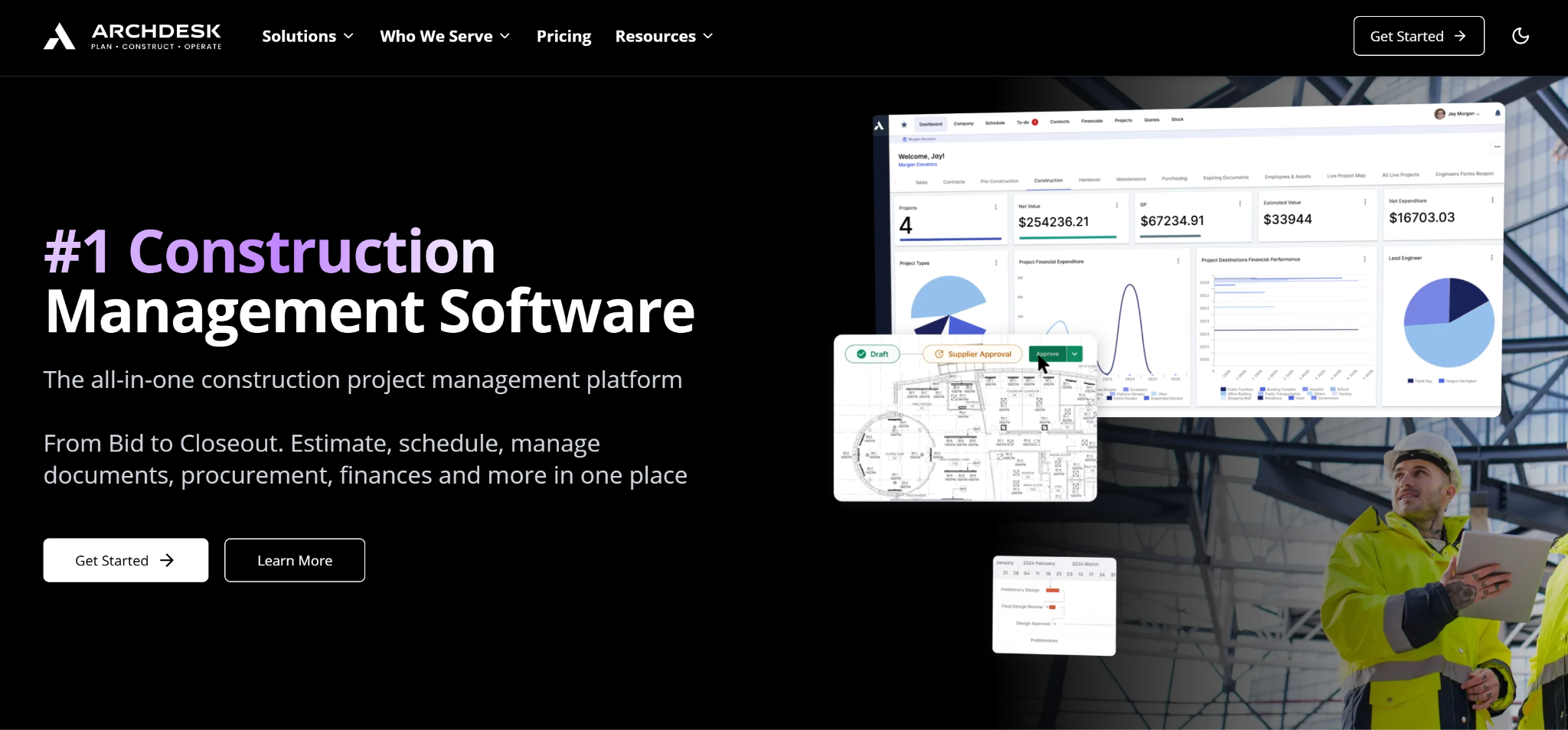
Archdesk focuses on mid-to-large contractors who need highly configurable workflows that fit their diverse project types and operational structure. The platform lets your operations lead reshape the entire project lifecycle through a no-code engine, mapping tender, procurement, delivery, and handover stages onto how your company already runs jobs.
Admins on the Professional or Enterprise plans can build out custom approval chains, document routing, and stage gates that mirror your internal SOPs, down to the field names, status options, and trigger logic.
Archdesk also puts a heavy emphasis on financial control and procurement oversight. Real-time job costing tracks budget-versus-actual at the line-item level and can automatically block cost overruns before a purchase order clears. And the procurement suite handles end-to-end purchasing with three-way invoice matching, automated PO generation, and tender management that pulls RFQs and bid comparisons into a single dashboard.
That operational data stays connected to the accounting side as projects move forward. Two-way integrations with Sage, Xero, and QuickBooks sync valuations, invoices, and financial reporting back into the ERP layer without requiring teams to manually re-enter project data across systems.
Archdesk handles resource planning through the Global Scheduler. It gives operations teams a centralized view of crew assignments, subcontractor availability, and equipment allocation across active projects, with Gantt charts integrating with MS Project and Primavera P6 for teams already running those tools.
The challenge with Archdesk is the implementation complexity. Initial rollout to wide field teams takes structured onboarding and ongoing training, since the platform is rarely intuitive on first use.
That lack of intuitiveness comes from the platform’s configurability. The same flexibility that makes Archdesk adaptable means someone has to design and build the workflows before the team can use them, which takes coordination and time upfront. Teams with relatively uniform, standardized jobs often find that overhead is hard to justify against what they actually need.
Archdesk makes the most sense for established contractors whose project diversity has outgrown what a templated platform can handle. Smaller residential or specialty firms running consistent job types will likely find it excessive.
Archdesk doesn’t provide plan details or pricing publicly. All quotes start with the quote wizard, which asks about your business and annual volume.
Most Procore alternatives compete on the same construction management workflows: RFIs, submittals, scheduling, cost tracking, and field execution. Drawboard Projects takes a different approach entirely, built around the drawing review workflow itself rather than the broader construction administration stack.
That focus shows up in the depth of the markup tools, the revision management, the live session experience, and the cross-device flexibility that general-purpose platforms don't prioritize.
It fits best during active coordination cycles involving external reviewers and distributed project teams. Markups, tasks, and discussions stay attached to the drawing through each revision, so the context built up over weeks of coordination doesn't dissolve between meetings, email threads, and disconnected PDF tools.
For GCs already committed to Procore, Drawboard Projects acts as a complementary tool rather than a replacement. The Procore integration keeps design reviews running in a more capable review environment, while finalized drawing sets and project documentation flow back into Procore once coordination is complete.
If your team's review process keeps stalling because stakeholders work across different devices, feedback gets lost between revisions, or external collaborators get stuck behind paid licenses, Drawboard Projects centralizes the entire coordination workflow into one live workspace.
Start your 30-day free trial or book a demo to see how Drawboard Projects upgrades your design reviews.
Procore doesn't offer a free tier or self-serve trial. Demos are scheduled by booking a call with sales.
If you want to try construction management software without committing budget upfront, Drawboard Projects offers a 30-day free trial on every paid plan.
Procore offers custom quotes based on your annual construction volume rather than per-user. Third-party trackers report typical contracts in the $10,000 to $50,000+ range with 20–30% annual increases tied to volume growth.
Yes. Drawboard Projects has an official Procore integration available on Growth and Enterprise plans.
You can bulk-import drawings from Procore into a Drawboard Projects workspace, run collaborative real-time review with markups and Tasks, then sync annotated sets back to Procore Documents when reviews close out.
Procore stays the system of record for RFIs, submittals, and execution, and design reviews happen in a tool built for them.
The most consistent complaints across G2, Capterra, and industry forums center on cost and complexity:
For teams where any of those friction points outweigh the benefits, a more focused alternative will often deliver better value for the specific workflows that matter most.
Procore makes sense for enterprise GCs and owners who need RFIs, submittals, cost workflows, scheduling, and quality controls running through one platform with unlimited users.
But that same breadth can become a drawback for firms that don't need every operational layer under the same roof. A wider feature set usually means longer onboarding and more training on top of an already significant enterprise price point, and for smaller teams or specialized firms, the administration overhead can outweigh the benefit. Plus, a platform covering that much ground will always have areas where a purpose-built tool goes deeper.
That's why many AEC firms end up looking for Procore alternatives that do a specific job better, faster, or for less, or adding a tool that integrates with Procore to close a specific gap, like drawing review and markup or residential project management.
Here are seven of the best Procore alternatives, each with a different approach and core strength.
Drawboard Projects is a collaborative design review platform built around the drawing itself. Architects, engineers, and contractors use it to mark up, discuss, and coordinate on the same PDF drawings simultaneously, with the full context of every decision, annotation, and status change tied to the sheet where it happened and visible to everyone in the project.
Native apps cover Windows, iPad, and iOS, with a full-featured web app for Mac and Android, so no device is excluded from a live session. There's no check-out system, no waiting for someone to close a file, and no follow-up thread to reconstruct what was agreed on.
The markup engine is built for stylus-first input, with pressure-sensitive inking that responds natively to Apple Pencil and Surface Pen, a level of precision that Procore's document management doesn't attempt to match.
Task pins are where markup becomes action. Drop a pin on the exact location of an issue, assign it to a team member, set a due date, attach photos, and track resolution through custom statuses without leaving the drawing. A single Task can span multiple documents, making it practical for tracking issues that affect multiple areas, floors, or disciplines without duplicating records.
Drawboard Projects also auto-stacks revisions and scans title blocks during upload to minimize sheet sorting and version management work. Those updated revisions include the full history of Tasks, markups, and conversations, so all feedback and updates from revision 3 carry forward automatically to revision 4 without losing context. After your plans update, Drawing Overlays let you visually compare up to five revisions at once rather than checking edit logs, so it’s easy to see what changed at a glance.
Running a live review with a distributed team means constantly fighting to keep everyone looking at the same thing. Live Cursors make every participant's cursor visible on the drawing in real time, labeled by name, which means pointing to a detail takes a gesture rather than a verbal description.
When you need tighter control over the session, Spotlight locks every participant onto the presenter's view, mirroring their pan and zoom as they move through the set. And with Multi Drawing View pulling the full plan set onto a single canvas, nobody loses spatial context when switching between sheets mid-session.
Markup Layers keep multidisciplinary reviews from turning into a messy stream of comments. Architectural redlines, structural notes, and MEP coordination comments live on separate, togglable layers so there's never a competition for attention between disciplines on the same sheet. That separation matters even more when you factor in free guest access, which lets clients and external consultants join a live session without a paid seat, and keeps their feedback on its own layer rather than mixed in with your internal review.
Teams already running Procore can even use Drawboard Projects alongside it rather than replacing it outright. The official Procore integration, available on Growth and Enterprise plans, lets teams bulk-import drawings from Procore, review them collaboratively in Drawboard Projects with real-time multi-user markup, then sync annotated sets back to Procore Documents.
The advantage here is speed during live review sessions. Procore remains the central repository for project documentation and execution workflows, while Drawboard Projects handles the real-time markup and coordination process separately.
Drawboard Projects also integrates with other platforms, including Revit (upload sheets directly from the model without export steps), Aconex, and cloud storage services like SharePoint, OneDrive, Google Drive, and Dropbox. If you’re on an Enterprise plan, you can also use the API to tie reviews into internal approval workflows, document-control systems, project tracking dashboards, or other tools.
Drawboard Projects makes the most sense for teams whose day-to-day work revolves around drawing review and coordination. You can use it as your primary review environment, or if you’ve already invested in Procore, you can layer it into existing project workflows for faster markup collaboration.
And if you just need PDF annotation and editing, without project management, Drawboard PDF handles standalone markup with native apps across Windows, Mac, iPad, and iOS.
Drawboard Projects uses a per-user pricing model with monthly or annual billing, a 30-day free trial on every plan, and a 20-user minimum to start.
G2: ★★★★⯨ (4.8/5) – Based on 2 reviews
Capterra: ★★★★⯨ (4.8/5) – Based on 8 reviews
"One thing that really surprised me with how useful it's been is the Issues tool... Using that tool to ping each other and say, 'Hey, I want you to look at this right here'... you can respond directly in the tool, and then you can make a record of that if needed."
"I absolutely love the ability to interact directly with teammates on the same document almost seamless in real-time. This type of coordination is not possible even with something like Bluebeam Studio, which is quick, but not real-time and usable for meetings as they happen."
“We have been using draw board a lot since the pandemic and since working remotely. It is so easy to use especially with your iPad and a stylus or Apple Pencil, You can save different pens colors weights etc. and best of all you can share the document with your entire team and they can also mark things up at the same time or view your mark ups”
Autodesk Forma Build is the closest enterprise-grade alternative to Procore for teams already standardized on Revit, AutoCAD, and Navisworks. The platform covers RFIs, submittals, document management, cost tracking, and quality and safety workflows under one roof, with drawings and models flowing through Autodesk Docs so the same source of truth shows up across design, preconstruction, and the field.
Document management is one of Forma Build’s stronger areas. Sheets are versioned in Autodesk Docs with the unlimited-storage tier, drawings link to RFIs and submittals at specific locations on the plan, and the audit trail follows every comment, approval, and revision. RFIs move through standardized routing and response tracking, and submittals move through configurable approval chains tied back to specs and drawings.
Field execution runs through the PlanGrid Build mobile app on iOS and Android. Crews can access current drawings, log punch items directly against plans, capture site photos, and continue working offline when connectivity drops on site.
Field activity doesn’t stay isolated at the mobile level, either. Forma Build ties inspections, safety observations, budget tracking, and change management back into the same project records. This helps larger teams keep field activity, documentation, and costs connected instead of managing them across separate systems.
The breadth of modules can feel heavier for teams whose primary need is design review and live coordination. Updates sync to the cloud rather than appearing instantly on other users' screens during a review, so the experience leans toward structured approvals and audit trails instead of synchronous markup, and the onboarding typically takes time.
That’s usually manageable for enterprise contractors already running Revit, AutoCAD, and Autodesk Construction Cloud across multiple departments. Smaller firms or design-led teams need to decide whether they actually benefit from that operational depth or whether it adds process overhead that their projects don’t require.
Autodesk Forma Build fits best on large construction projects where design coordination, field execution, documentation, and cost management all need to stay tightly connected across the same platform. But smaller teams or design-led firms whose main job is fast review across stakeholders may find the platform broader than their workflow requires.
Autodesk Forma Build uses per-user pricing, with higher tiers adding broader project management, field execution, and enterprise collaboration capabilities.
G2: ★★★★⯨ (4.4/5) – Based on 5.380 reviews
Capterra: ★★★★ (4.3/5) – Based on 2,205 reviews
Fieldwire focuses heavily on day-to-day field coordination. Superintendents, foremen, and subcontractors can pull up current drawings onsite, pin issues directly to plans, assign follow-up work, and track completion from a phone or tablet.
The core of the product is the Tasks module. Field teams can create, assign, and track work with customizable statuses, categories, tags, priorities, and due dates, then view the same tasks in Kanban, calendar, or Gantt formats.
Each task your team pins stays tied to a specific location on the floor plan, and can be rolled up into walkthrough reports. Punch lists, QA/QC checks, and inspection workflows all run through the same module, so a foreman flagging a defect and a PM closing it out are working from the same record.
Drawing access is clearly designed around field use. Teams view versioned sheets across web, iOS, and Android, with auto-hyperlinking for plans and integrations with Box and Dropbox for source-file management.
Markups and as-builts can still be edited offline from mobile devices, then synced automatically once crews reconnect on site. This keeps projects moving where connectivity drops regularly, like basements, tunnels, or large concrete structures, where live access isn’t always reliable.
When it’s time for review, the Sheet Compare feature (available to Pro users) shows what changed between revisions, with automatic version control so the field always references the latest set without manual reconciliation.
Fieldwire's limitations show up on projects that need formal project management depth. RFIs, submittals, and change orders are gated to Business Plus, and BIM and 3D coordination are relatively limited compared to tools built around Revit or Navisworks workflows. A Budget module was added in 2025, but Fieldwire still fits better as field execution software than as a platform for full project or financial management.
Fieldwire is a strong fit for subcontractors, specialty trades, and smaller GCs whose day-to-day work is task coordination, punch walks, inspections, and plan access onsite. Architecture and engineering teams whose core work is design review and coordination across stakeholders will likely find it narrow.
Fieldwire prices per user per month, billed annually, with a free Basic plan that covers up to 5 users, 3 projects, and 100 sheets.
Buildertrend is built for residential construction businesses managing custom homes, remodels, and renovation projects. It combines pre-sales CRM, proposal generation, scheduling, financial management, and homeowner communication into a single system, which works well for GCs and remodelers who don't want to piece together separate tools for each.
Buildertrend's CRM captures leads, runs email marketing, and generates proposals without leaving the platform, and that lead history carries forward into the project record once a homeowner signs. For residential builders whose pipelines often start months before ground breaks, that continuity saves a lot of manual handoff work.
Project management runs on a Gantt-based schedule with linked tasks, dependencies, and critical-path visualization. Schedule items connect directly to change orders, to-dos, invoices, selections, bids, and job costing, so a delayed framing inspection updates downstream trade dates and flags affected line items automatically. Daily logs, weather tracking, and a mobile document scanner round out the field-side record-keeping.
The financial management part of the platform includes detailed estimating, change-order tracking, purchase orders, budgets, and revenue forecasting, with two-way integrations to QuickBooks and Xero. Additionally, it provides real-time profit reporting that gives builders a current view of margin per job rather than a backward-looking accountant snapshot.
The client portal is where Buildertrend most clearly differentiates itself for residential work. Homeowners log in to see schedule progress, approve selections and change orders, review invoices, and message the build team directly, keeping the back-and-forth out of email threads and text chains.
Buildertrend covers a large portion of the residential construction lifecycle, but that breadth comes with a steeper learning curve and a more cluttered interface than tools focused on a narrower workflow. The QuickBooks Online integration can also require careful oversight, particularly around syncing and accounting reconciliation.
For residential builders managing substantial project volume, having CRM, scheduling, budgeting, homeowner communication, and financial workflows all in one system may be worth the extra investment. But smaller remodelers or contractors with simpler operations may find the implementation overhead harder to justify.
Overall, Buildertrend can work for residential home builders and remodelers managing custom homes, additions, and major renovations who need everything from lead to project completion, with client communication handled in one place. But it doesn’t have the commercial tools or design review features to justify the switch for commercial GCs or AEC teams whose work revolves around drawings rather than homeowners.
As of 2026, Buildertrend no longer publishes tier names or dollar amounts on its public pricing page. Quotes are customized after a 5-step intake form covering builder type, annual revenue, implementation timeline, and role.
Bluebeam Revu's core strength is precision measurement and document control. Estimators, QA/QC teams, and VDC coordinators use it for calibrated distance, area, perimeter, count, angle, and volume takeoffs tied to custom scales, formulas, and live Excel-linked quantity tracking. Markups can be standardized across teams through reusable Tool Chest libraries, with callouts, clouds, polylines, stamps, and text styles saved and exported as .btx files for consistent use across estimators and reviewers.
Studio Sessions then puts multiple users on the same PDF in real time with attendee-following, built-in chat, and a full activity log. Revu also simplifies comparison with Overlay and drawing comparison tools. These tools convert two PDFs to different colors and stack them as transparent layers, while the AI-assisted Auto Align speeds up alignment between sets that were never plotted to the same scale.
Where Revu stands out is in document automation on the Complete plan. Batch Slip Sheet handles revision swaps across hundreds of pages at once, which matters when drawings update mid-bid and manual replacement isn't realistic at scale. Quantity Link keeps measurement data live in a connected Excel workbook as the takeoff evolves, removing the re-keying step that introduces errors when sets are revised. And Batch Link ties cross-document hyperlinking together, so navigating between sheets, specifications, and submittals works without manual setup on every revision cycle.
Platform support is the biggest issue with Revu. Revu runs natively on Windows only, with no native macOS desktop app, and native iPad support was retired at the end of 2025. Bluebeam Cloud extends access to web and iOS for lighter markup tasks, but measurement tools, batch processing, and advanced property editing are all absent from the cloud version, with no confirmed timeline for parity.
Teams fully standardized on Windows can take advantage of Revu's full depth without hitting those limits. Mixed-device environments face a harder tradeoff: Mac and iPad users either pay for desktop-tier capabilities they can't access, or switch devices and absorb the retraining (and hardware cost) that comes with it.
Revu makes the most sense for established AEC firms with standardized Windows environments and a high volume of measurement, document control, or automation work. Smaller teams or those earlier in their technology adoption may find the overhead hard to justify relative to what they actually use.
Bluebeam Revu prices per user per year on subscription, with a 14-day free trial and no credit card required to start.
Contractor Foreman gives smaller construction teams broad operational coverage without the cost structure or complexity of enterprise software. Scheduling, RFIs, daily logs, GPS timecards, AIA invoicing, job costing, and client communication all live under one subscription, which appeals to contractors trying to consolidate disconnected spreadsheets, time-tracking apps, and standalone admin tools.
Pre-construction work runs through estimating templates, item libraries, and proposal generation, with bid tracking keeping open opportunities organized through to award. Once a project kicks off, scheduling picks up through Gantt or CPM views and imports directly from Microsoft Project files, so the transition from estimate to active schedule doesn't require rebuilding the plan from scratch.
Field accountability is where Contractor Foreman earns its place for labor-heavy commercial work. GPS-driven timecards with geofencing enforce physical presence at clock-in, which removes buddy-punching and keeps payroll hours tied to actual jobsite time rather than self-reported estimates. Safety modules sit alongside those field tools with 800+ pre-loaded meeting topics, digital signature capture, and incident reporting tied directly to project records, so compliance documentation accumulates through the normal course of work rather than getting reconstructed before an audit.
On the office side, the platform covers most of what smaller contractors typically manage across separate systems. RFIs and submittals move through tracked approval workflows, change orders follow the same chain, and job costing keeps labor, materials, and subcontractor spend running against estimates in real time. Plus, AIA-format G702/G703 invoicing handles progress billing for commercial work.
The platform also has a client portal that closes the loop for homeowners and owner reps, who can approve change orders, review project photos, and sign documents electronically. This helps it support residential AEC companies as well as commercial firms.
Contractor Foreman’s tradeoffs show up most clearly in reporting and document management.
Custom reports export as Excel downloads rather than rendering inside the platform, which means stepping outside the tool to reference data mid-project. And with permits, inspections, subcontracts, and timecards spread across separate sections, finding everything related to a single project takes more navigation than it should. Neither issue is a dealbreaker for straightforward project volumes, but teams managing more complex builds will likely fill the gaps with a dedicated reporting tool or tighter folder conventions to compensate.
Contractor Foreman is suitable for residential remodelers, specialty trades, and small commercial GCs who want one subscription to cover field, office, and client communication without paying per seat. Teams that need depth in specific areas rather than breadth or who require deep BIM integration may eventually outgrow it as operational complexity increases.
Contractor Foreman bills monthly on annual or quarterly contracts, with no per-user fees inside each tier. A 30-day free trial is available on every plan, and a 100-day money-back guarantee applies to Pro and Unlimited annual plans only.
Archdesk focuses on mid-to-large contractors who need highly configurable workflows that fit their diverse project types and operational structure. The platform lets your operations lead reshape the entire project lifecycle through a no-code engine, mapping tender, procurement, delivery, and handover stages onto how your company already runs jobs.
Admins on the Professional or Enterprise plans can build out custom approval chains, document routing, and stage gates that mirror your internal SOPs, down to the field names, status options, and trigger logic.
Archdesk also puts a heavy emphasis on financial control and procurement oversight. Real-time job costing tracks budget-versus-actual at the line-item level and can automatically block cost overruns before a purchase order clears. And the procurement suite handles end-to-end purchasing with three-way invoice matching, automated PO generation, and tender management that pulls RFQs and bid comparisons into a single dashboard.
That operational data stays connected to the accounting side as projects move forward. Two-way integrations with Sage, Xero, and QuickBooks sync valuations, invoices, and financial reporting back into the ERP layer without requiring teams to manually re-enter project data across systems.
Archdesk handles resource planning through the Global Scheduler. It gives operations teams a centralized view of crew assignments, subcontractor availability, and equipment allocation across active projects, with Gantt charts integrating with MS Project and Primavera P6 for teams already running those tools.
The challenge with Archdesk is the implementation complexity. Initial rollout to wide field teams takes structured onboarding and ongoing training, since the platform is rarely intuitive on first use.
That lack of intuitiveness comes from the platform’s configurability. The same flexibility that makes Archdesk adaptable means someone has to design and build the workflows before the team can use them, which takes coordination and time upfront. Teams with relatively uniform, standardized jobs often find that overhead is hard to justify against what they actually need.
Archdesk makes the most sense for established contractors whose project diversity has outgrown what a templated platform can handle. Smaller residential or specialty firms running consistent job types will likely find it excessive.
Archdesk doesn’t provide plan details or pricing publicly. All quotes start with the quote wizard, which asks about your business and annual volume.
Most Procore alternatives compete on the same construction management workflows: RFIs, submittals, scheduling, cost tracking, and field execution. Drawboard Projects takes a different approach entirely, built around the drawing review workflow itself rather than the broader construction administration stack.
That focus shows up in the depth of the markup tools, the revision management, the live session experience, and the cross-device flexibility that general-purpose platforms don't prioritize.
It fits best during active coordination cycles involving external reviewers and distributed project teams. Markups, tasks, and discussions stay attached to the drawing through each revision, so the context built up over weeks of coordination doesn't dissolve between meetings, email threads, and disconnected PDF tools.
For GCs already committed to Procore, Drawboard Projects acts as a complementary tool rather than a replacement. The Procore integration keeps design reviews running in a more capable review environment, while finalized drawing sets and project documentation flow back into Procore once coordination is complete.
If your team's review process keeps stalling because stakeholders work across different devices, feedback gets lost between revisions, or external collaborators get stuck behind paid licenses, Drawboard Projects centralizes the entire coordination workflow into one live workspace.
Start your 30-day free trial or book a demo to see how Drawboard Projects upgrades your design reviews.
Procore doesn't offer a free tier or self-serve trial. Demos are scheduled by booking a call with sales.
If you want to try construction management software without committing budget upfront, Drawboard Projects offers a 30-day free trial on every paid plan.
Procore offers custom quotes based on your annual construction volume rather than per-user. Third-party trackers report typical contracts in the $10,000 to $50,000+ range with 20–30% annual increases tied to volume growth.
Yes. Drawboard Projects has an official Procore integration available on Growth and Enterprise plans.
You can bulk-import drawings from Procore into a Drawboard Projects workspace, run collaborative real-time review with markups and Tasks, then sync annotated sets back to Procore Documents when reviews close out.
Procore stays the system of record for RFIs, submittals, and execution, and design reviews happen in a tool built for them.
The most consistent complaints across G2, Capterra, and industry forums center on cost and complexity:
For teams where any of those friction points outweigh the benefits, a more focused alternative will often deliver better value for the specific workflows that matter most.


We are a PDF and collaboration company. We believe that creating more effective connections between people reduces waste.
Our best work has been overtaken by busywork. That’s why we’ve created ways to help people get back to working wonders without any paper in sight.
Drawboard PDF lets you mark up and share with ease, and Drawboard Projects brings collaborative design review to architecture and engineering teams.
At Drawboard, we work our magic so our customers can get back to working theirs.
We are a PDF and collaboration company. We believe that creating more effective connections between people reduces waste.
Our best work has been overtaken by busywork. That’s why we’ve created ways to help people get back to working wonders without any paper in sight.
Drawboard PDF lets you mark up and share with ease, and Drawboard Projects brings collaborative design review to architecture and engineering teams.
At Drawboard, we work our magic so our customers can get back to working theirs.


